Engagements, hours and invoices minus the admin day.
Independent consultants and small advisory firms billing by engagement or retainer. The Professional Services blueprint turns a signed proposal into an engagement with its own timesheets and work items.
Sound familiar?
Proposals rebuilt from scratch
Every engagement letter written again instead of assembled from a catalogue.
Scope creep goes unbilled
Extra workshops delivered free because nothing tracked the boundary.
Utilisation is a mystery
No view of hours delivered against hours sold until the engagement is over.
What installs when you pick Consulting.
Choose it during signup and the workspace is already shaped like your business — no blank CRM to configure first.
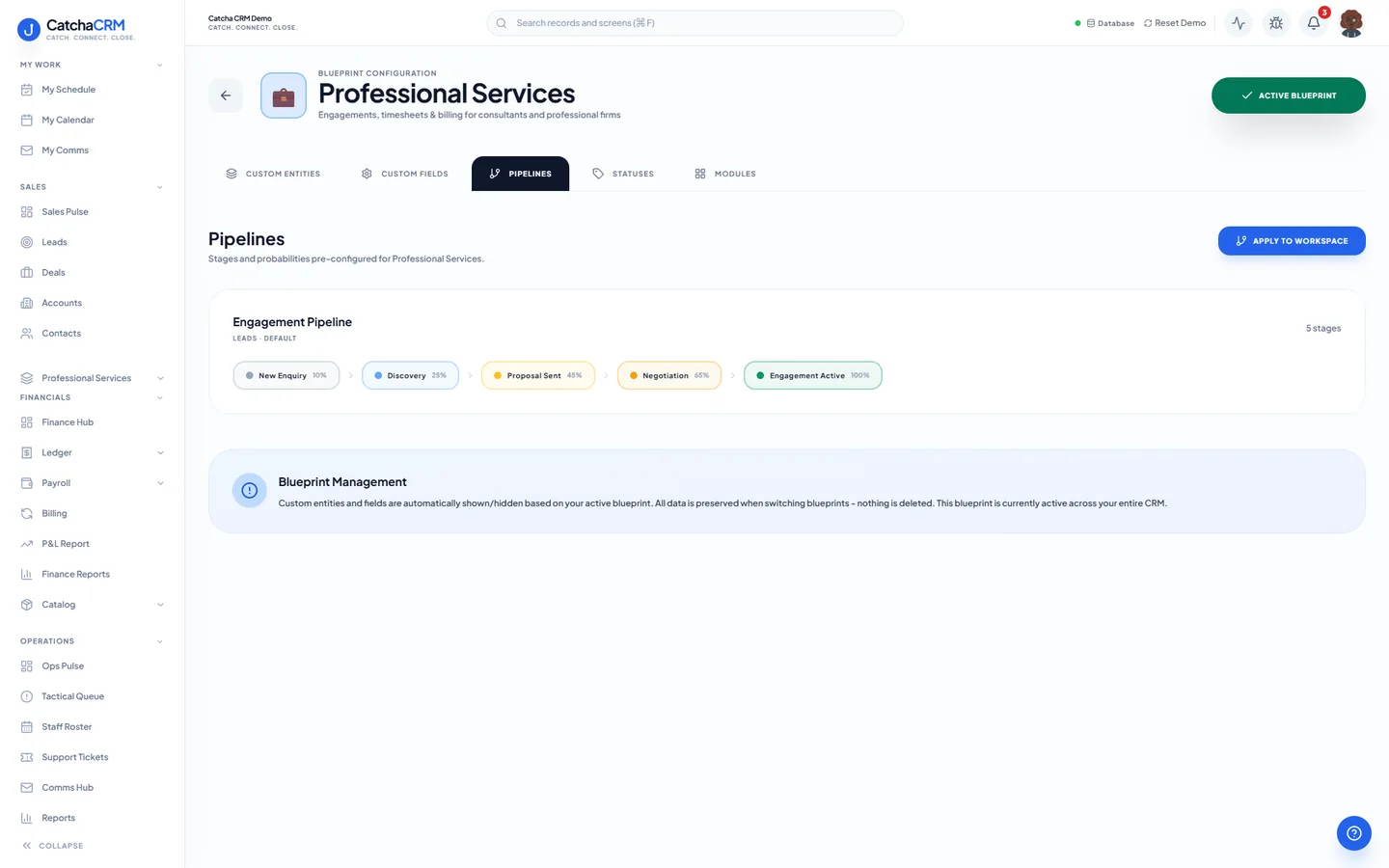
Pipeline stages Engagement Pipeline
- 1New Enquiry
- 2Discovery
- 3Proposal Sent
- 4Negotiation
- 5Engagement Active
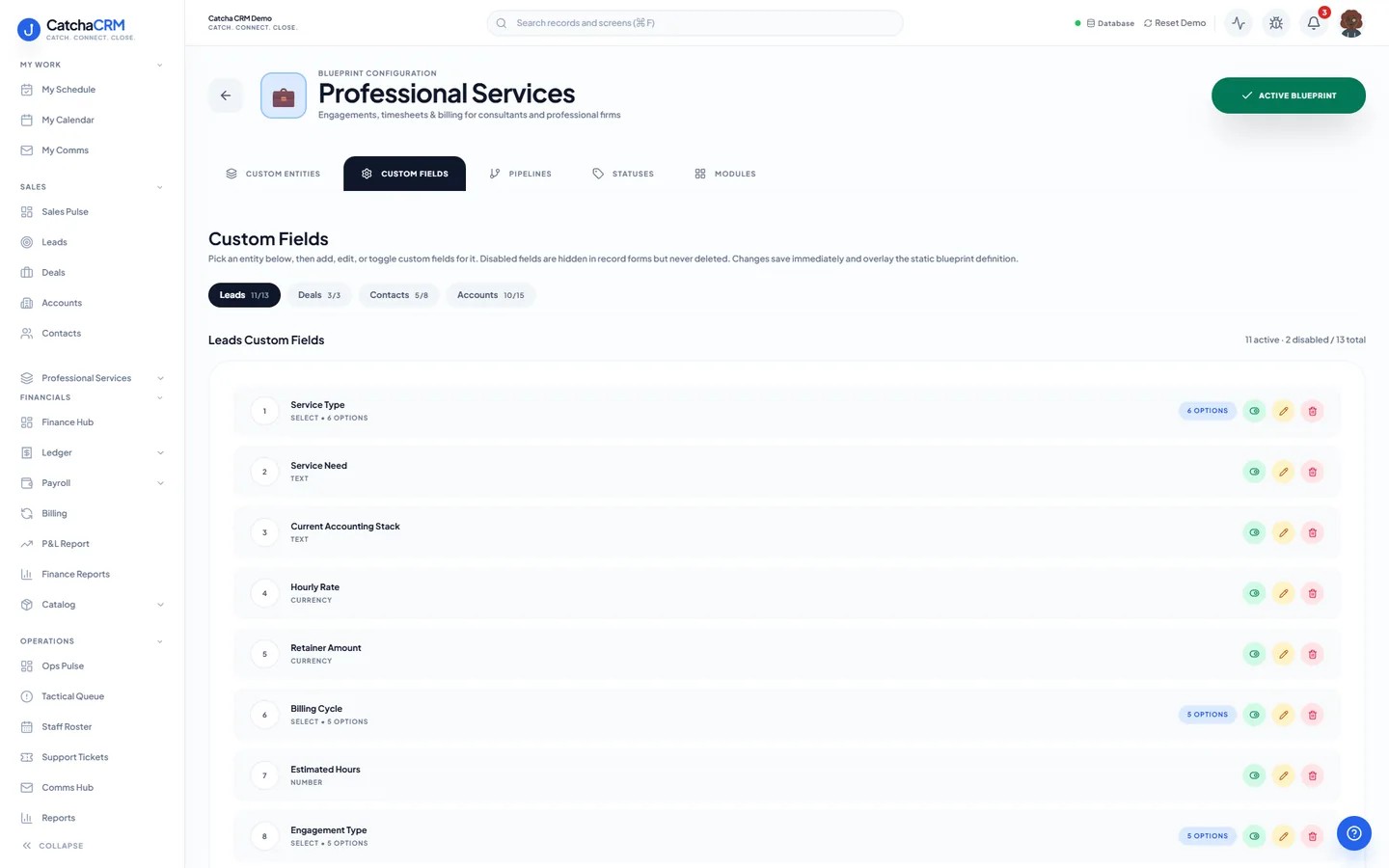
Custom fields on top of the standard ones
| Field | Type |
|---|---|
| Engagement Type | dropdown |
| Estimated Hours | number |
| Hourly Rate | currency |
| Retainer Amount | currency |
| Billing Cycle | dropdown |
| Recurring Fee | currency |
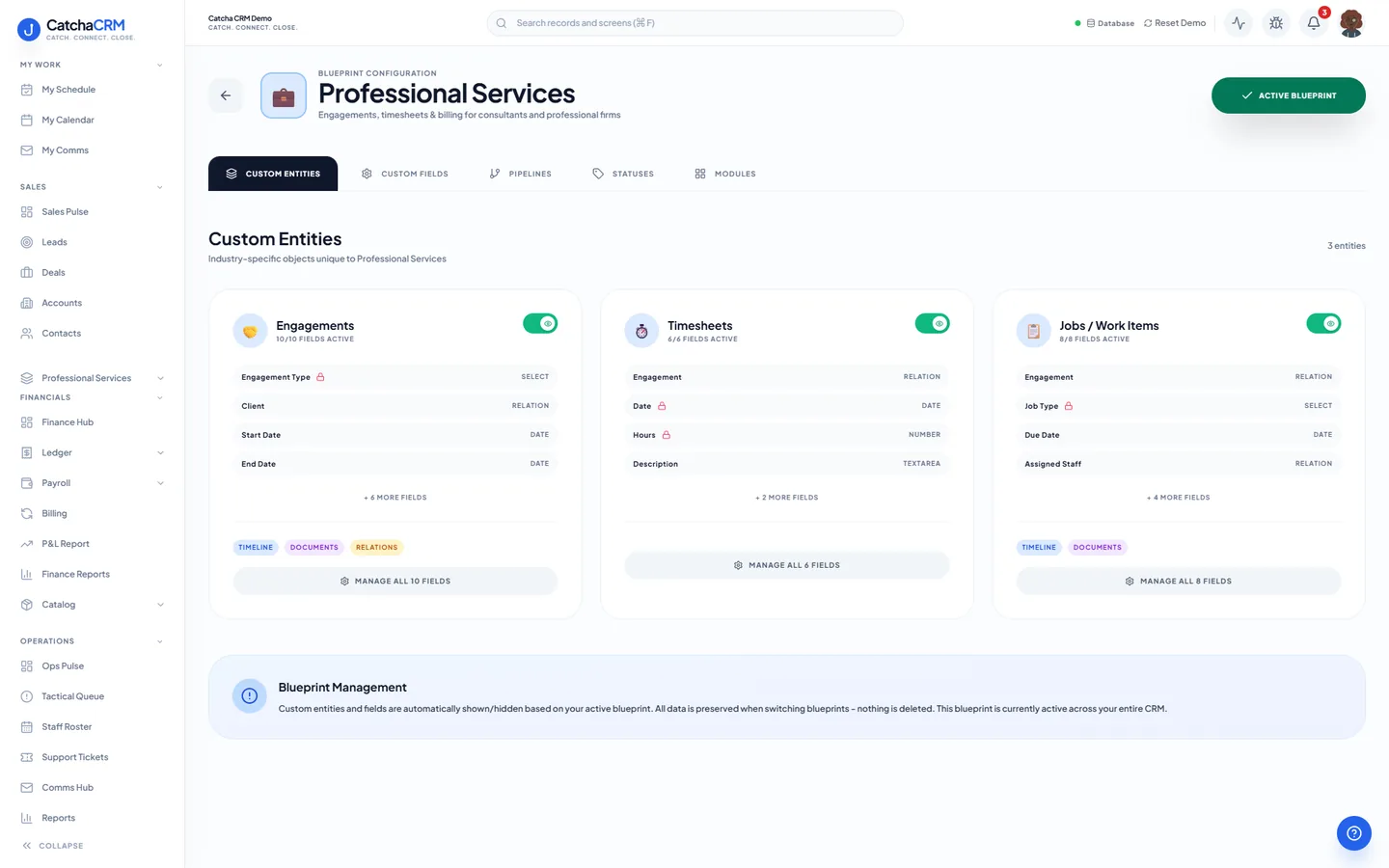
Records it adds extra record types beside contacts, deals and jobs
- Engagements
- Timesheets
- Jobs / Work Items
What it looks like in CatchaCRM.
Screenshots of the Blueprint Configuration screen for the Professional Services blueprint in the CatchaCRM demo workspace. It shows what the blueprint sets up before you add any records.
Built for how consultancies actually work.
- Proposal-to-engagement pipeline, with quotes marked accepted and converted to an invoice in one click
- Retainer invoices created as drafts each month, without touching a spreadsheet
- Timesheets recorded against the engagement, not a side spreadsheet
- Renewal sequences fire before the retainer lapses
Blueprints stack. Run Consulting alongside any other blueprint in the same workspace, up to the number your plan lets you activate, and switch later without losing records.
Your consulting workspace, live in about two minutes.
Choose Consulting when you sign up and start the 21-day free trial. No card needed to look around.