Matters, briefs and retainers under control.
Small firms, sole practitioners and conveyancers managing matters and retainer deadlines. The Legal blueprint follows the matter from conflict check to closed and archived.
Sound familiar?
Matter status lives in someone’s head
Clients ring for updates because no system shows where their matter actually sits.
Retainer burn is invisible
Work continues past the retainer without anyone noticing until write-off time.
Critical dates on sticky notes
Limitation dates and court deadlines tracked outside any audited system.
What installs when you pick Legal practice.
Choose it during signup and the workspace is already shaped like your business — no blank CRM to configure first.
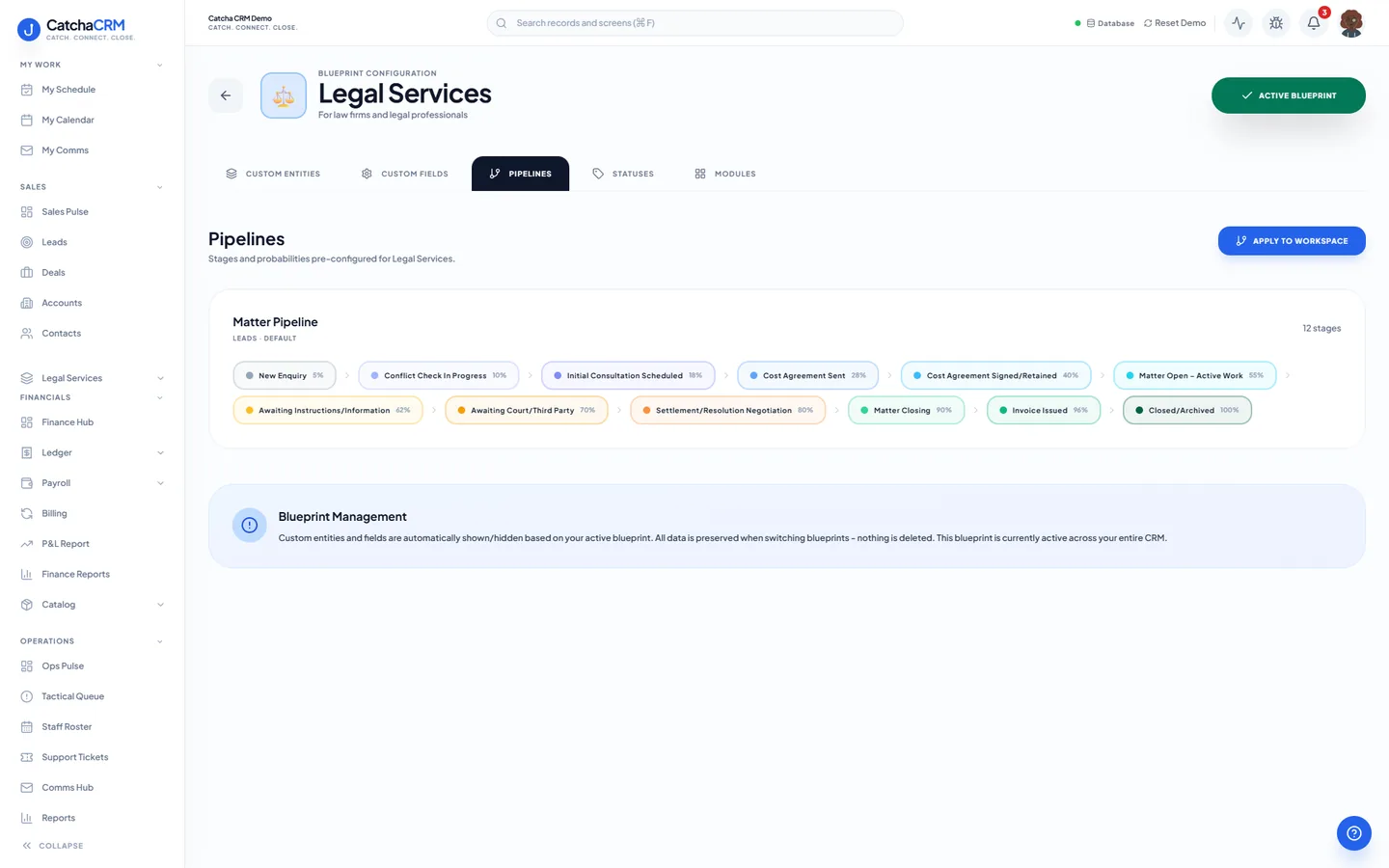
Pipeline stages Matter Pipeline
- 1New Enquiry
- 2Conflict Check In Progress
- 3Initial Consultation Scheduled
- 4Cost Agreement Sent
- 5Cost Agreement Signed/Retained
- 6Matter Open – Active Work
- 7Awaiting Instructions/Information
- 8Awaiting Court/Third Party
- 9Settlement/Resolution Negotiation
- 10Matter Closing
- 11Invoice Issued
- 12Closed/Archived
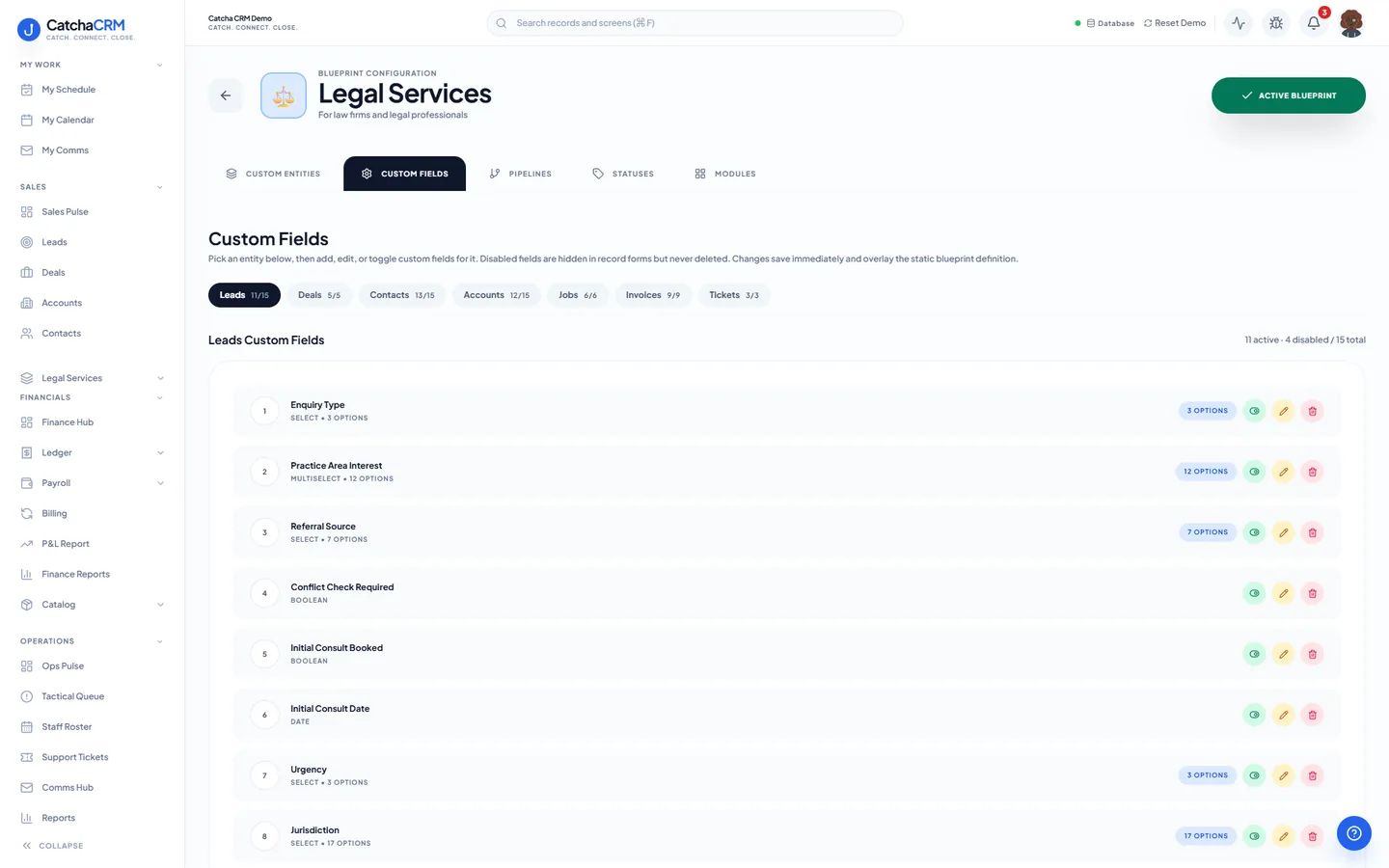
Custom fields on top of the standard ones
| Field | Type |
|---|---|
| Jurisdiction | dropdown |
| Conflict Check Status | dropdown |
| Billing Arrangement | dropdown |
| Retainer Amount | currency |
| Matter Number | text |
| Trust Drawdown | yes/no |
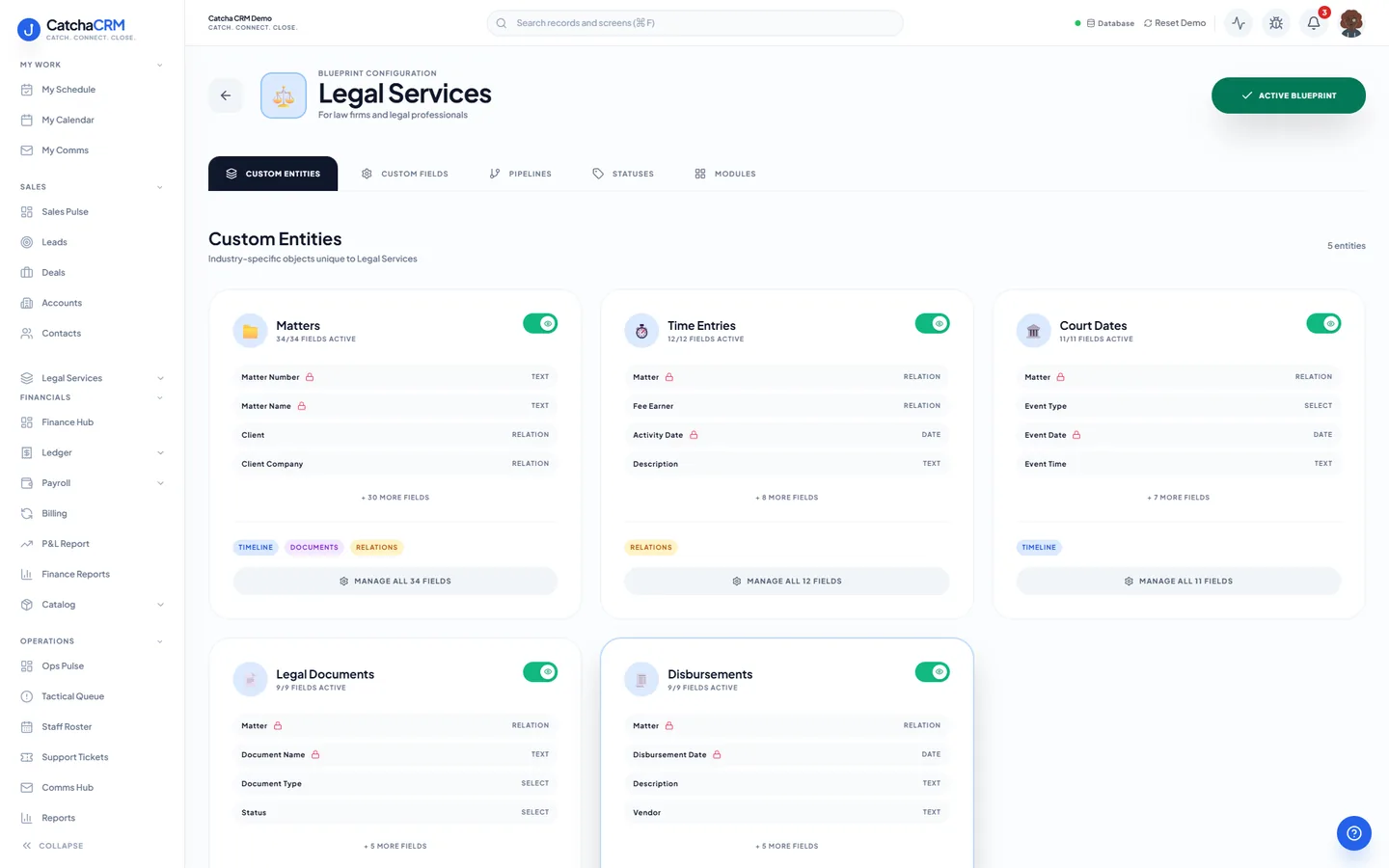
Records it adds extra record types beside contacts, deals and jobs
- Matters
- Time Entries
- Court Dates
- Legal Documents
- Disbursements
What it looks like in CatchaCRM.
Screenshots of the Blueprint Configuration screen for the Legal Services blueprint in the CatchaCRM demo workspace. It shows what the blueprint sets up before you add any records.
Built for how law firms actually work.
- Matters, court dates and disbursements are records with owners and deadlines
- Time entries logged against each matter, ready to bill on an itemised invoice
- Emails, SMS and calls made with click-to-call logged to the matter timeline
- Trust drawdowns, disbursements and write-offs recorded against the invoice (a record of them, not a trust accounting ledger)
Blueprints stack. Run Legal practice alongside any other blueprint in the same workspace, up to the number your plan lets you activate, and switch later without losing records.
Your legal practice workspace, live in about two minutes.
Choose Legal practice when you sign up and start the 21-day free trial. No card needed to look around.