Listings, buyers and vendors in one pipeline.
Sales agencies, property managers and buyers’ agents working listings, appraisals and settlements. Purchase, rental, short-stay and sold listings all live in the same blueprint.
Sound familiar?
Vendor updates eat your evenings
Weekly vendor reports assembled by hand out of three different systems.
Buyer matching from memory
Hot buyers forgotten because their brief lives in a notebook.
Commission tracked in spreadsheets
Settlement dates and commission splits sit outside any system of record.
What installs when you pick Real estate.
Choose it during signup and the workspace is already shaped like your business — no blank CRM to configure first.
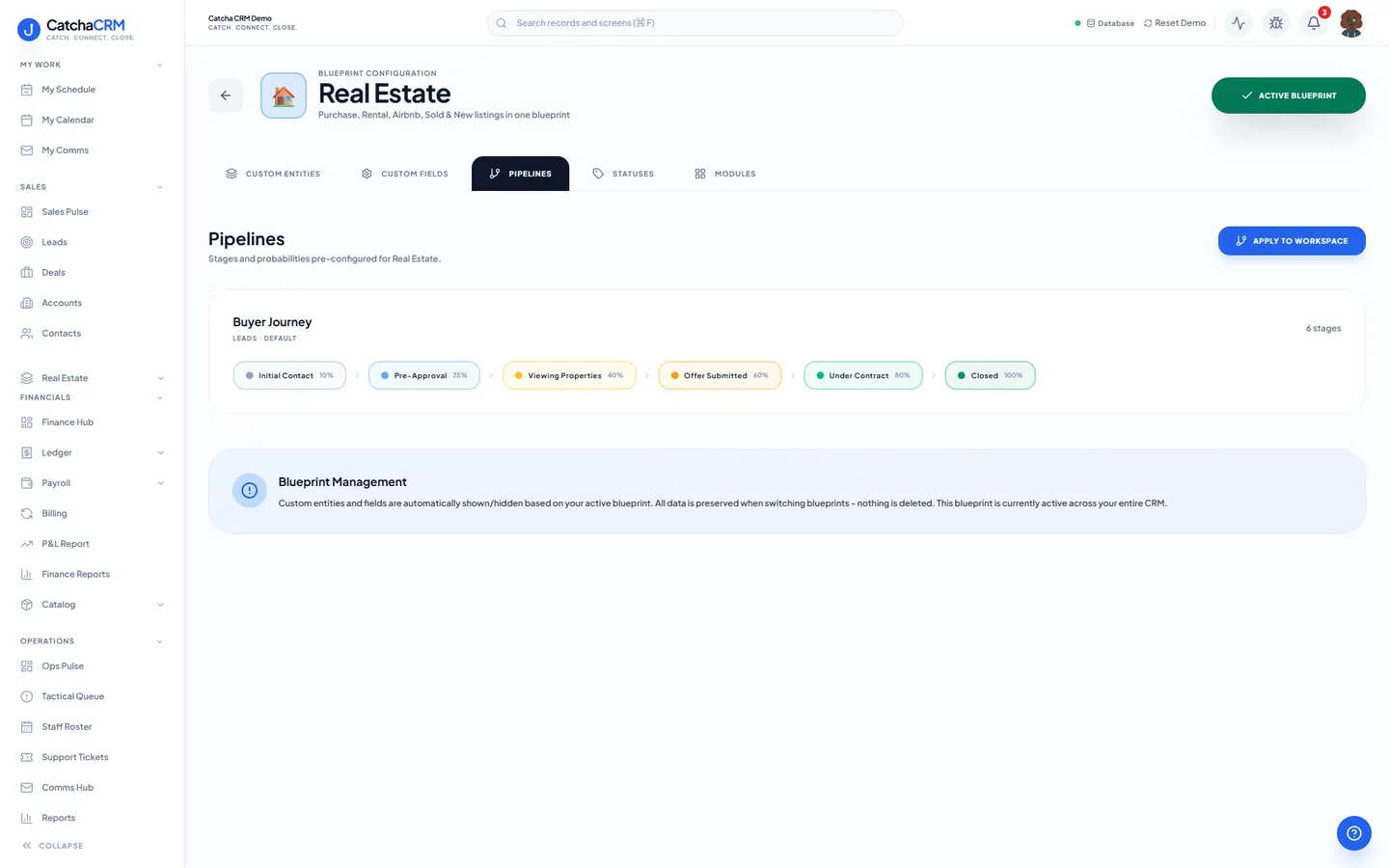
Pipeline stages Buyer Journey
- 1Initial Contact
- 2Pre-Approval
- 3Viewing Properties
- 4Offer Submitted
- 5Under Contract
- 6Closed
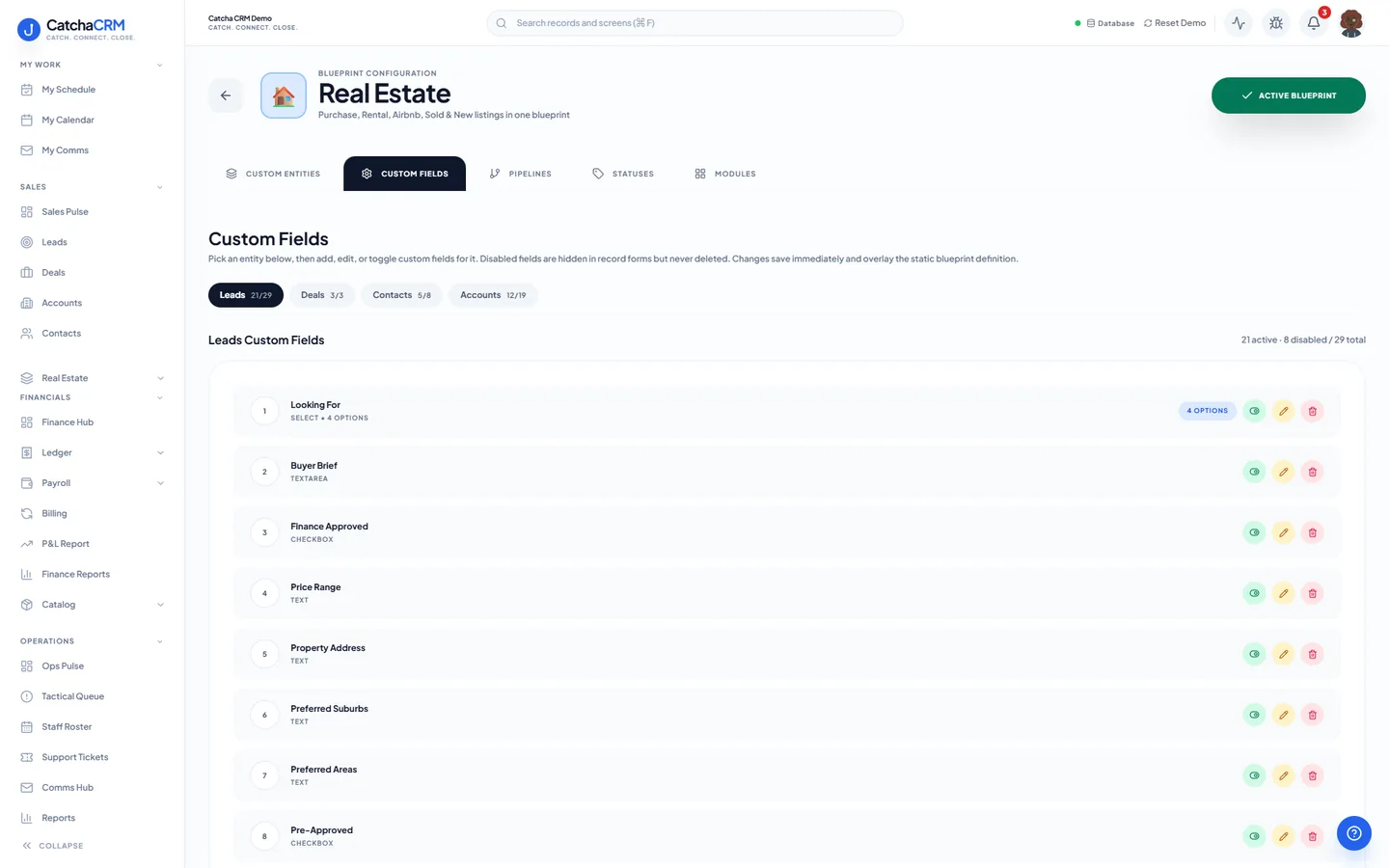
Custom fields on top of the standard ones
| Field | Type |
|---|---|
| Looking For | dropdown |
| Max Price | currency |
| Pre-Approval Expiry | date |
| Sale Method | dropdown |
| Commission % | number |
| Authority Expiry | date |
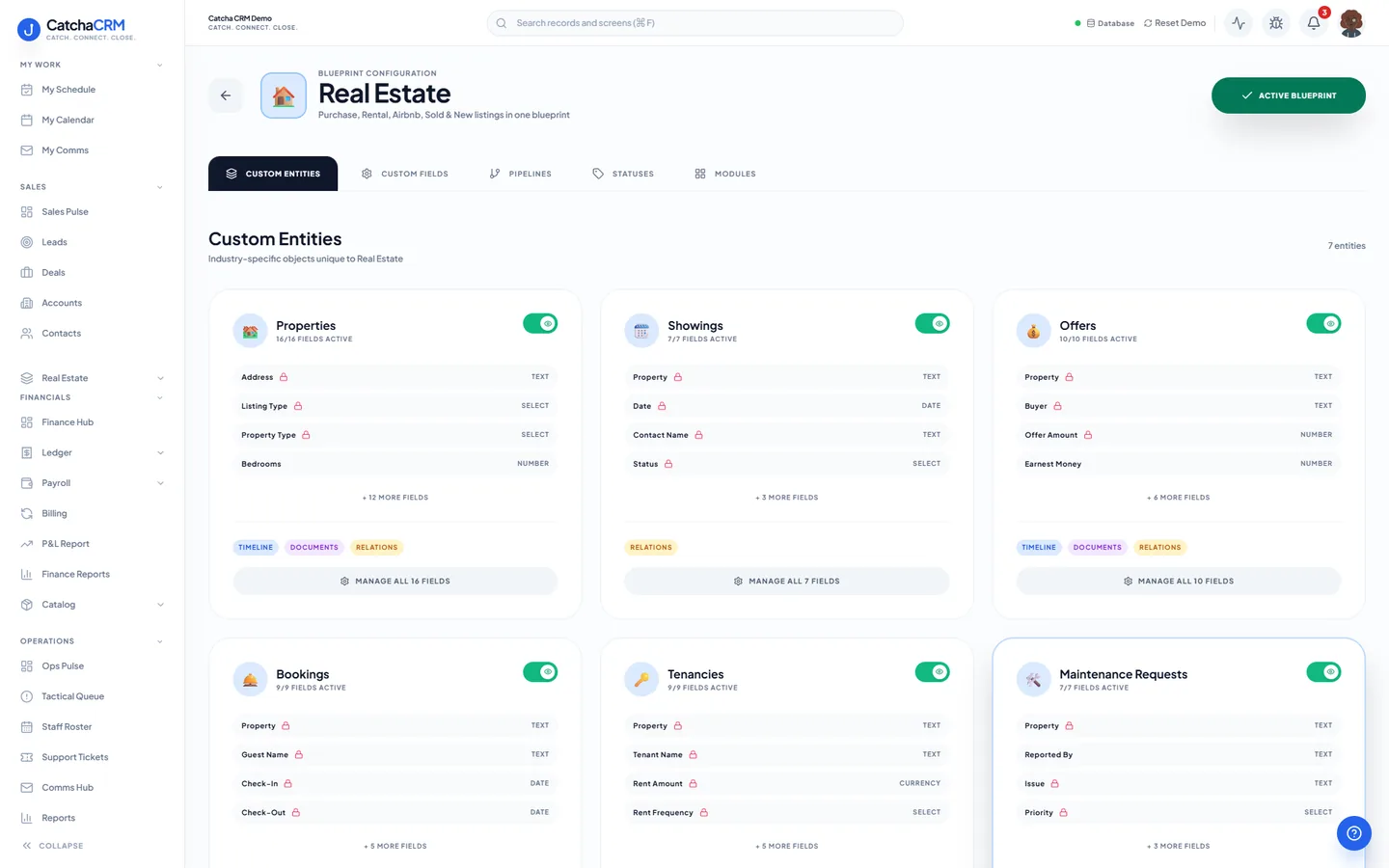
Records it adds extra record types beside contacts, deals and jobs
- Properties
- Showings
- Offers
- Bookings
- Tenancies
- Maintenance Requests
- Appraisals
What it looks like in CatchaCRM.
Screenshots of the Blueprint Configuration screen for the Real Estate blueprint in the CatchaCRM demo workspace. It shows what the blueprint sets up before you add any records.
Built for how real estate actually works.
- Properties, showings, offers and tenancies are real records, not notes
- Email and SMS campaigns for open homes and price updates
- Follow-up sequences keep unmatched buyers warm
- Commission invoicing once the deal reaches settlement
Blueprints stack. Run Real estate alongside any other blueprint in the same workspace, up to the number your plan lets you activate, and switch later without losing records.
Your real estate workspace, live in about two minutes.
Choose Real estate when you sign up and start the 21-day free trial. No card needed to look around.