Tickets, agreements and retainers on one pane of glass.
Managed service providers, computer repair shops and IT consultancies running support agreements and recurring retainers. Repairs, builds and managed assets each get their own record type.
Sound familiar?
Support breaches found out late
With no deadline timers, the first you hear of a missed target is an angry email.
RMA tracking in inboxes
Warranty repairs bounce between supplier emails with no status anyone can check.
Retainers billed by hand
Monthly agreements invoiced manually, so they go out late, inconsistent, sometimes not at all.
What installs when you pick IT services and MSP.
Choose it during signup and the workspace is already shaped like your business — no blank CRM to configure first.
Pipeline stages IT Sales Pipeline
- 1New Enquiry
- 2Qualified
- 3Quote Sent
- 4Approved
- 5Scheduled
- 6Completed
Custom fields on top of the standard ones
| Field | Type |
|---|---|
| Number of Seats / Users | number |
| IT Contract End Date | date |
| Support Hours Band | dropdown |
| Included Devices | number |
| Resolved Remotely | yes/no |
| Billable Time (mins) | number |
Starter catalogue one click seeds these as real products and services
- Business Laptop (i5/16GB)
- Managed Firewall Appliance
- PoE Network Switch 24-Port
- Managed IT — Per Seat
- Managed Server
- Microsoft 365 Business Standard
- Cloud Backup 1TB
- Onsite Support (hourly)
- and 1 more
What it looks like in CatchaCRM.
Screenshots of the Blueprint Configuration screen for the IT Services / MSP blueprint in the CatchaCRM demo workspace. It shows what the blueprint sets up before you add any records.
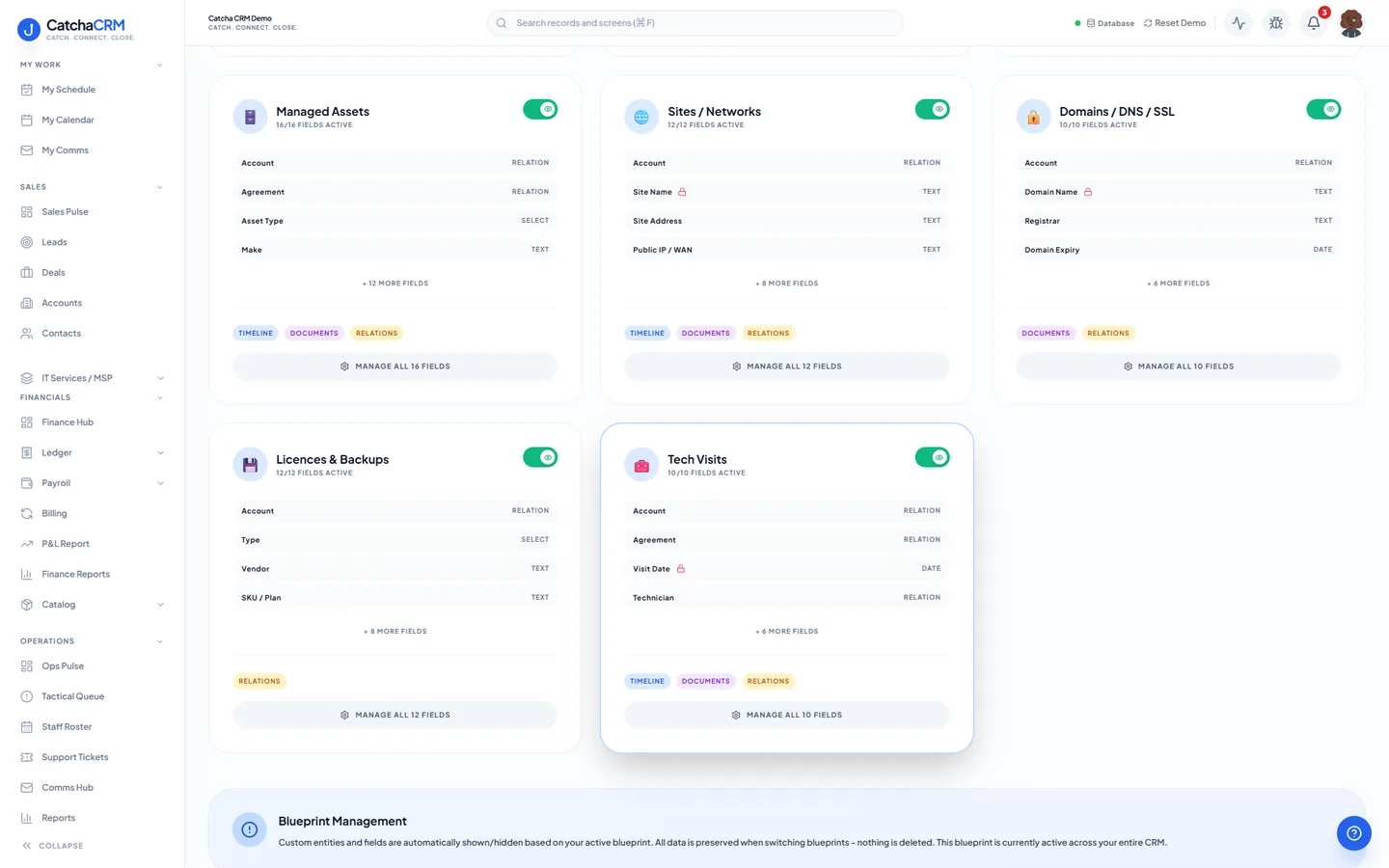
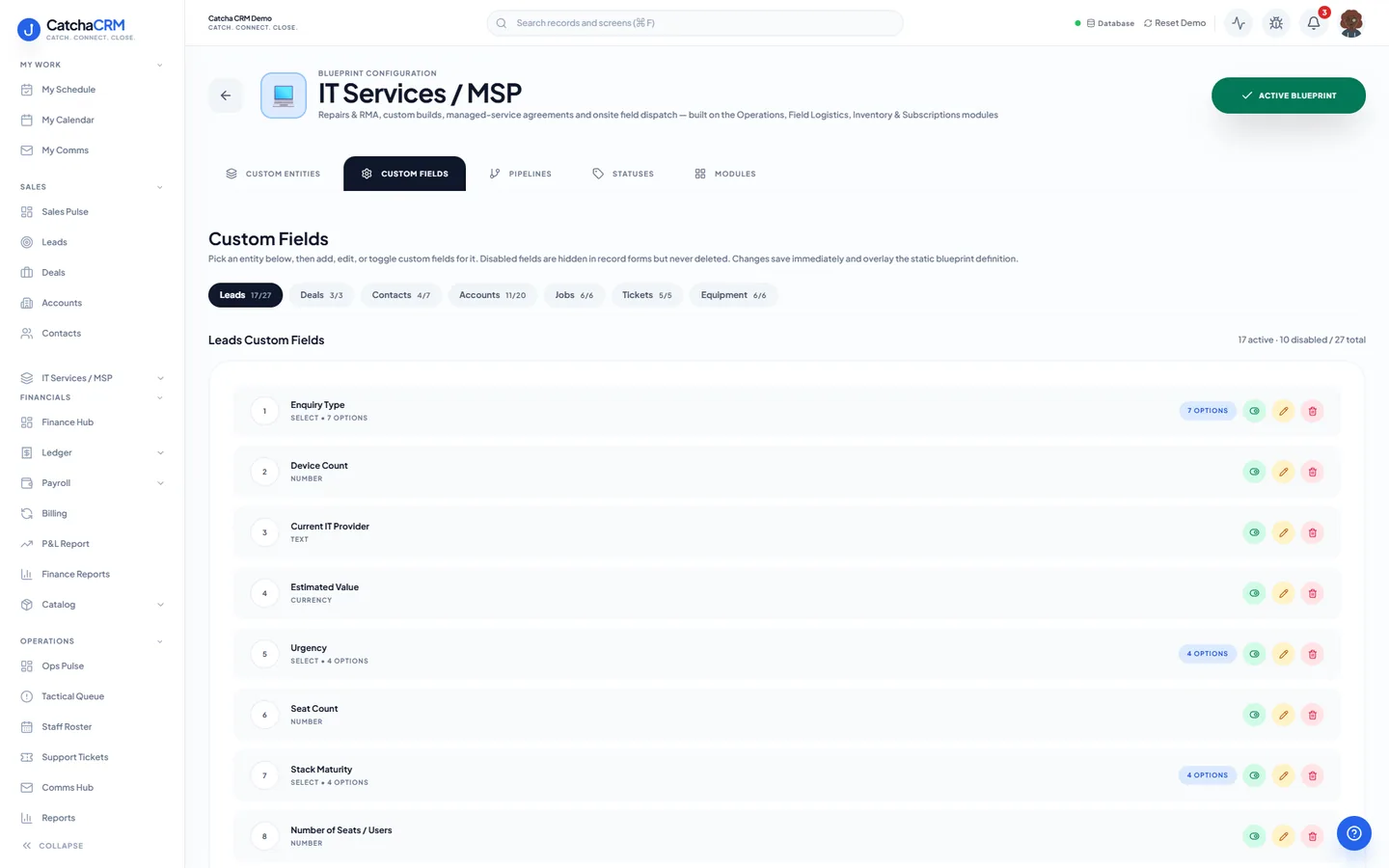
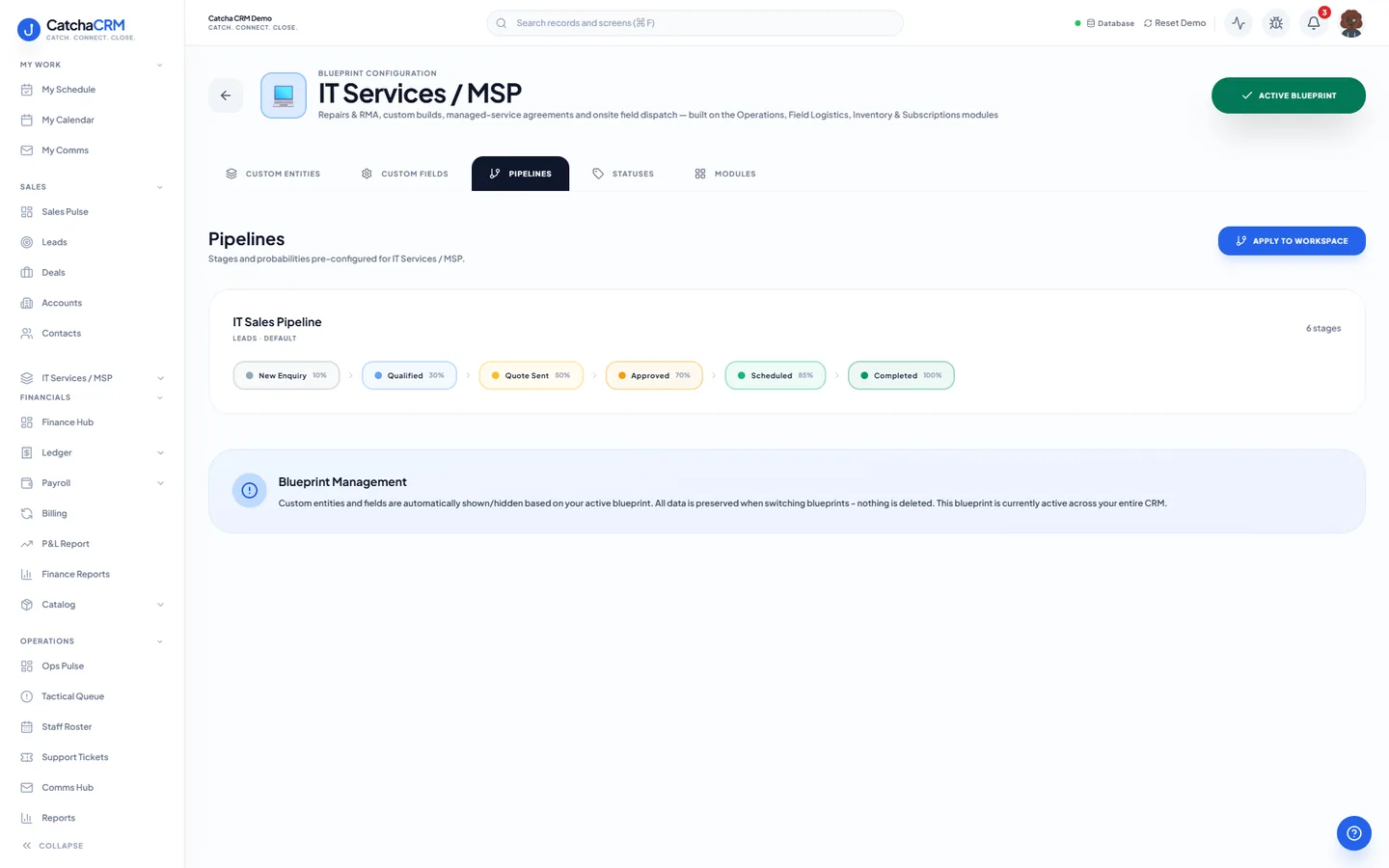
Built for how IT services and MSP actually work.
- Support tickets with SLA timers and a priority matrix
- Recurring subscriptions you set up create a draft invoice for every managed agreement on its cycle
- Onsite dispatch with technician scheduling and job checklists
- Emails, SMS and calls made with click-to-call logged against the client record
Blueprints stack. Run IT services and MSP alongside any other blueprint in the same workspace, up to the number your plan lets you activate, and switch later without losing records.
Your IT services and MSP workspace, live in about two minutes.
Choose IT services and MSP when you sign up and start the 21-day free trial. No card needed to look around.