Plans, faults and billing at small-team scale.
Regional ISPs, wireless providers and telecom resellers running service plans and support queues. Rate cards and usage records sit alongside recurring billing in the CRM, with recurring invoices created as drafts each month.
Sound familiar?
Recurring billing by spreadsheet
Hundreds of monthly services invoiced by hand, with errors in both directions.
Outage comms ad hoc
Faults tracked in chat threads while affected customers hear nothing.
The CPE fleet is untracked
Routers and radios out in the field with no record of who has what.
What installs when you pick Telecom and ISP.
Choose it during signup and the workspace is already shaped like your business — no blank CRM to configure first.
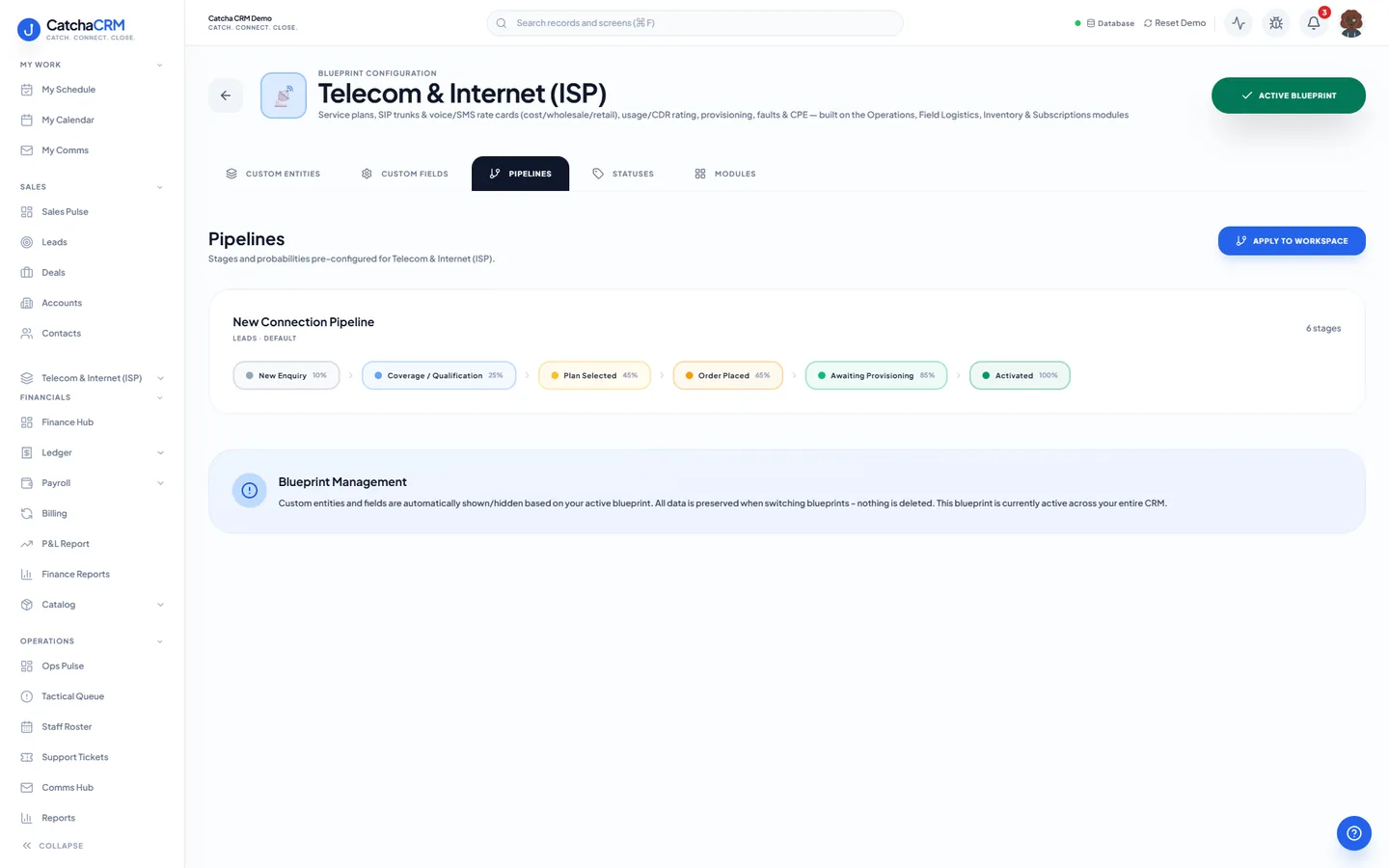
Pipeline stages New Connection Pipeline
- 1New Enquiry
- 2Coverage / Qualification
- 3Plan Selected
- 4Order Placed
- 5Awaiting Provisioning
- 6Activated
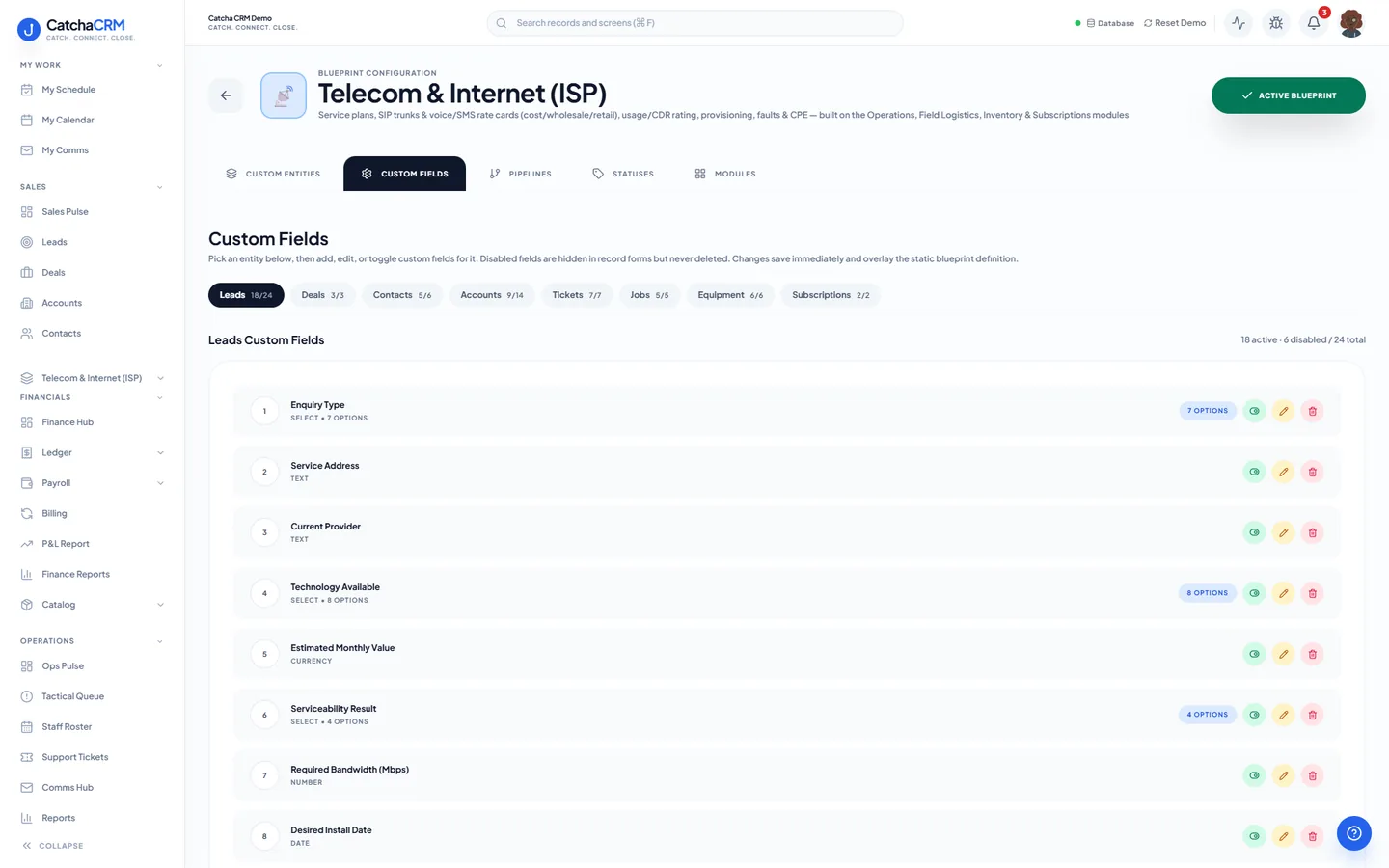
Custom fields on top of the standard ones
| Field | Type |
|---|---|
| Service Address | text |
| Speed Tier (Mbps) | dropdown |
| Quoted MRC (monthly) | currency |
| Quoted NRC (once-off) | currency |
| Serial Number | text |
| Network Outage | yes/no |
Starter catalogue one click seeds these as real products and services
- Wi-Fi 6 Router
- VoIP Desk Handset
- SIM Card Kit
- NBN 50/20 Home
- NBN 100/20 Home
- Business Fibre 100/100
- Mobile SIM 40GB
- Hosted PBX Seat
- and 1 more
What it looks like in CatchaCRM.
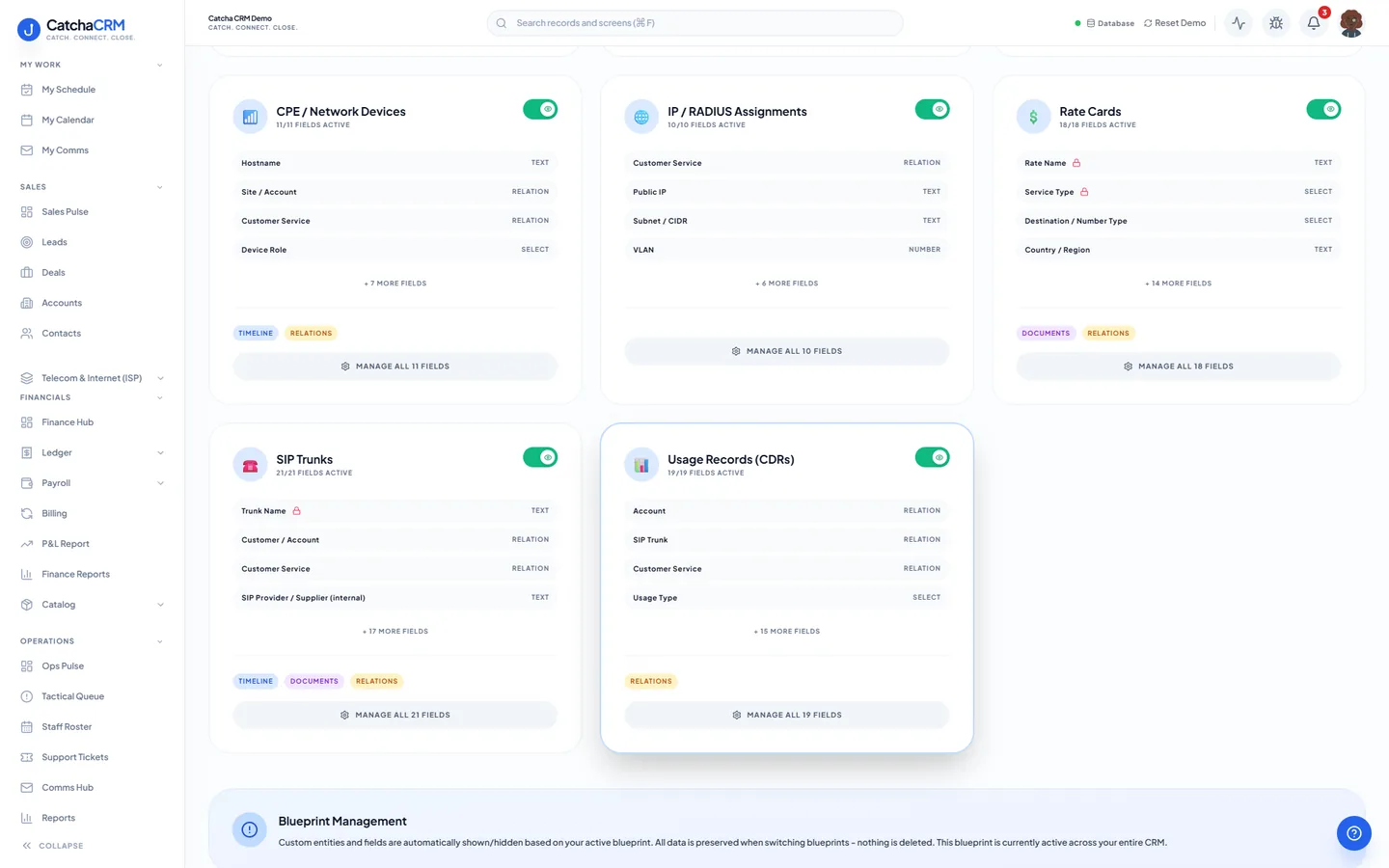
Screenshots of the Blueprint Configuration screen for the Telecom & Internet (ISP) blueprint in the CatchaCRM demo workspace. It shows what the blueprint sets up before you add any records.
Built for how telecom and internet providers actually work.
- Recurring subscriptions create a draft invoice for every active service on its own cycle
- Fault tickets with SLA targets and SMS notifications to affected customers, with rules you set up
- CPE and network devices tracked per customer site
- Rate cards and usage records for voice and SMS rating
Blueprints stack. Run Telecom and ISP alongside any other blueprint in the same workspace, up to the number your plan lets you activate, and switch later without losing records.
Your telecom and ISP workspace, live in about two minutes.
Choose Telecom and ISP when you sign up and start the 21-day free trial. No card needed to look around.