Patient relationships handled with clinical precision.
Medical clinics, specialist practitioners, allied health and healthcare service providers. The Healthcare blueprint follows the patient from enquiry through treatment to discharge. It runs the front desk and the business side; it is not a clinical records or e-prescribing system, so keep those in your clinical software.
Sound familiar?
No-shows with no follow-up
Missed appointments disappear instead of triggering a rebooking sequence.
Referral sources untracked
You can’t see which GPs or partners actually send you patients.
Billing separate from care
Invoicing lives in another system, so accounts chase what the front desk already resolved.
What installs when you pick Healthcare.
Choose it during signup and the workspace is already shaped like your business — no blank CRM to configure first.
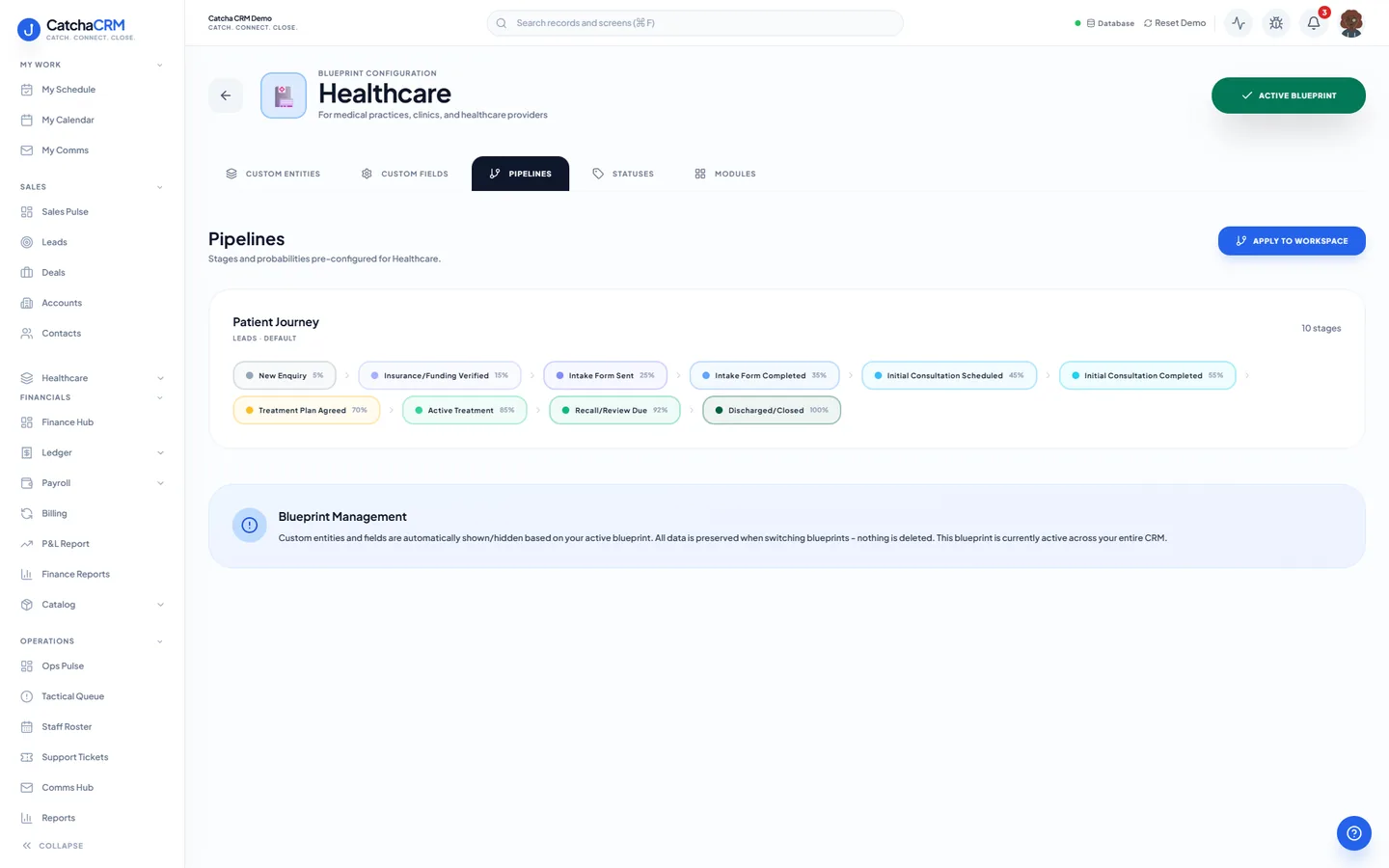
Pipeline stages Patient Journey
- 1New Enquiry
- 2Insurance/Funding Verified
- 3Intake Form Sent
- 4Intake Form Completed
- 5Initial Consultation Scheduled
- 6Initial Consultation Completed
- 7Treatment Plan Agreed
- 8Active Treatment
- 9Recall/Review Due
- 10Discharged/Closed
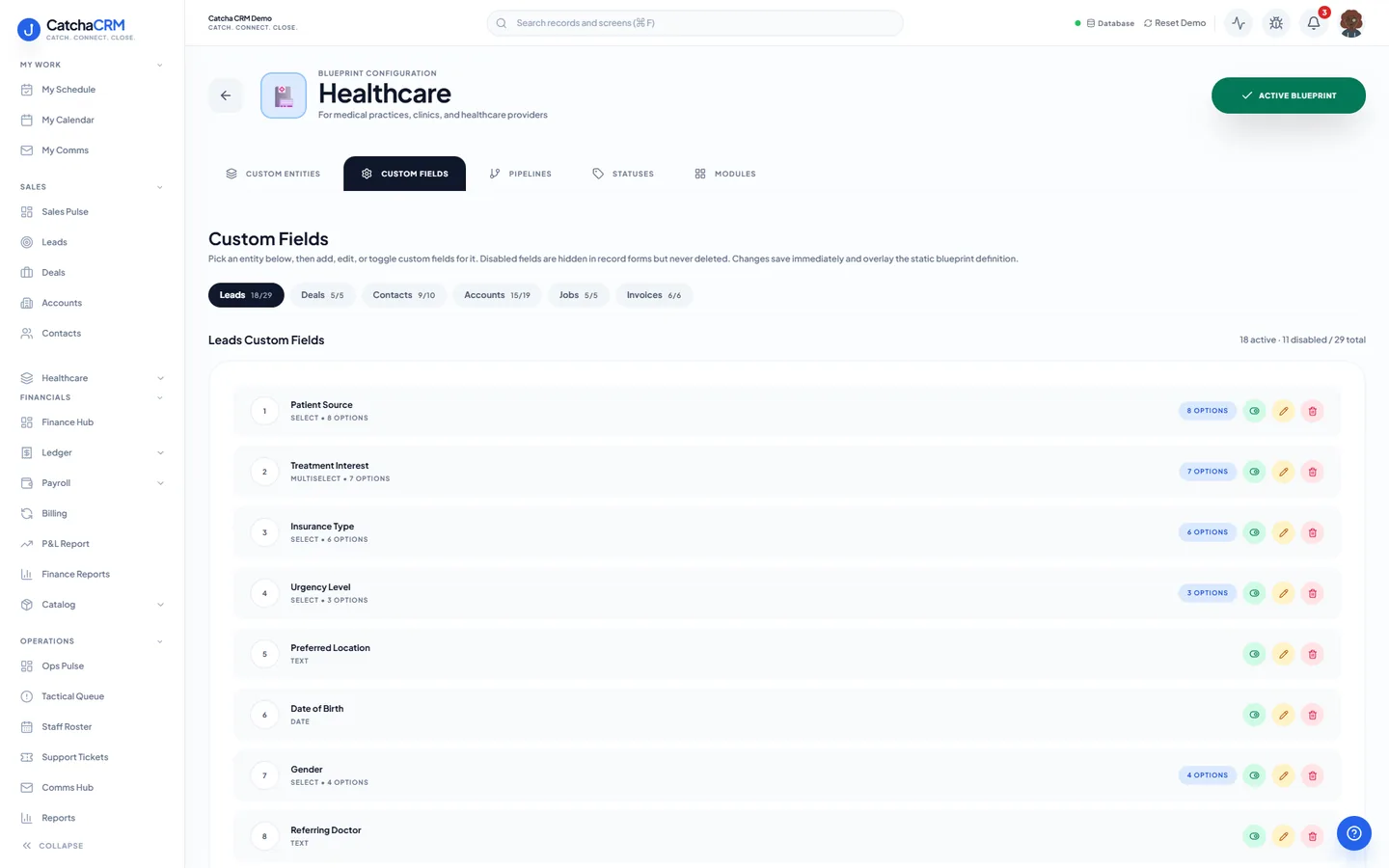
Custom fields on top of the standard ones
| Field | Type |
|---|---|
| Patient Source | dropdown |
| Health Fund | text |
| Medicare Number (AU) | text |
| AHPRA Number (AU) | text |
| Bulk Billed | yes/no |
| MBS Item Number | text |
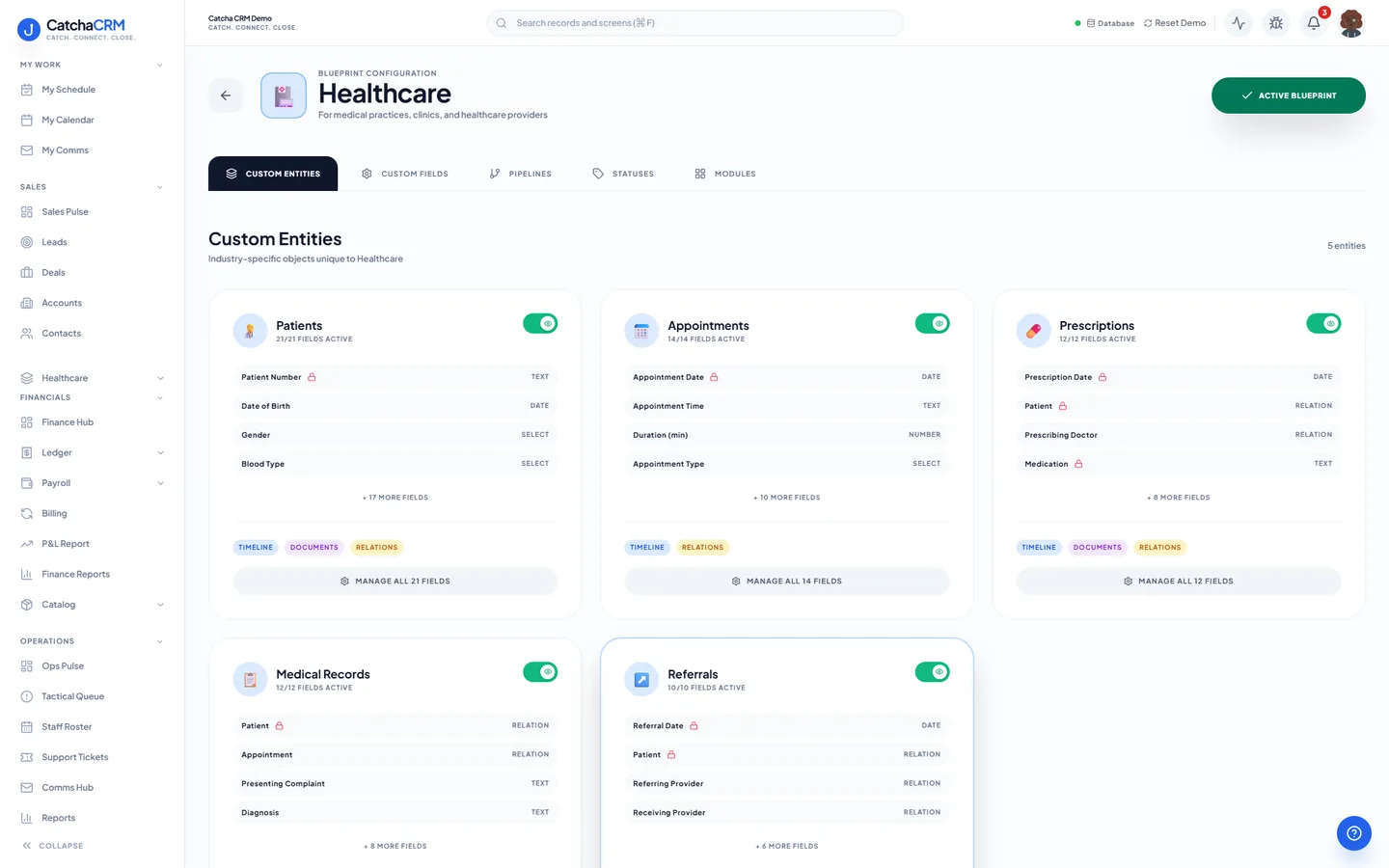
Records it adds extra record types beside contacts, deals and jobs
- Patients
- Appointments
- Prescriptions
- Medical Records
- Referrals
What it looks like in CatchaCRM.
Screenshots of the Blueprint Configuration screen for the Healthcare blueprint in the CatchaCRM demo workspace. It shows what the blueprint sets up before you add any records.
Built for how healthcare actually works.
- SMS and email reminders you set up as a sequence, plus a starter rule that creates a rebooking task when someone no-shows
- Referral sources tracked so you can see where patients come from
- Invoices, with bulk-billed and gap amounts recorded against the treatment (Medicare claims are not lodged from CatchaCRM)
- Multi-tenant isolation keeps patient data inside your own tenant
Blueprints stack. Run Healthcare alongside any other blueprint in the same workspace, up to the number your plan lets you activate, and switch later without losing records.
Your healthcare workspace, live in about two minutes.
Choose Healthcare when you sign up and start the 21-day free trial. No card needed to look around.