Bays, bookings and rego reminders running like a serviced engine.
Independent mechanics and workshops managing daily bookings and repeat servicing. The Mechanical blueprint keeps the vehicle, the job card and the next service date on one record.
Sound familiar?
Double-booked hoists
Bookings in a diary, bays on a whiteboard, and chaos at 7:30am.
Approval delays stall the bay
Cars sit on the hoist waiting for a phone approval on extra work.
Customers lapse quietly
With no service reminder loop, regulars drift off to the franchise chains.
What installs when you pick Auto workshop.
Choose it during signup and the workspace is already shaped like your business — no blank CRM to configure first.
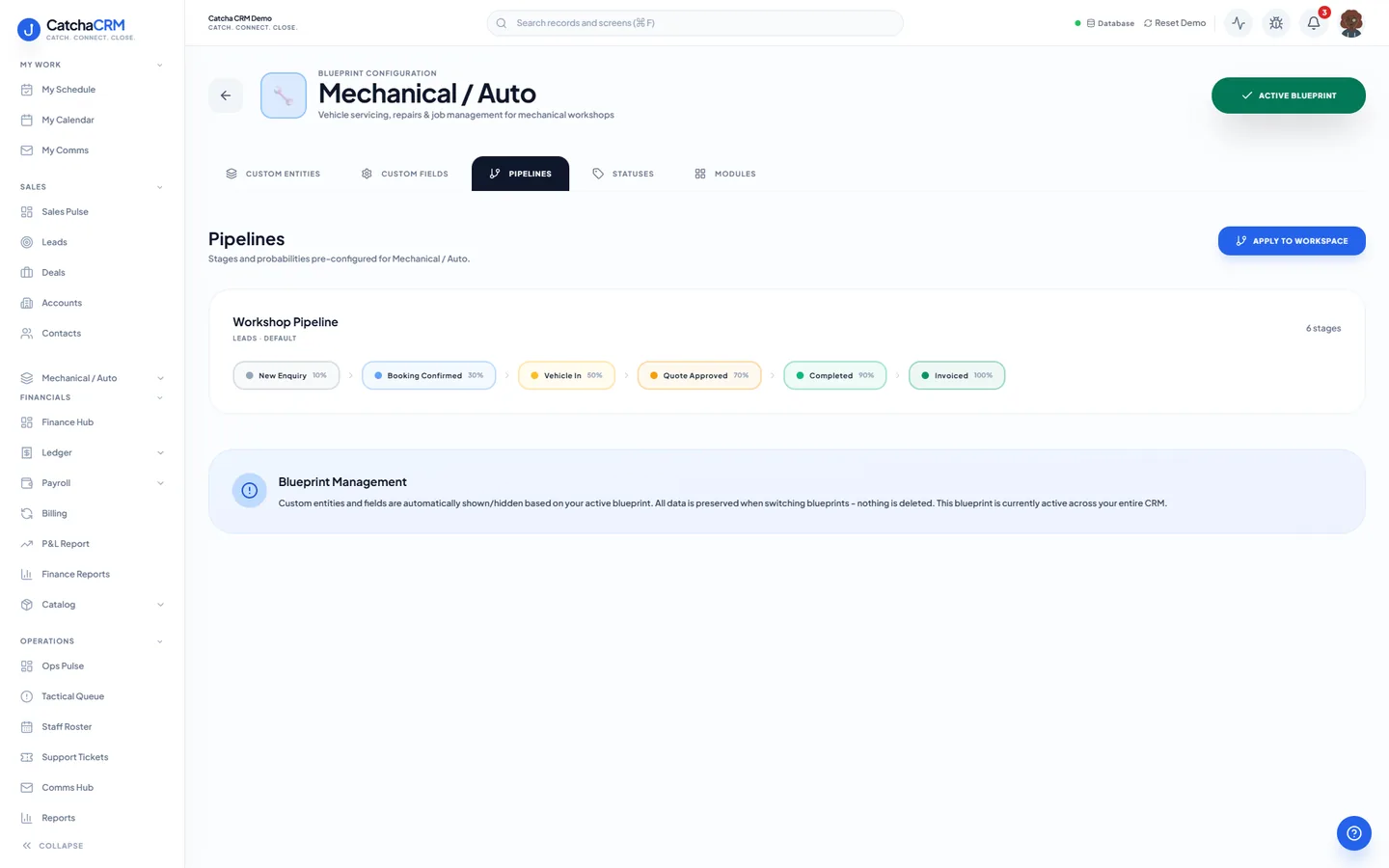
Pipeline stages Workshop Pipeline
- 1New Enquiry
- 2Booking Confirmed
- 3Vehicle In
- 4Quote Approved
- 5Completed
- 6Invoiced
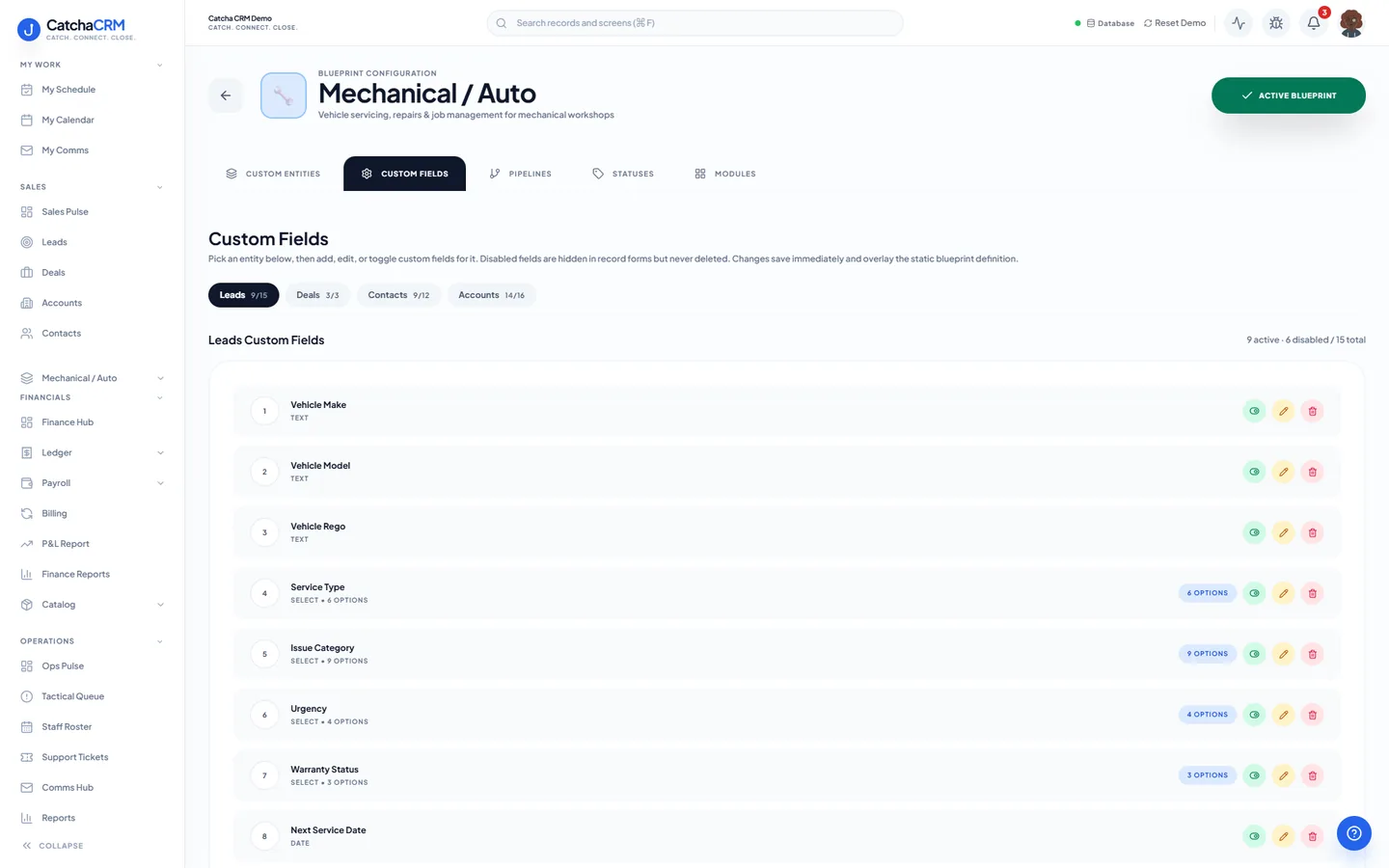
Custom fields on top of the standard ones
| Field | Type |
|---|---|
| Vehicle Rego | text |
| Vehicle Make | text |
| Service Type | dropdown |
| Next Service Date | date |
| Quoted Total | currency |
| Insurer Claim No | text |
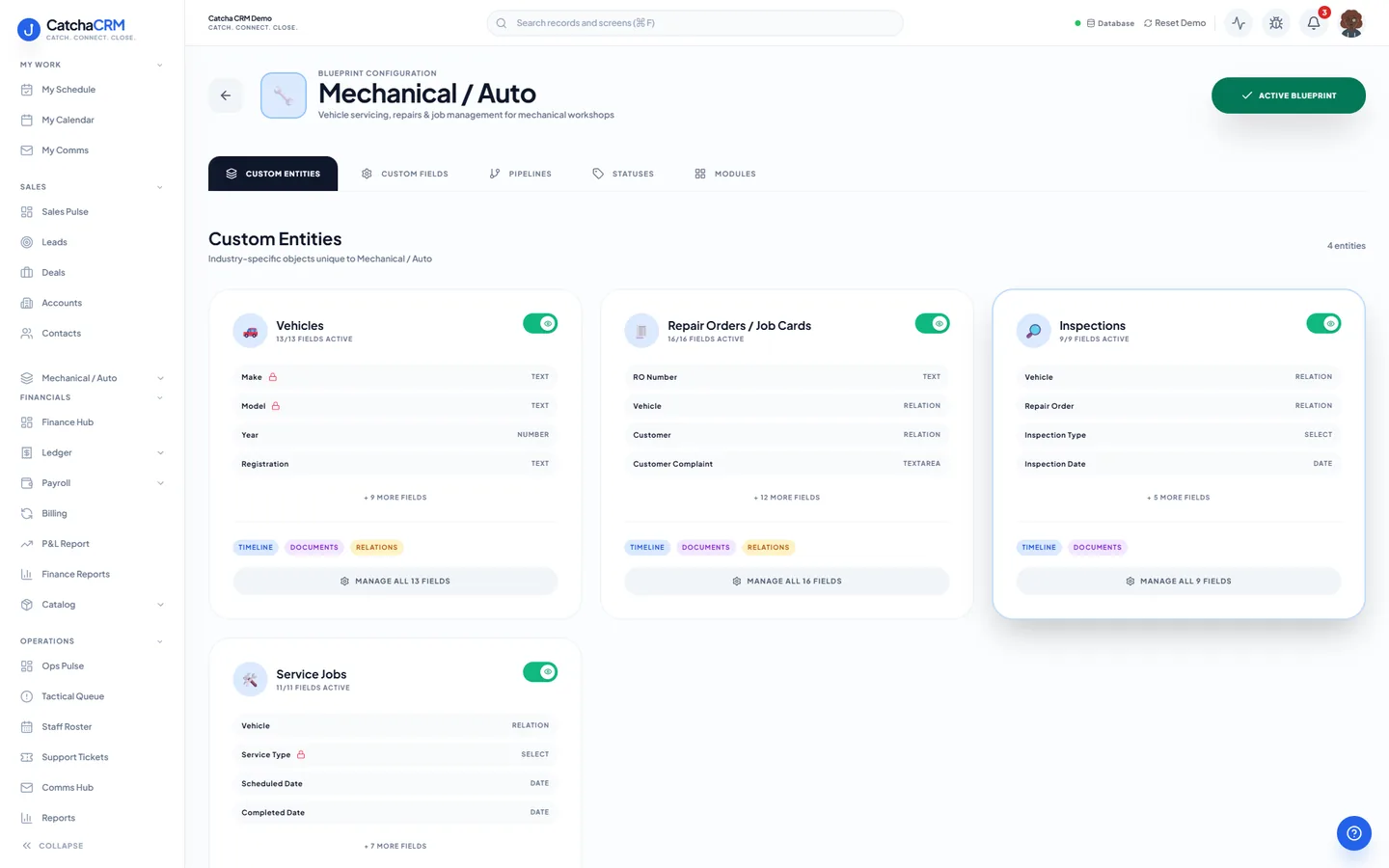
Records it adds extra record types beside contacts, deals and jobs
- Vehicles
- Repair Orders / Job Cards
- Inspections
- Service Jobs
What it looks like in CatchaCRM.
Screenshots of the Blueprint Configuration screen for the Mechanical / Auto blueprint in the CatchaCRM demo workspace. It shows what the blueprint sets up before you add any records.
Built for how auto workshops actually work.
- Quotes you send are marked accepted and converted to an invoice in one click
- Job cards move through the workshop pipeline instead of a whiteboard
- Next-service dates can start the reminder sequence that brings regulars back
- Parts picked from stock onto each job card
Blueprints stack. Run Auto workshop alongside any other blueprint in the same workspace, up to the number your plan lets you activate, and switch later without losing records.
Your auto workshop workspace, live in about two minutes.
Choose Auto workshop when you sign up and start the 21-day free trial. No card needed to look around.