Installs, certificates and compliance — wired into one app.
Electrical contractors running installations, maintenance and compliance certificates. The Electrical blueprint builds the pipeline, the certificate records and the licence fields for you.
Sound familiar?
Certificates of compliance chased later
Certificates get issued weeks after the job because the paperwork lives somewhere else.
Materials bought twice
With no parts list against the job, gear gets bought on the way and again out of stock.
Maintenance contracts sit idle
Test-and-tag and maintenance renewals pass without anyone booking them in.
What installs when you pick Electrical.
Choose it during signup and the workspace is already shaped like your business — no blank CRM to configure first.
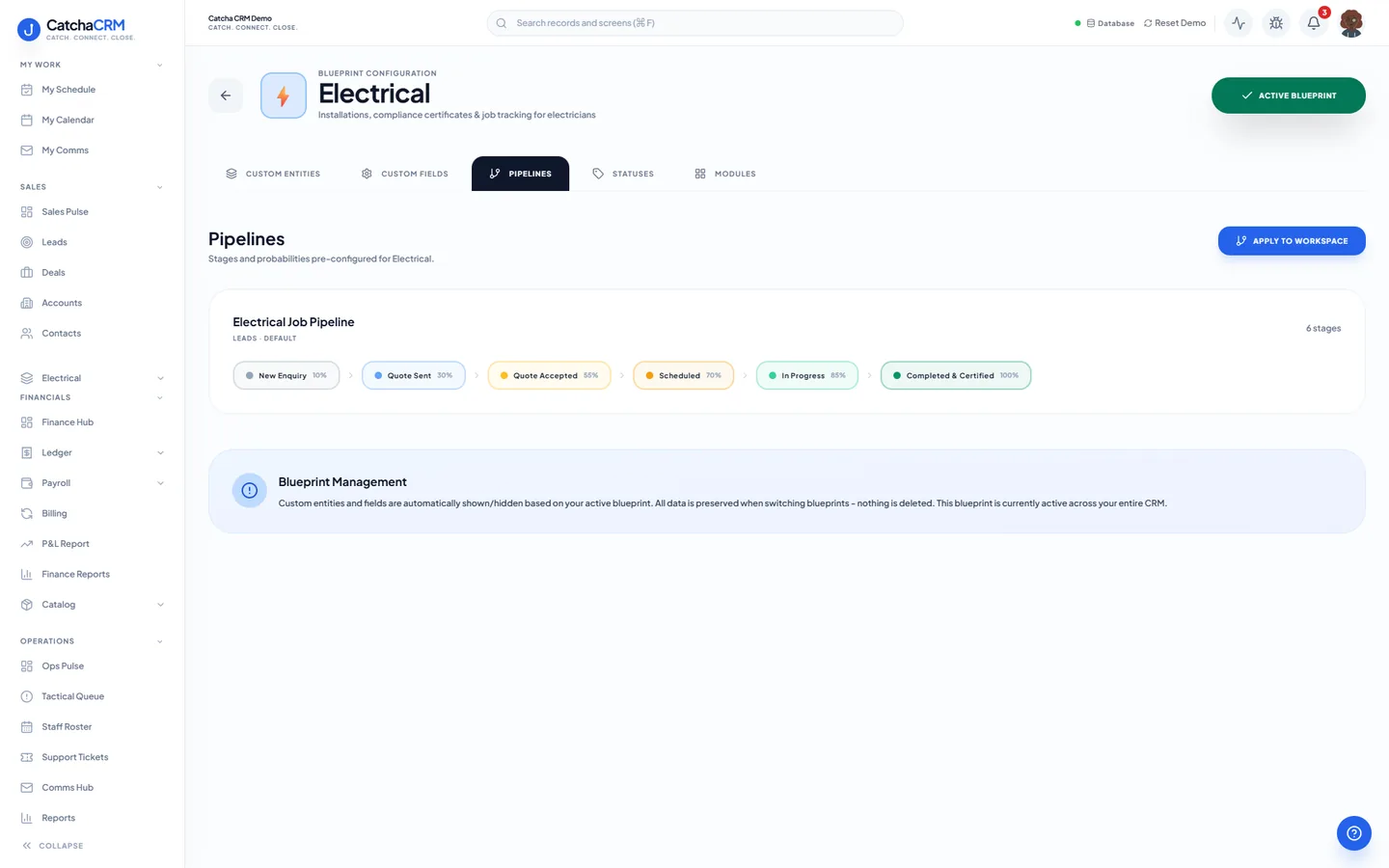
Pipeline stages Electrical Job Pipeline
- 1New Enquiry
- 2Quote Sent
- 3Quote Accepted
- 4Scheduled
- 5In Progress
- 6Completed & Certified
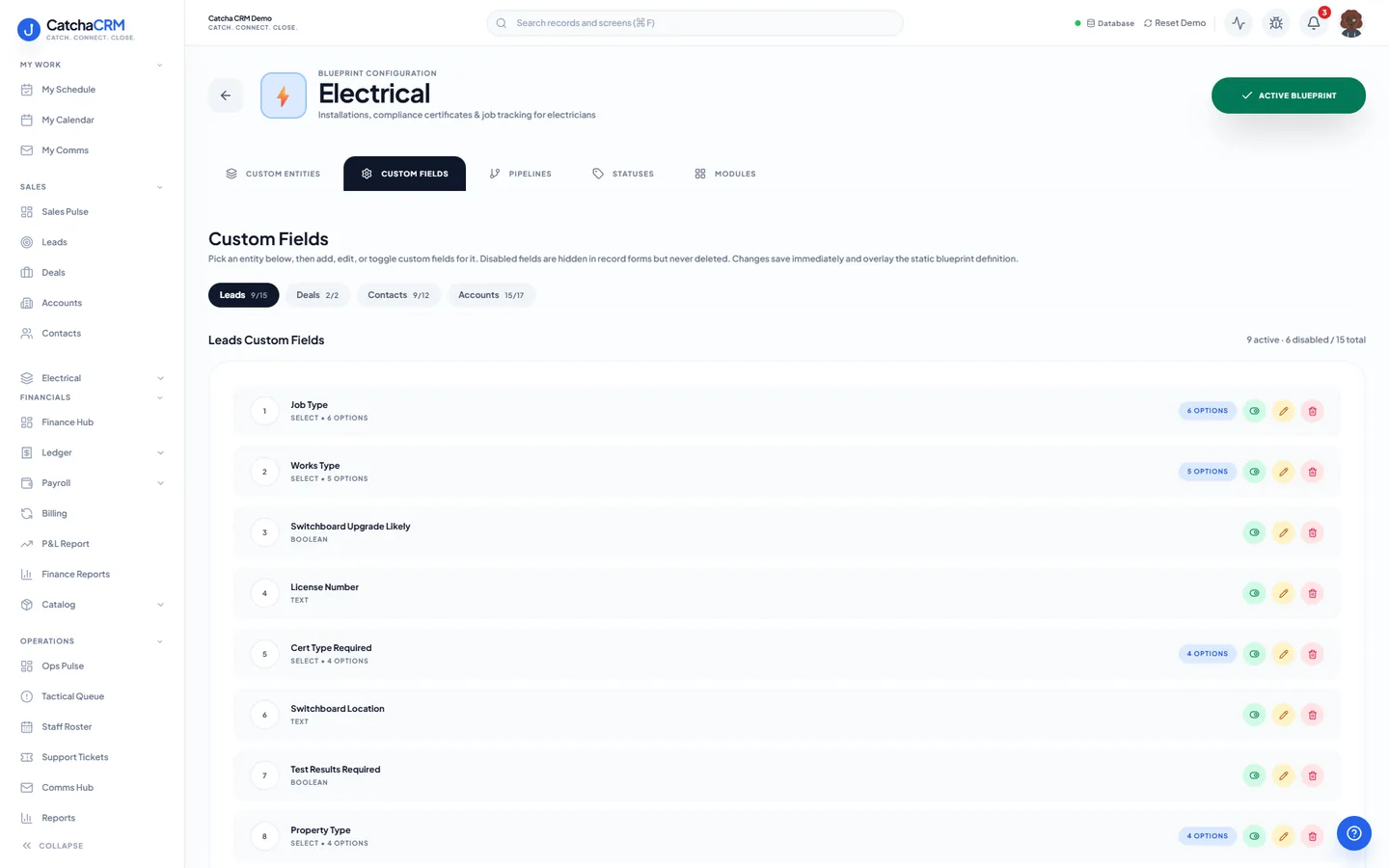
Custom fields on top of the standard ones
| Field | Type |
|---|---|
| Works Type | dropdown |
| Cert Type Required | dropdown |
| Switchboard Location | text |
| Test Results Required | yes/no |
| Electrical Licence Expiry | date |
| Certificate Required | yes/no |
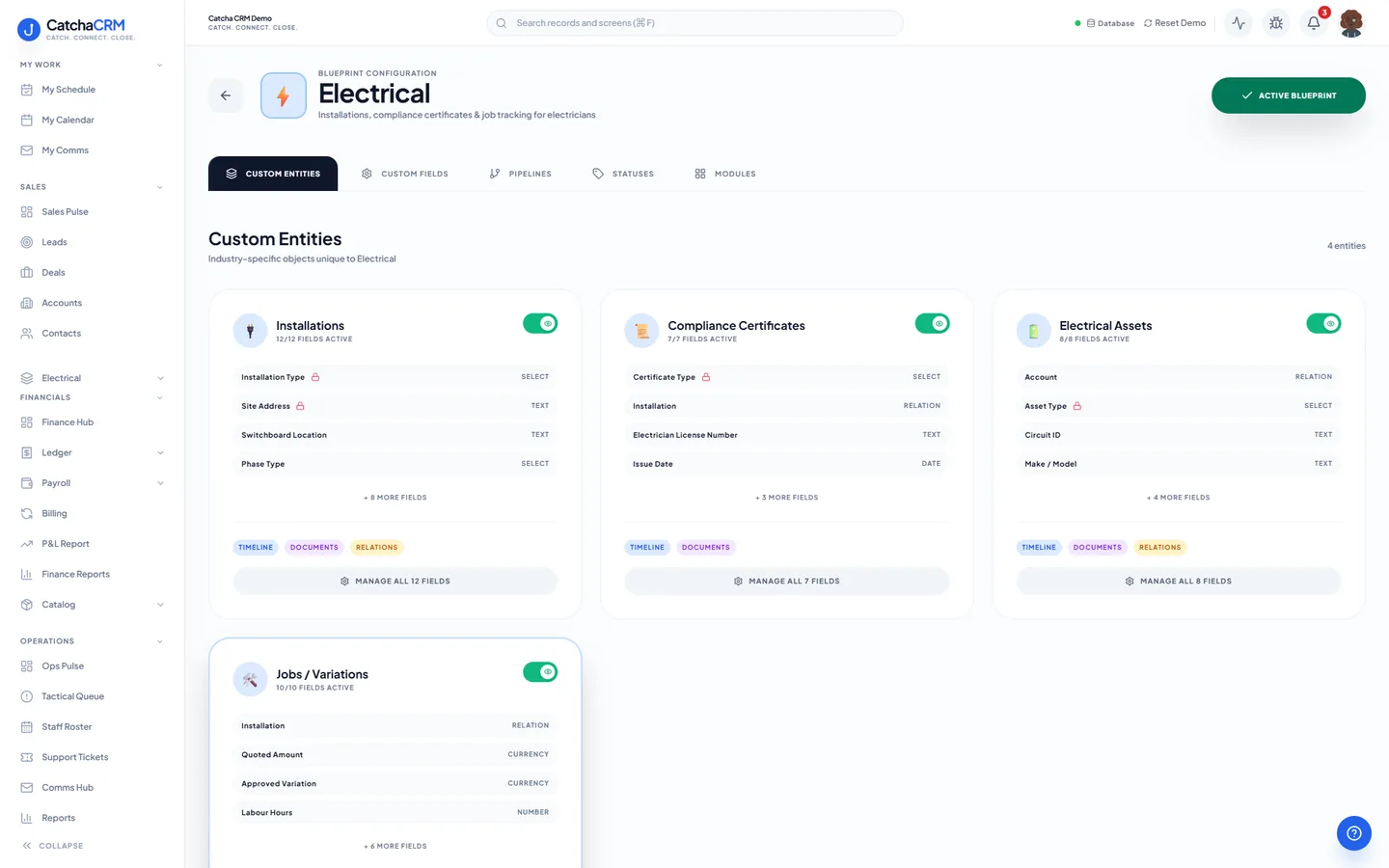
Records it adds extra record types beside contacts, deals and jobs
- Installations
- Compliance Certificates
- Electrical Assets
- Jobs / Variations
What it looks like in CatchaCRM.
Screenshots of the Blueprint Configuration screen for the Electrical blueprint in the CatchaCRM demo workspace. It shows what the blueprint sets up before you add any records.
Built for how electrical contractors actually work.
- Compliance certificates tracked as records against the job, not in a folder
- Parts picked from van or warehouse stock straight onto the job
- Maintenance due dates tracked on each agreement, with reminders you set up as a sequence
- Site photos and customer sign-off captured at the switchboard
Blueprints stack. Run Electrical alongside any other blueprint in the same workspace, up to the number your plan lets you activate, and switch later without losing records.
Your electrical workspace, live in about two minutes.
Choose Electrical when you sign up and start the 21-day free trial. No card needed to look around.