From test drive to service bay, one customer record.
Dealerships, detailing studios, wrap and signage shops and vehicle service centres running sales and servicing together. The Automotive blueprint covers both halves of the customer. It installs a vehicle-sales pipeline, and its optional starter catalogue is wrap and paint-protection services.
Sound familiar?
Service history cut off from sales
The customer who bought the car is a stranger when they book a service.
Repair pipelines on a whiteboard
Vehicles in the workshop tracked in marker pen, and status calls interrupt the floor.
No rebooking loop
Nobody invites last year’s service customers back, so the revenue leaks to the chain stores.
What installs when you pick Automotive.
Choose it during signup and the workspace is already shaped like your business — no blank CRM to configure first.
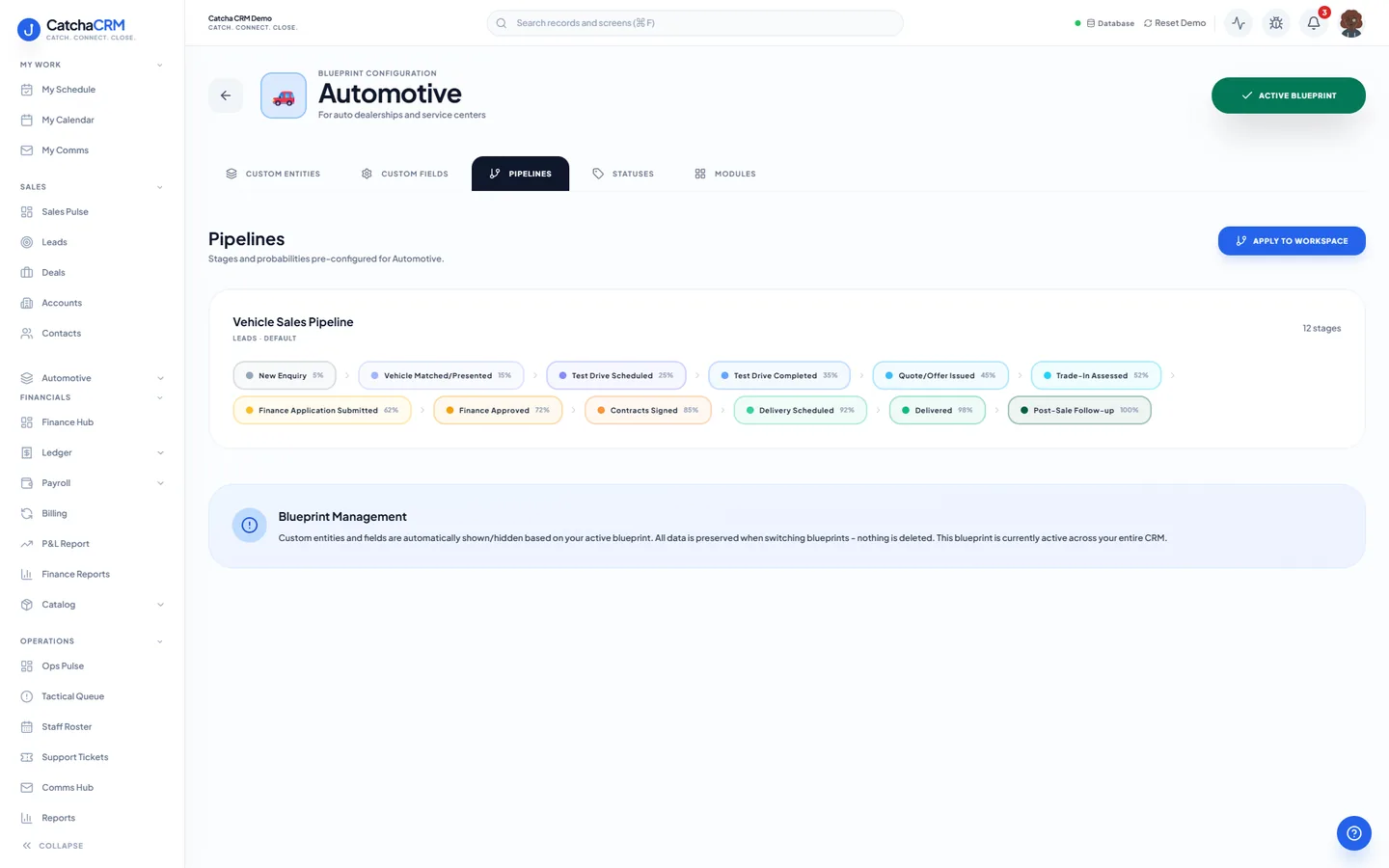
Pipeline stages Vehicle Sales Pipeline
- 1New Enquiry
- 2Vehicle Matched/Presented
- 3Test Drive Scheduled
- 4Test Drive Completed
- 5Quote/Offer Issued
- 6Trade-In Assessed
- 7Finance Application Submitted
- 8Finance Approved
- 9Contracts Signed
- 10Delivery Scheduled
- 11Delivered
- 12Post-Sale Follow-up
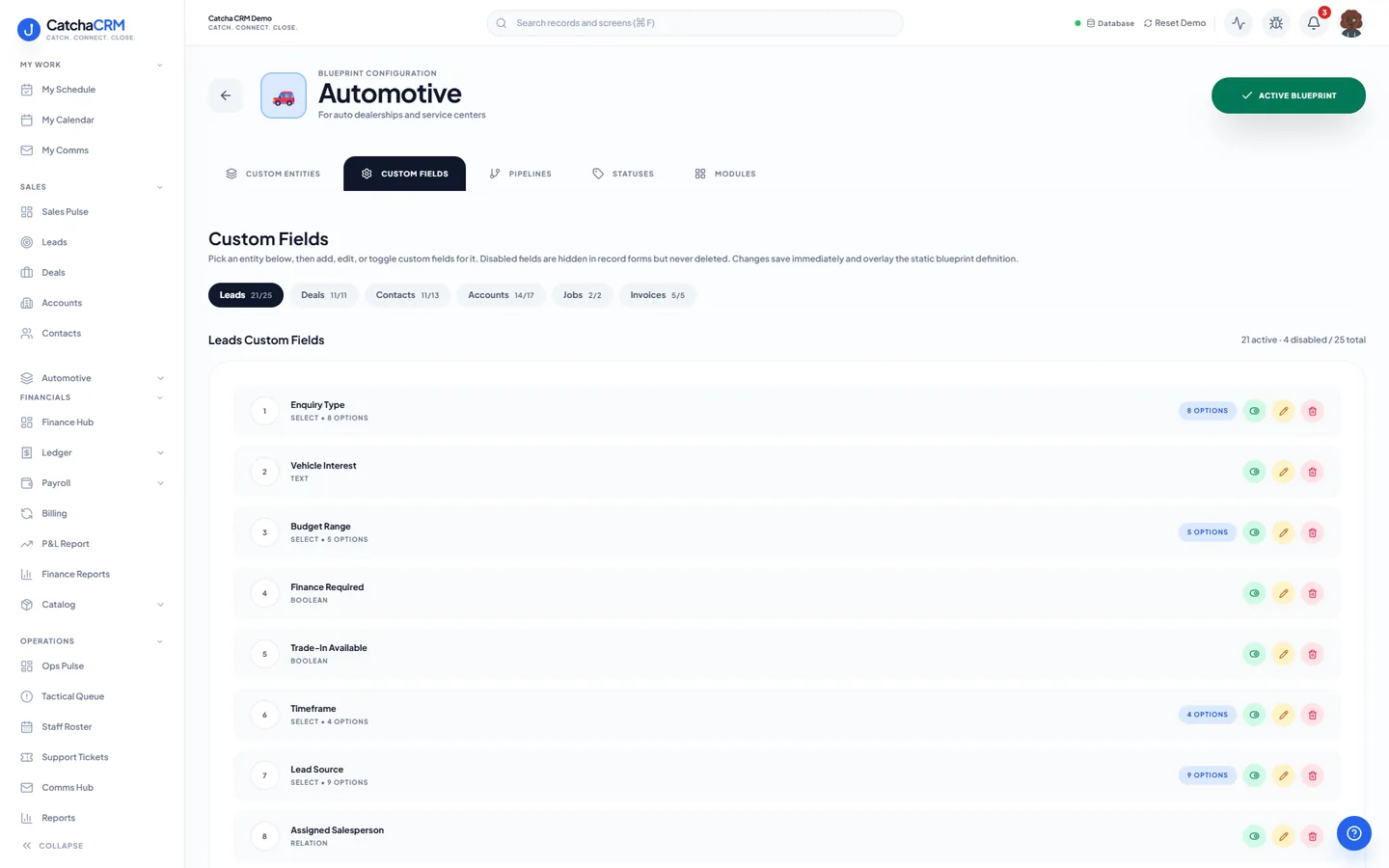
Custom fields on top of the standard ones
| Field | Type |
|---|---|
| Vehicle Interest | text |
| New or Used | dropdown |
| Trade-In Odometer (km) | number |
| Sale Type | dropdown |
| Gross Profit | currency |
| Delivery Date | date |
Starter catalogue one click seeds these as real products and services
- Cast Vinyl Film (per m²)
- Gloss Laminate (per m²)
- Paint Protection Film (per m²)
- Full Vehicle Wrap — Sedan / Hatch
- Full Vehicle Wrap — SUV / Ute / Van
- Partial Wrap
- Wrap Removal
- Paint Protection Film — Front End
- and 6 more
What it looks like in CatchaCRM.
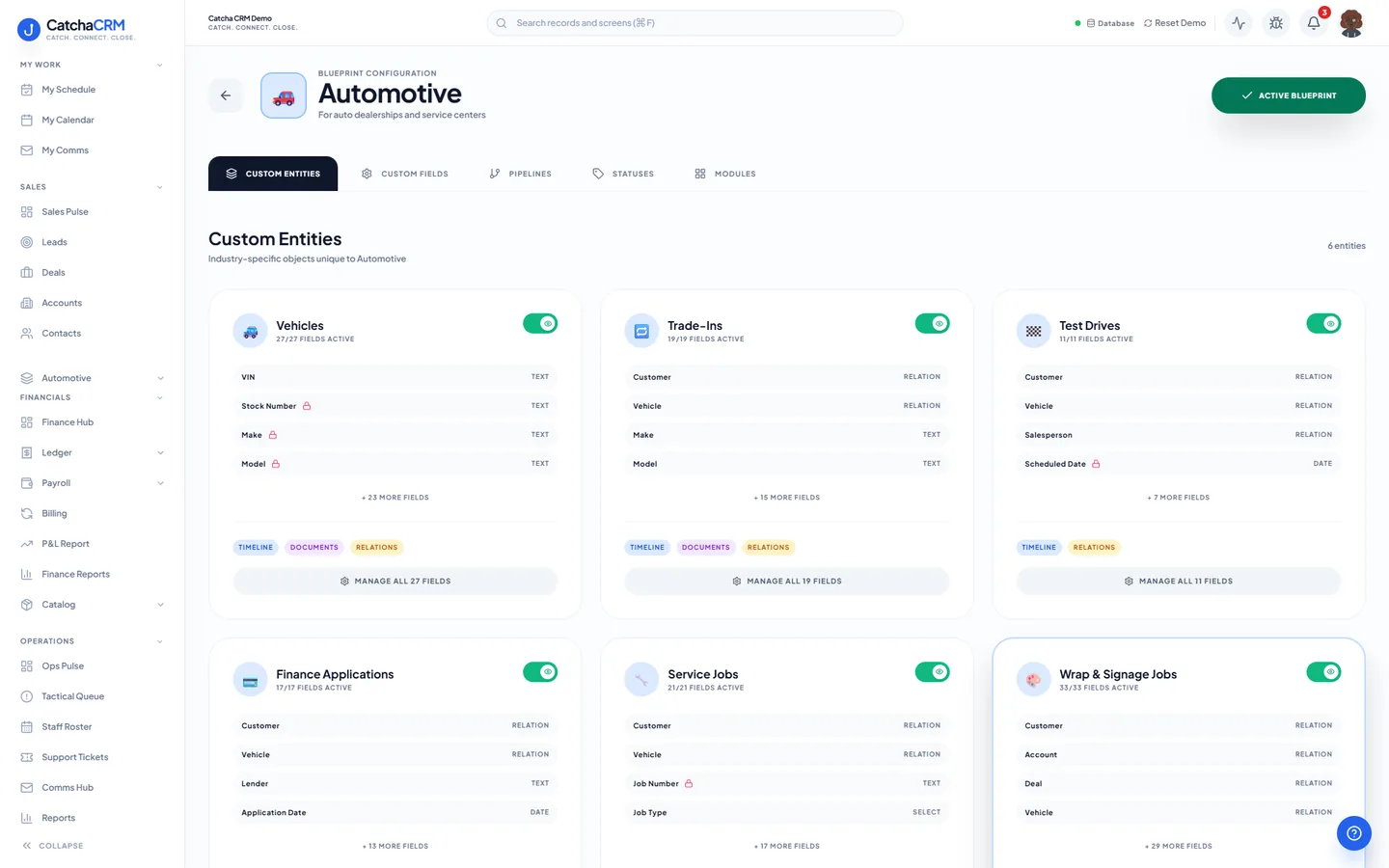
Screenshots of the Blueprint Configuration screen for the Automotive blueprint in the CatchaCRM demo workspace. It shows what the blueprint sets up before you add any records.
Built for how automotive businesses actually work.
- Vehicles, trade-ins, test drives and finance applications as linked records
- Wrap and signage jobs run their own pipeline from design to invoiced
- SMS updates keep owners informed without phone tag
- Service-due dates can start a reminder sequence that asks customers back
Blueprints stack. Run Automotive alongside any other blueprint in the same workspace, up to the number your plan lets you activate, and switch later without losing records.
Your automotive workspace, live in about two minutes.
Choose Automotive when you sign up and start the 21-day free trial. No card needed to look around.