Installs and maintenance running at the right temperature.
Heating, cooling and refrigeration businesses running installs alongside seasonal maintenance rounds. The HVAC blueprint tracks the units, the refrigerant logs and the service dates.
Sound familiar?
The seasonal rush catches you flat-footed
The first hot week melts the phone, and nothing prioritises or books the surge.
Maintenance rounds never get booked
Filter cleans and services fall due across hundreds of units with no automatic rebooking.
Warranty windows get missed
Install dates go unrecorded, so a warranty claim turns into an argument.
What installs when you pick HVAC.
Choose it during signup and the workspace is already shaped like your business — no blank CRM to configure first.
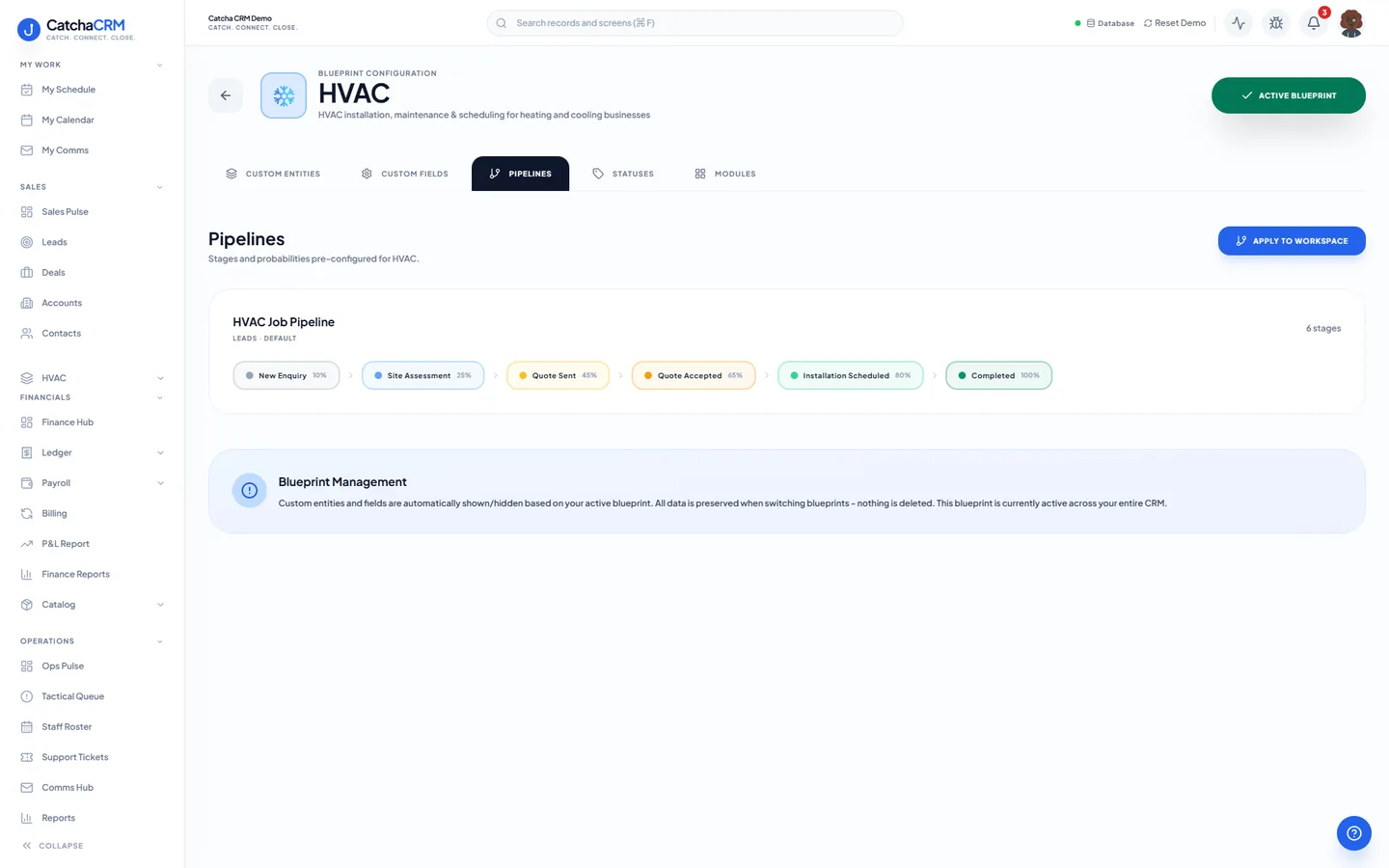
Pipeline stages HVAC Job Pipeline
- 1New Enquiry
- 2Site Assessment
- 3Quote Sent
- 4Quote Accepted
- 5Installation Scheduled
- 6Completed
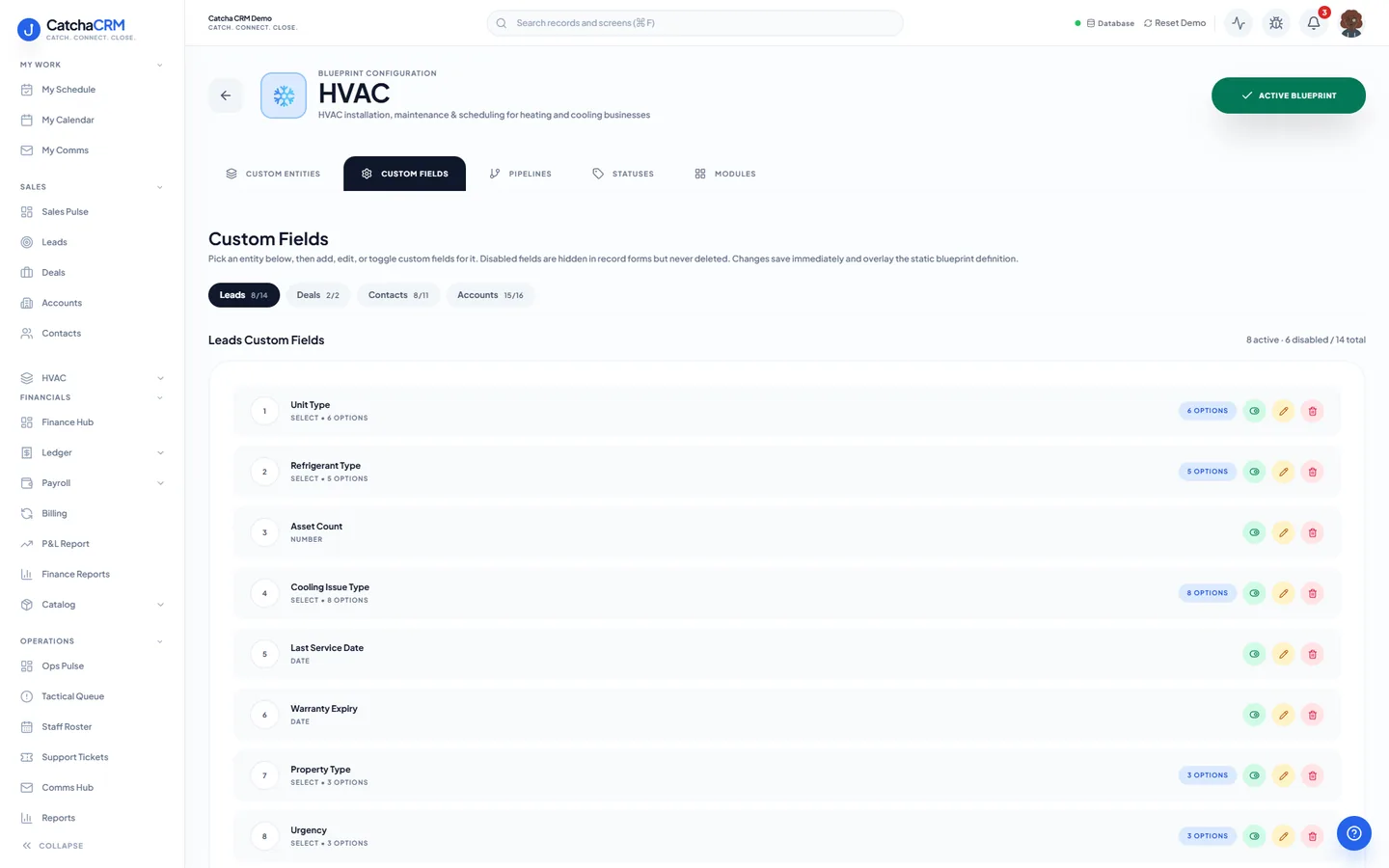
Custom fields on top of the standard ones
| Field | Type |
|---|---|
| Unit Type | dropdown |
| Refrigerant Type | dropdown |
| Last Service Date | date |
| Warranty Expiry | date |
| ARC Refrigerant Handling Licence | text |
| PM Contract Value | currency |
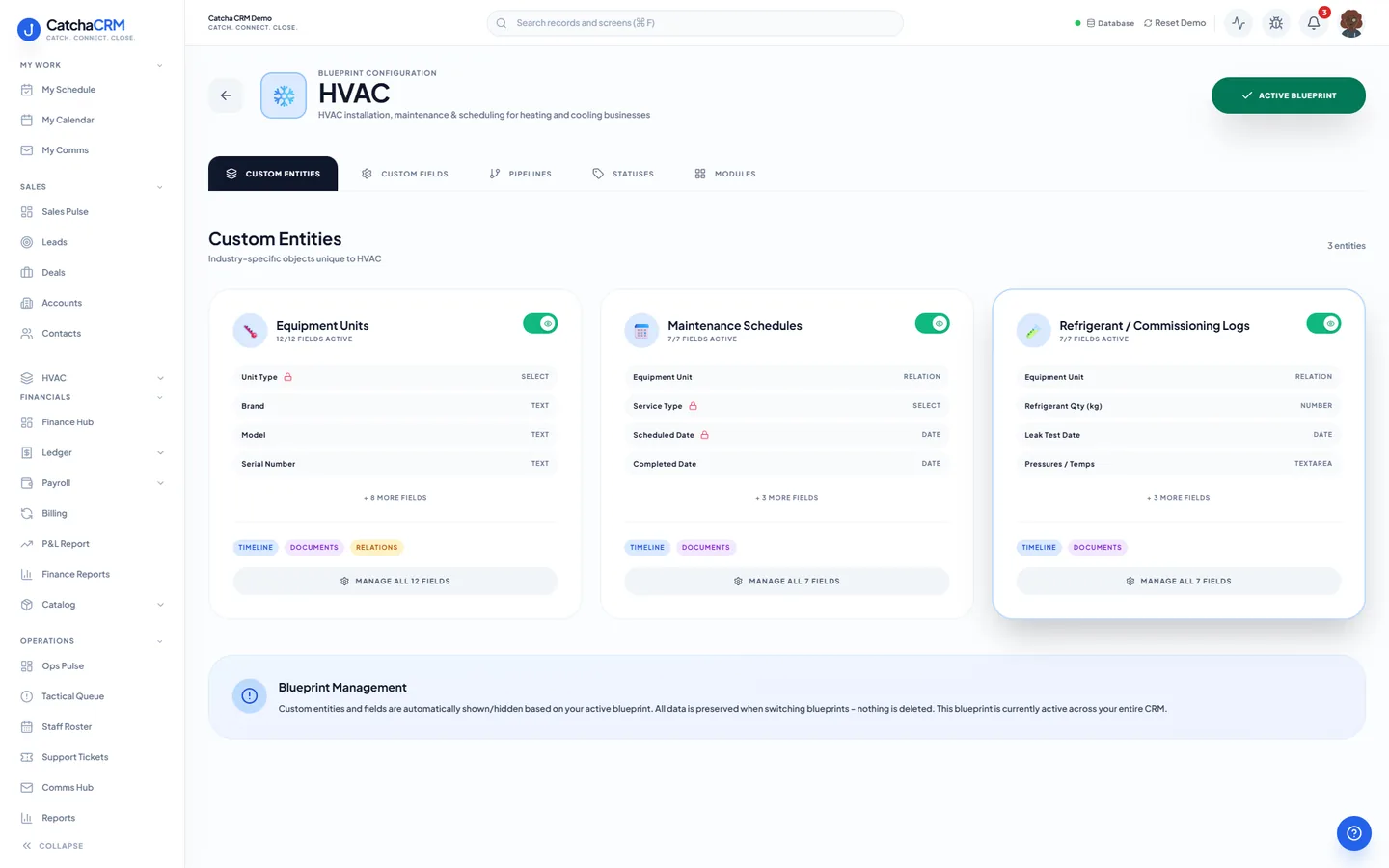
Records it adds extra record types beside contacts, deals and jobs
- Equipment Units
- Maintenance Schedules
- Refrigerant / Commissioning Logs
What it looks like in CatchaCRM.
Screenshots of the Blueprint Configuration screen for the HVAC blueprint in the CatchaCRM demo workspace. It shows what the blueprint sets up before you add any records.
Built for how HVAC businesses actually work.
- Service-due dates on each unit, plus a starter rule that creates a book-next-service task when a visit is completed
- Crew dispatch handles the summer surge without a whiteboard
- Unit history, refrigerant logs and warranty dates sit on the site record
- Quote converts to invoice the moment the job is commissioned
Blueprints stack. Run HVAC alongside any other blueprint in the same workspace, up to the number your plan lets you activate, and switch later without losing records.
Your HVAC workspace, live in about two minutes.
Choose HVAC when you sign up and start the 21-day free trial. No card needed to look around.