Orders, BOMs and suppliers on one production line.
Small manufacturers and fabricators handling custom orders, materials and supplier relationships. Bills of materials and production orders are records in their own right.
Sound familiar?
Quotes that guess at material cost
With no bill of materials behind the quote, margin is a hope rather than a number.
Stock-outs stop production
Materials run out mid-job because inventory lives in someone’s head.
Supplier quotes lost in email
RFQs and price comparisons buried in an inbox at the moment you have to decide.
What installs when you pick Manufacturing.
Choose it during signup and the workspace is already shaped like your business — no blank CRM to configure first.
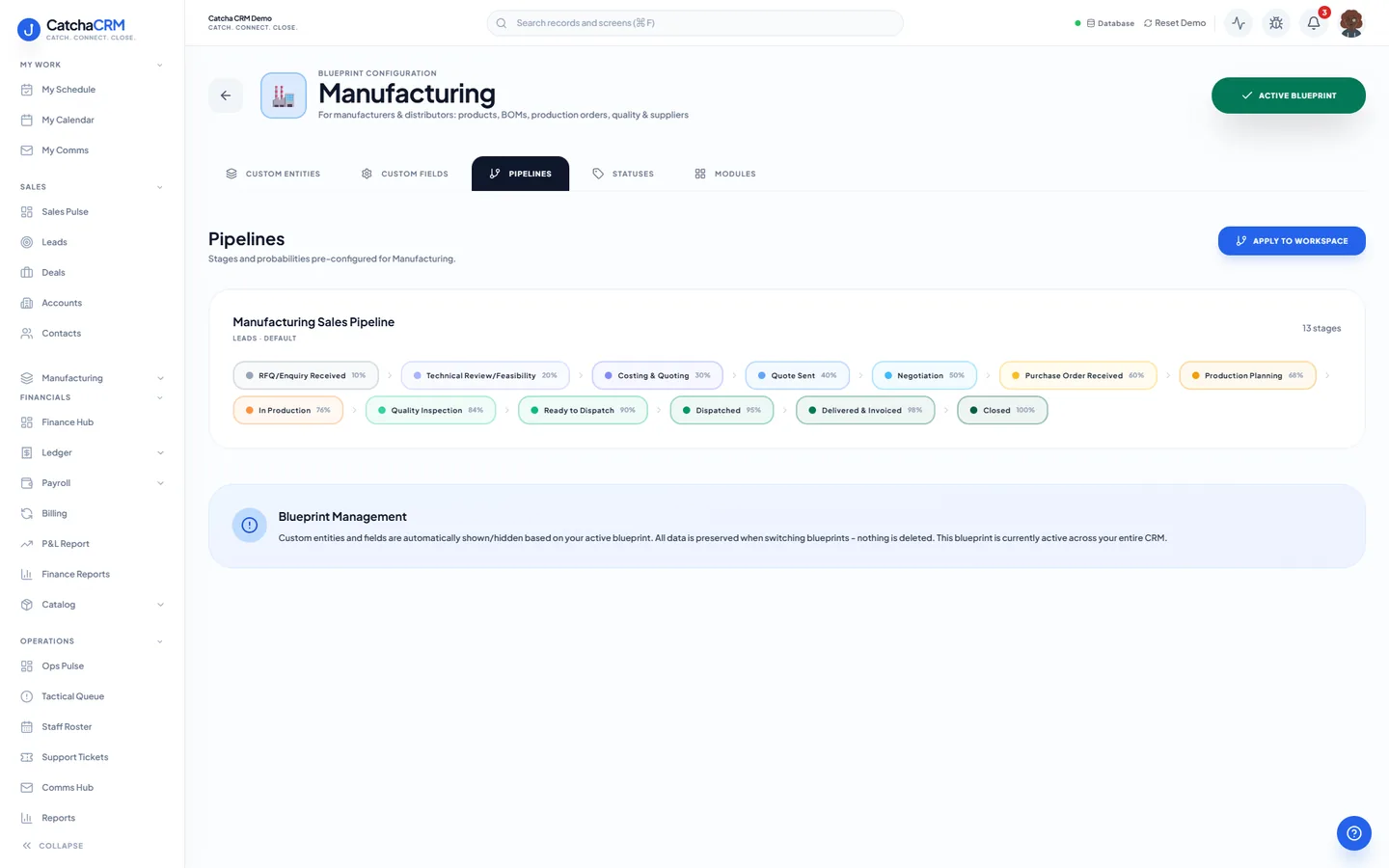
Pipeline stages Manufacturing Sales Pipeline
- 1RFQ/Enquiry Received
- 2Technical Review/Feasibility
- 3Costing & Quoting
- 4Quote Sent
- 5Negotiation
- 6Purchase Order Received
- 7Production Planning
- 8In Production
- 9Quality Inspection
- 10Ready to Dispatch
- 11Dispatched
- 12Delivered & Invoiced
- 13Closed
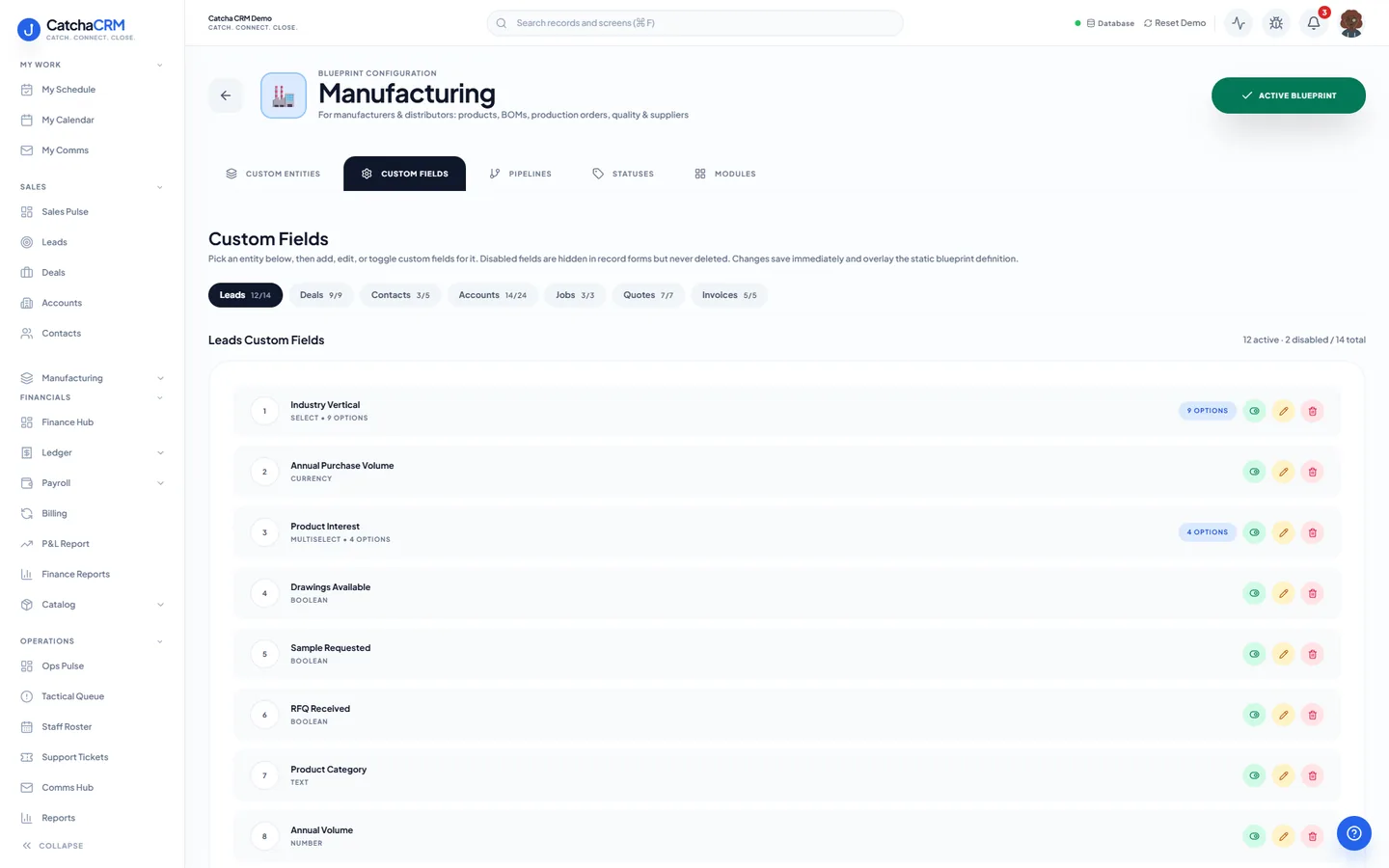
Custom fields on top of the standard ones
| Field | Type |
|---|---|
| RFQ Number | text |
| Material Cost | currency |
| Margin % | number |
| Lead Time (days) | number |
| Minimum Order Qty | number |
| Batch Reference | text |
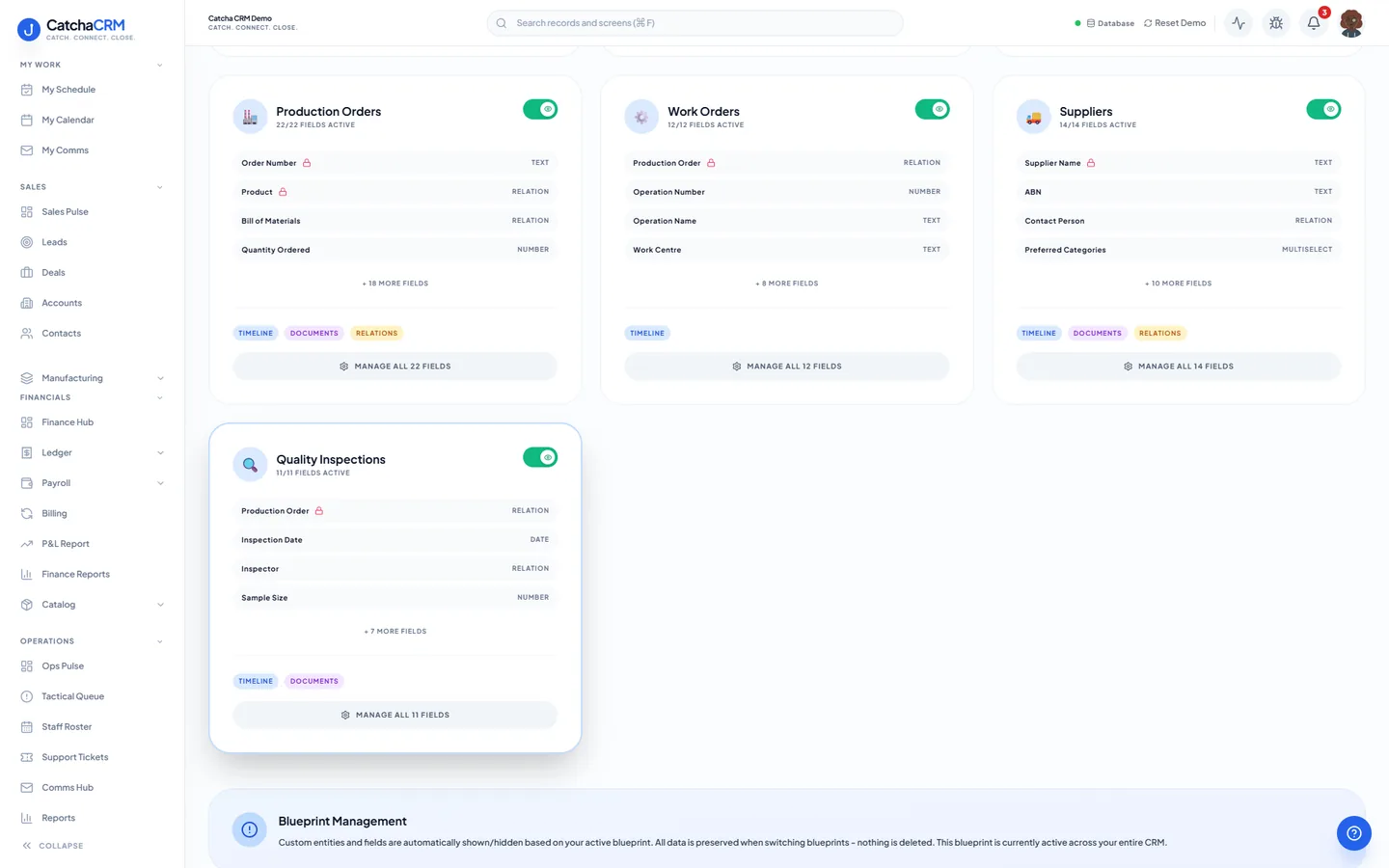
Records it adds extra record types beside contacts, deals and jobs
- Products
- Bills of Materials
- BOM Line Items
- Production Orders
- Work Orders
- Suppliers
- Quality Inspections
What it looks like in CatchaCRM.
Screenshots of the Blueprint Configuration screen for the Manufacturing blueprint in the CatchaCRM demo workspace. It shows what the blueprint sets up before you add any records.
Built for how manufacturing actually works.
- Bills of materials recorded with their total cost, so quotes are priced from real numbers
- Multi-warehouse inventory with bin locations and reorder visibility
- Purchase orders and supplier quote comparison built in
- Quality inspections and batch references per production run
Blueprints stack. Run Manufacturing alongside any other blueprint in the same workspace, up to the number your plan lets you activate, and switch later without losing records.
Your manufacturing workspace, live in about two minutes.
Choose Manufacturing when you sign up and start the 21-day free trial. No card needed to look around.