Pipeline discipline for quota-carrying teams.
Outbound and field sales teams tracking campaigns, targets and commissions. The Sales blueprint adds territories, targets and playbooks on top of the standard pipeline.
Sound familiar?
Forecasts are guesswork
Weighted pipeline calculated in a Friday-afternoon spreadsheet.
Activity is invisible
Calls and meetings logged nowhere, so coaching happens blind.
Commission disputes
Splits and accelerators computed by hand at quarter end.
What installs when you pick Sales teams.
Choose it during signup and the workspace is already shaped like your business — no blank CRM to configure first.
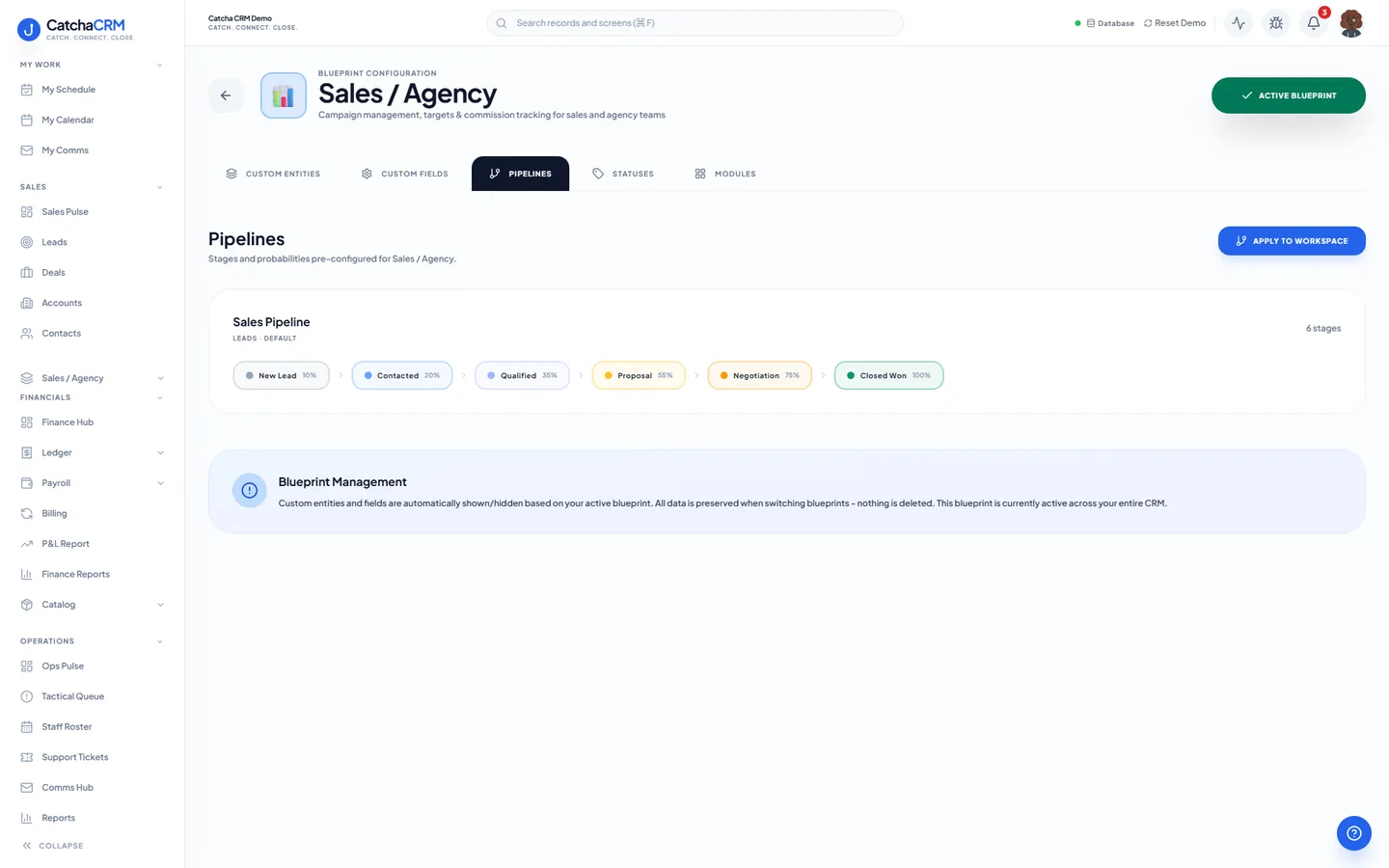
Pipeline stages Sales Pipeline
- 1New Lead
- 2Contacted
- 3Qualified
- 4Proposal
- 5Negotiation
- 6Closed Won
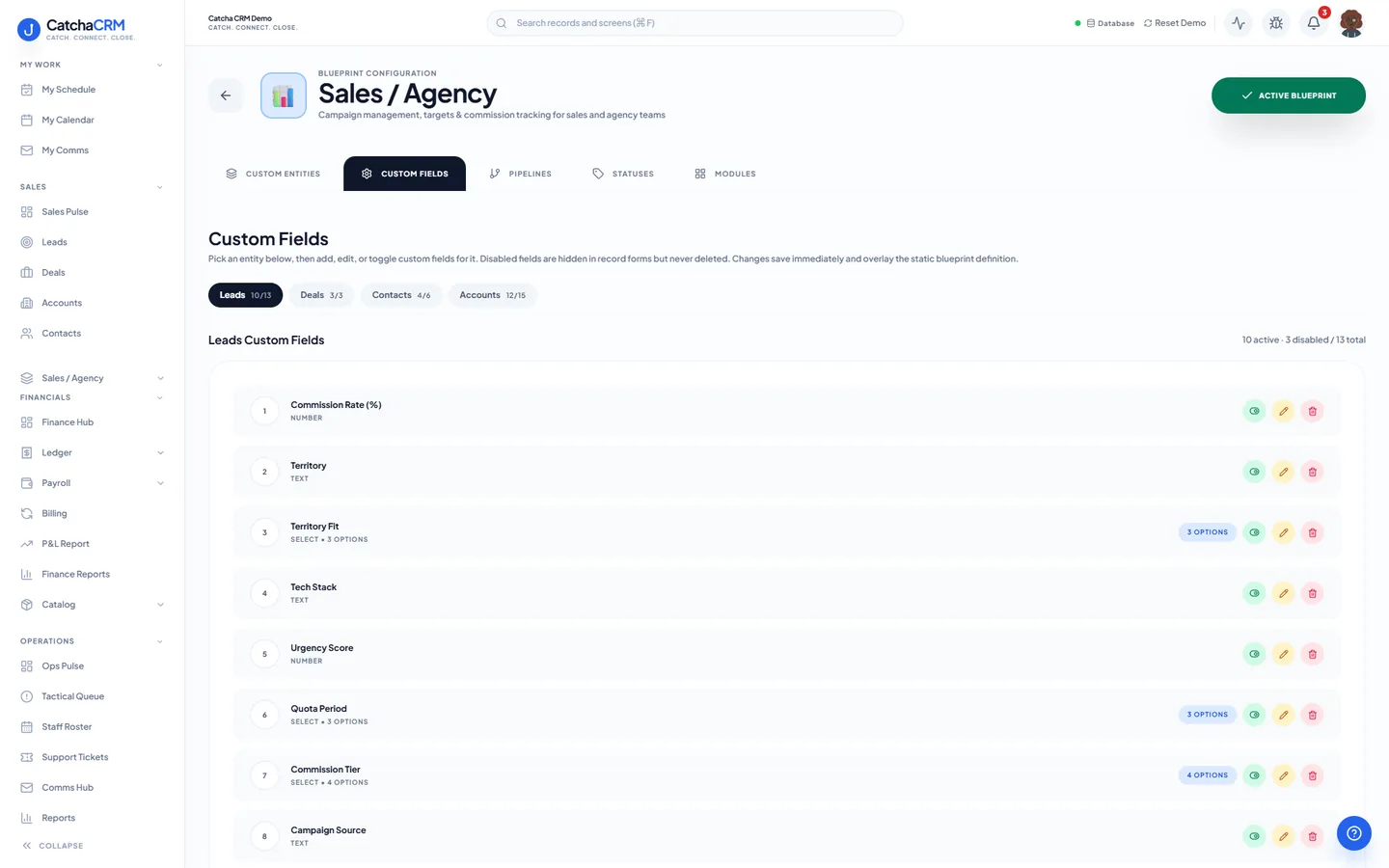
Custom fields on top of the standard ones
| Field | Type |
|---|---|
| Territory | text |
| Quota Period | dropdown |
| Commission Rate (%) | number |
| Campaign Source | text |
| MEDDICC Gap | text |
| Target Close Month | text |
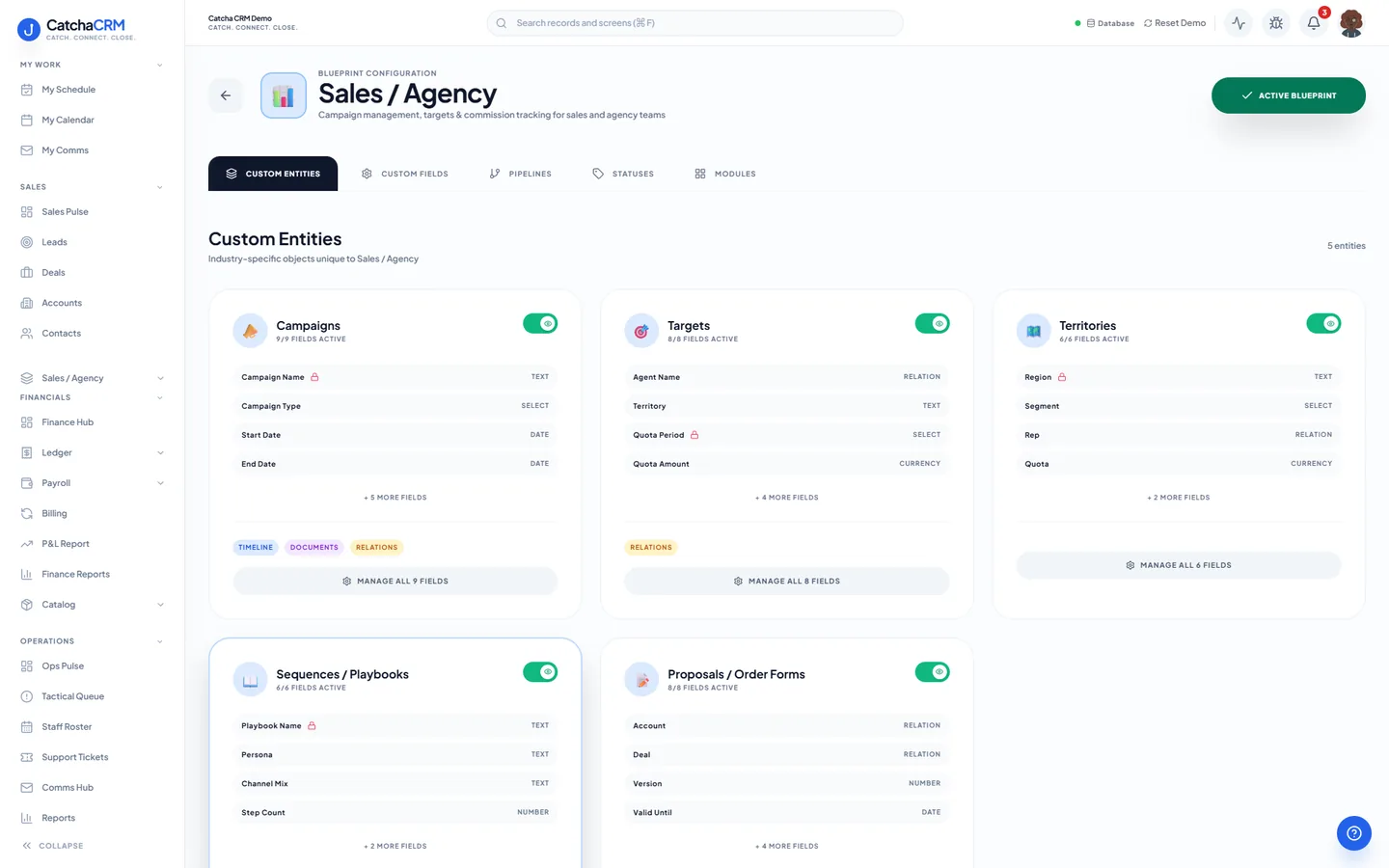
Records it adds extra record types beside contacts, deals and jobs
- Campaigns
- Targets
- Territories
- Sequences / Playbooks
- Proposals / Order Forms
What it looks like in CatchaCRM.
Screenshots of the Blueprint Configuration screen for the Sales / Agency blueprint in the CatchaCRM demo workspace. It shows what the blueprint sets up before you add any records.
Built for how sales teams actually work.
- Weighted forecast comes off the stage probability on each pipeline
- Calls are logged when you use click-to-call, and emails and SMS are logged against the deal
- Campaign and source attribution on each opportunity
- Targets and territories tracked per rep, with commission fields on the account
Blueprints stack. Run Sales teams alongside any other blueprint in the same workspace, up to the number your plan lets you activate, and switch later without losing records.
Your sales teams workspace, live in about two minutes.
Choose Sales teams when you sign up and start the 21-day free trial. No card needed to look around.