Run projects, subbies and claims from one system.
Commercial builders, carpentry crews and trade contractors juggling tenders, variations and subcontractors. This blueprint follows the job from tender all the way to the final retention release.
Sound familiar?
Progress claims made from memory
Claim one was invoiced, claim two was verbal, claim three is a mystery, and cashflow wears it.
SWMS sign-offs on paper
Safety paperwork lives in a ute glovebox instead of attached to the job record.
Variations that never get billed
Extra work is done, the variation never becomes an invoice line, and the margin evaporates.
What installs when you pick Construction and trades.
Choose it during signup and the workspace is already shaped like your business — no blank CRM to configure first.
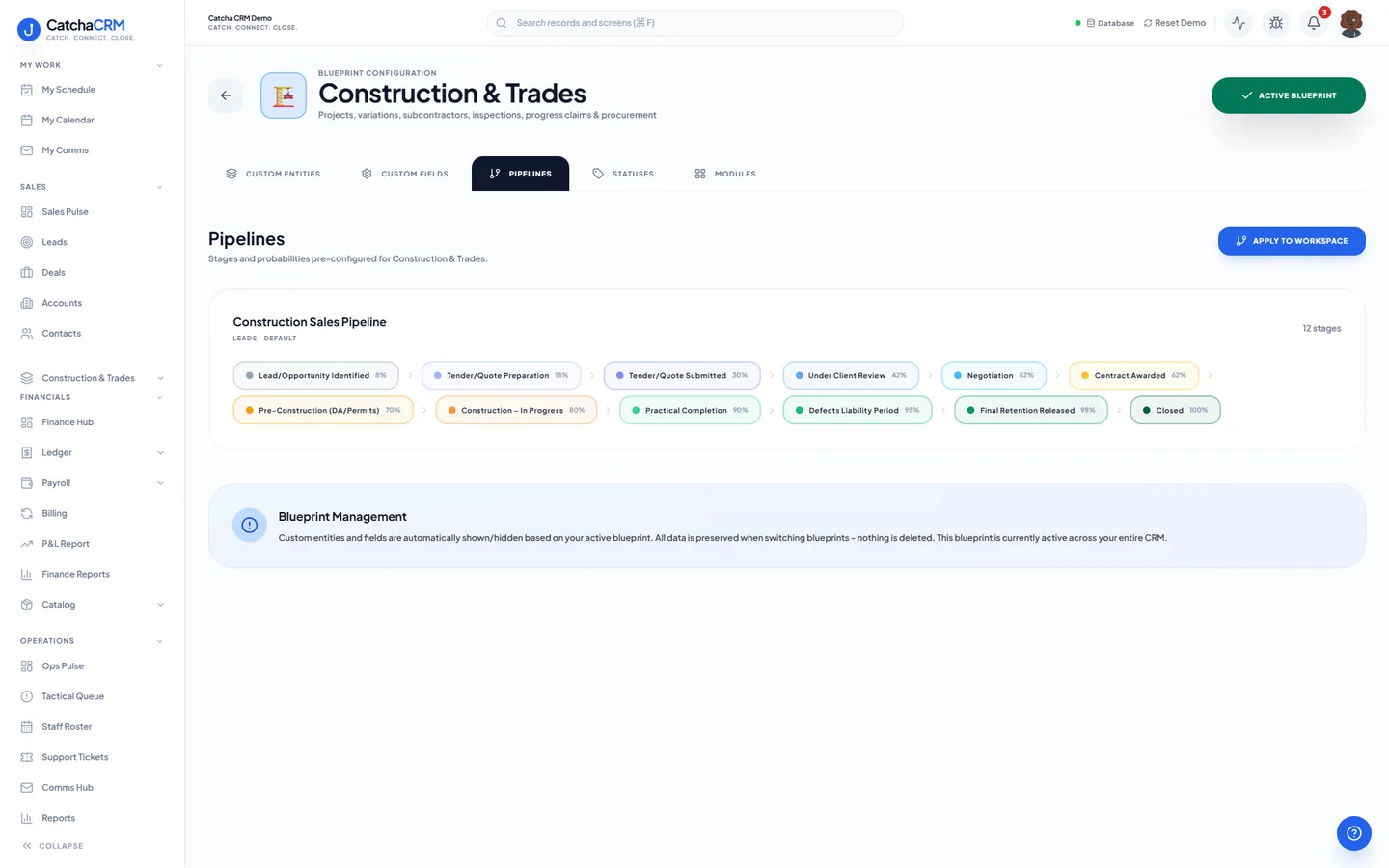
Pipeline stages Construction Sales Pipeline
- 1Lead/Opportunity Identified
- 2Tender/Quote Preparation
- 3Tender/Quote Submitted
- 4Under Client Review
- 5Negotiation
- 6Contract Awarded
- 7Pre-Construction (DA/Permits)
- 8Construction – In Progress
- 9Practical Completion
- 10Defects Liability Period
- 11Final Retention Released
- 12Closed
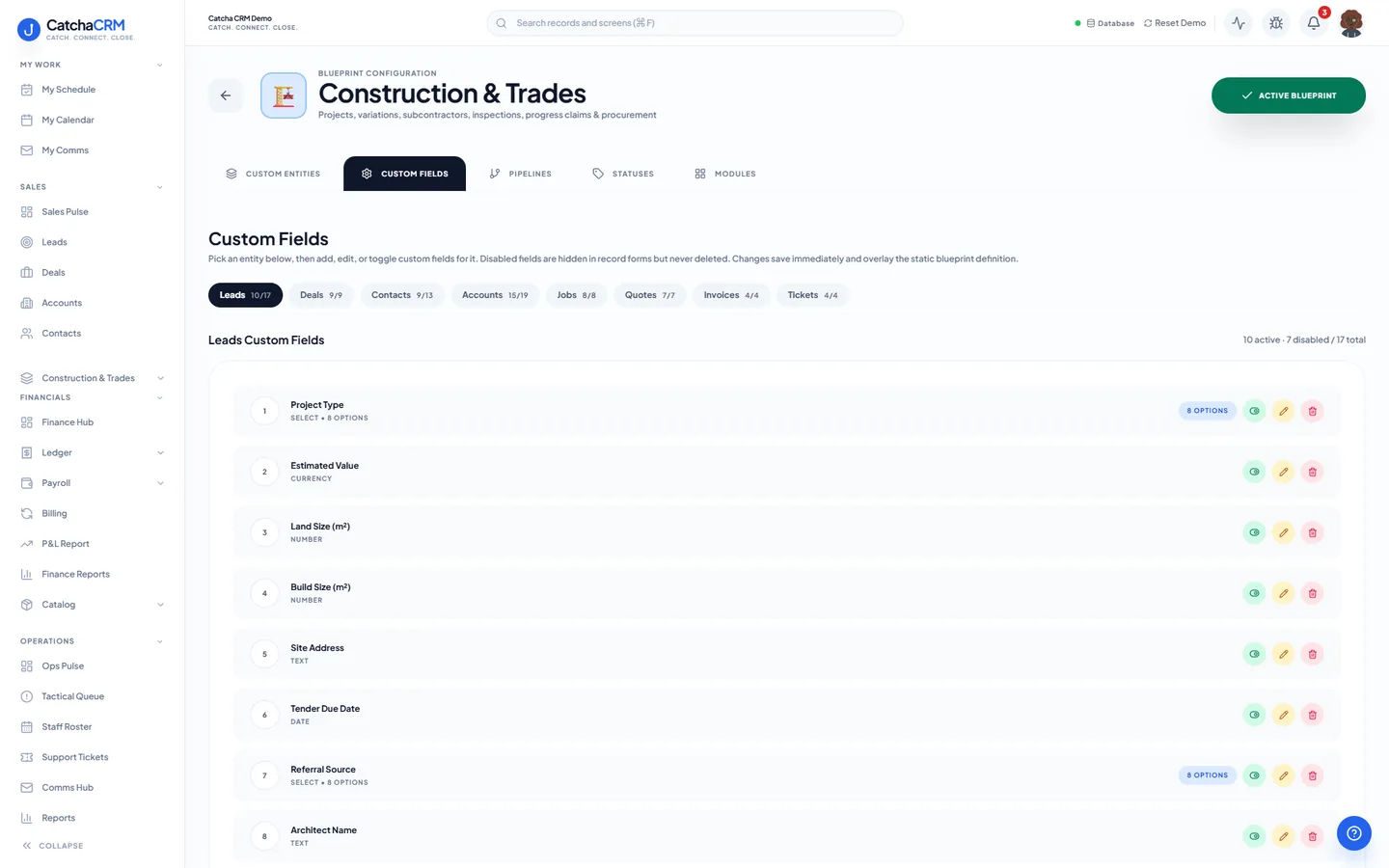
Custom fields on top of the standard ones
| Field | Type |
|---|---|
| Contract Type | dropdown |
| Retention % | number |
| SWMS Required | yes/no |
| Permit Number | text |
| Progress Claim Number | text |
| Retention Held | currency |
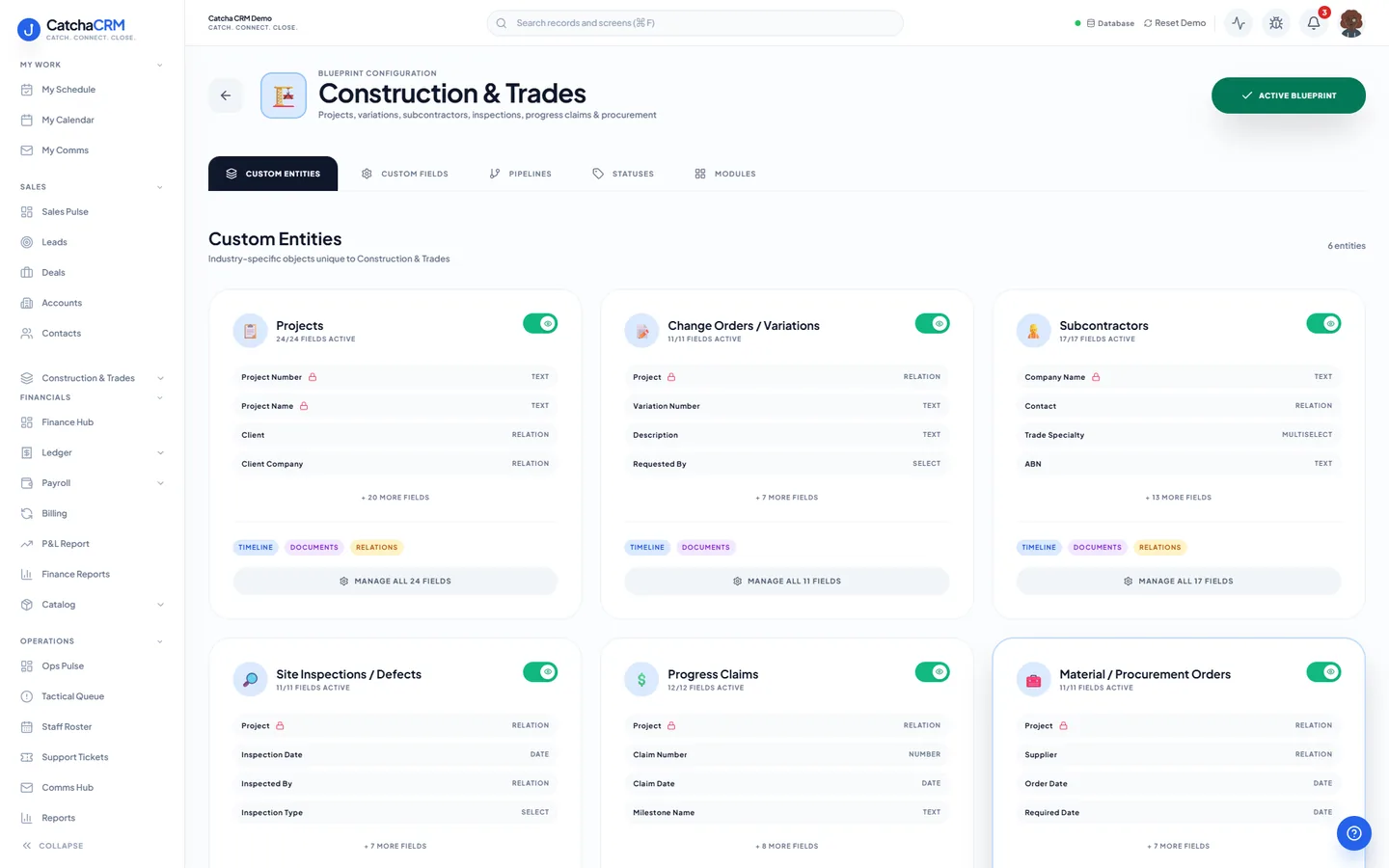
Records it adds extra record types beside contacts, deals and jobs
- Projects
- Change Orders / Variations
- Subcontractors
- Site Inspections / Defects
- Progress Claims
- Material / Procurement Orders
What it looks like in CatchaCRM.
Screenshots of the Blueprint Configuration screen for the Construction & Trades blueprint in the CatchaCRM demo workspace. It shows what the blueprint sets up before you add any records.
Built for how construction and trade businesses actually work.
- Guided job checklists hold the SWMS sign-off before work starts
- Variations become quote lines, then invoice lines, so nothing leaks
- Procurement orders and supplier bills tracked against each project
- Progress-claim invoicing with retention held and released per stage
Blueprints stack. Run Construction and trades alongside any other blueprint in the same workspace, up to the number your plan lets you activate, and switch later without losing records.
Your construction and trades workspace, live in about two minutes.
Choose Construction and trades when you sign up and start the 21-day free trial. No card needed to look around.