Quoting, scheduling and getting paid — sorted for plumbers.
Plumbing businesses from sole operators to multi-van teams, handling service calls and project work. Pick the Plumbing blueprint at signup and your pipeline, fields and job records are built before you log in.
Sound familiar?
Quotes written from the ute at 9pm
Handwritten quotes typed up after dinner, sent late, and followed up never.
Emergency calls wreck the schedule
One burst pipe reshuffles the whole day, and nobody in the team can see the new plan.
Invoices chase you, not the customer
Work finished weeks ago is still unbilled because the paperwork piles up.
What installs when you pick Plumbing.
Choose it during signup and the workspace is already shaped like your business — no blank CRM to configure first.
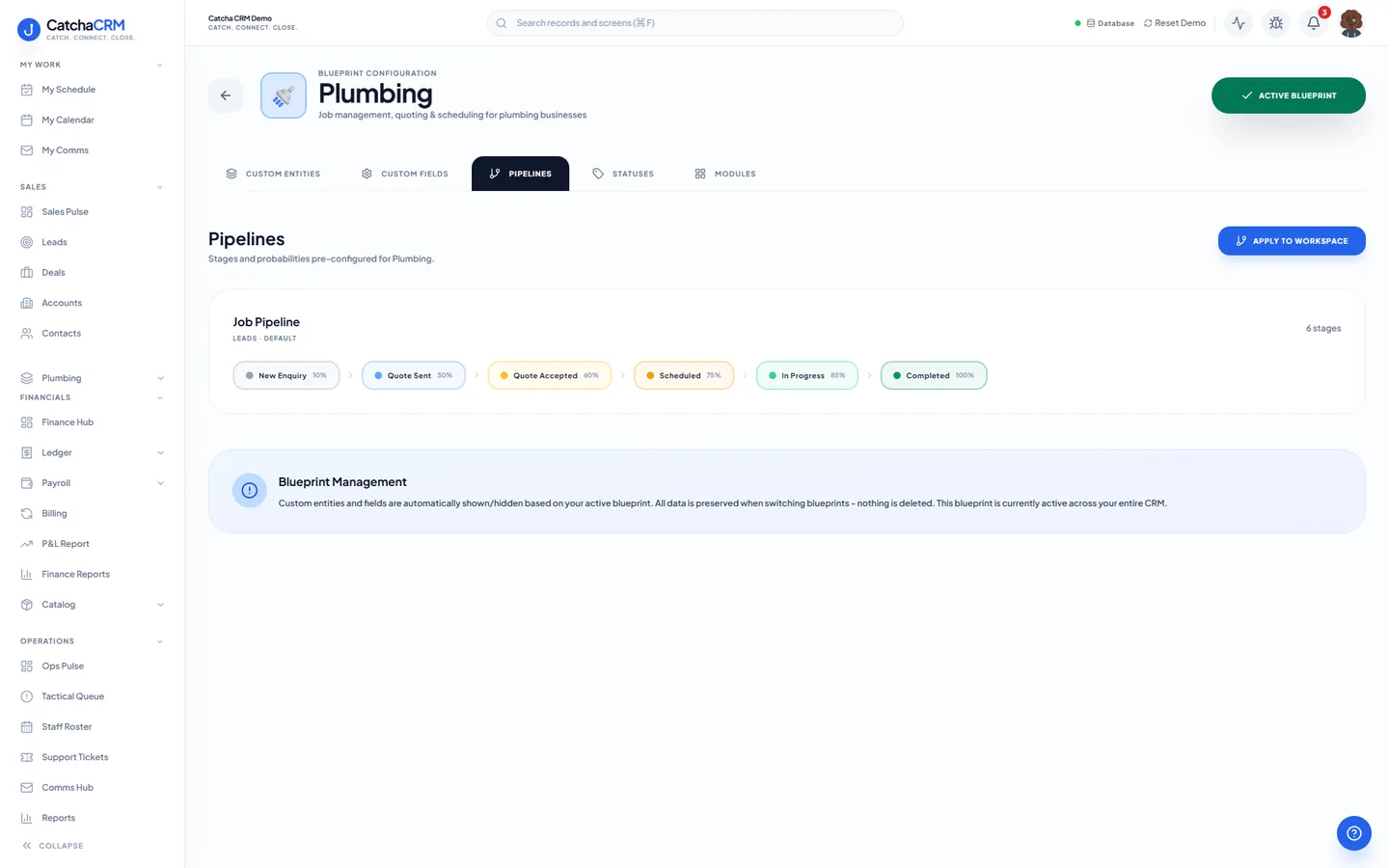
Pipeline stages Job Pipeline
- 1New Enquiry
- 2Quote Sent
- 3Quote Accepted
- 4Scheduled
- 5In Progress
- 6Completed
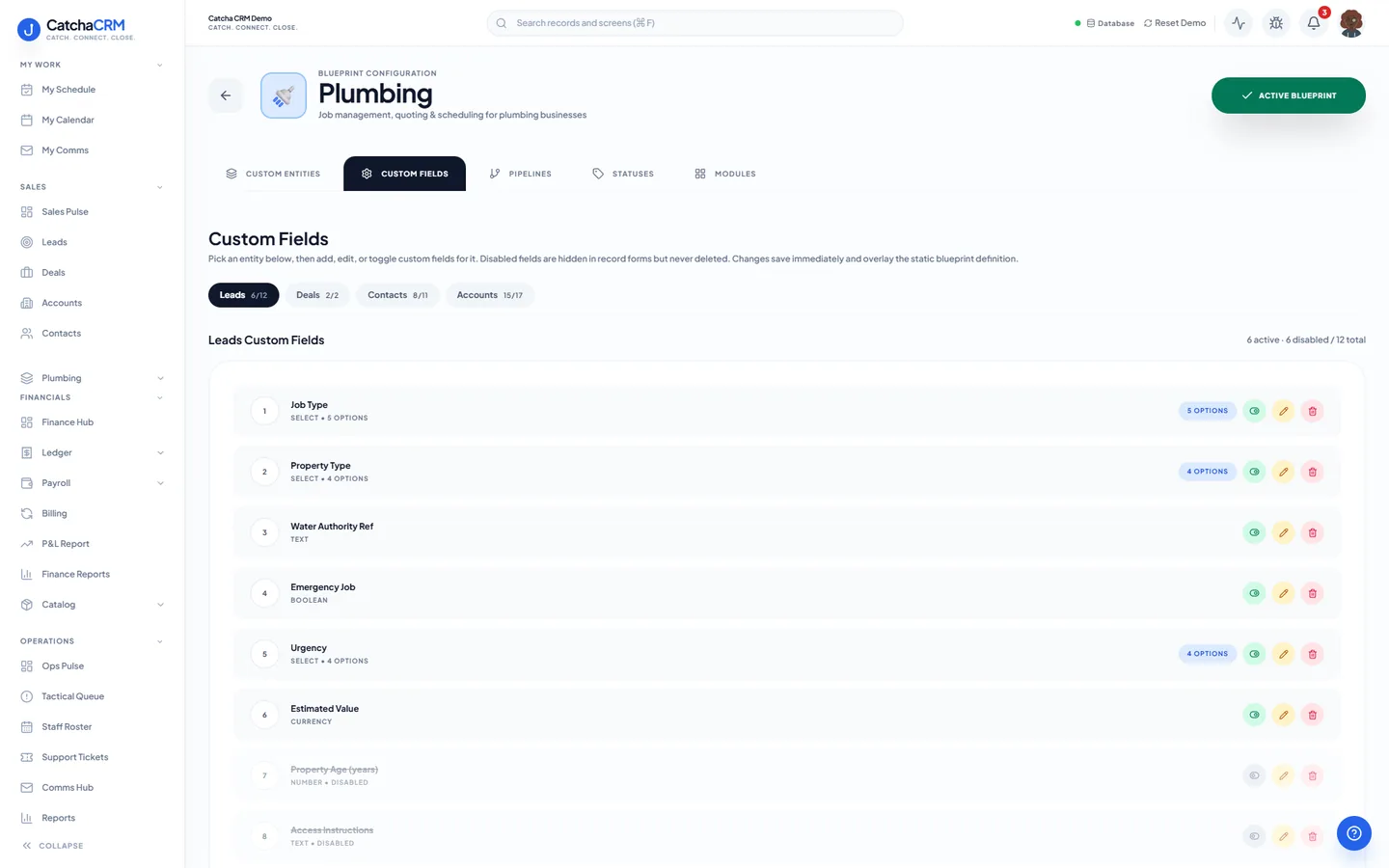
Custom fields on top of the standard ones
| Field | Type |
|---|---|
| Job Type | dropdown |
| Emergency Job | yes/no |
| Water Authority Ref | text |
| Site Access Notes | notes |
| Plumber's Licence Number | text |
| Quoted Materials Value | currency |
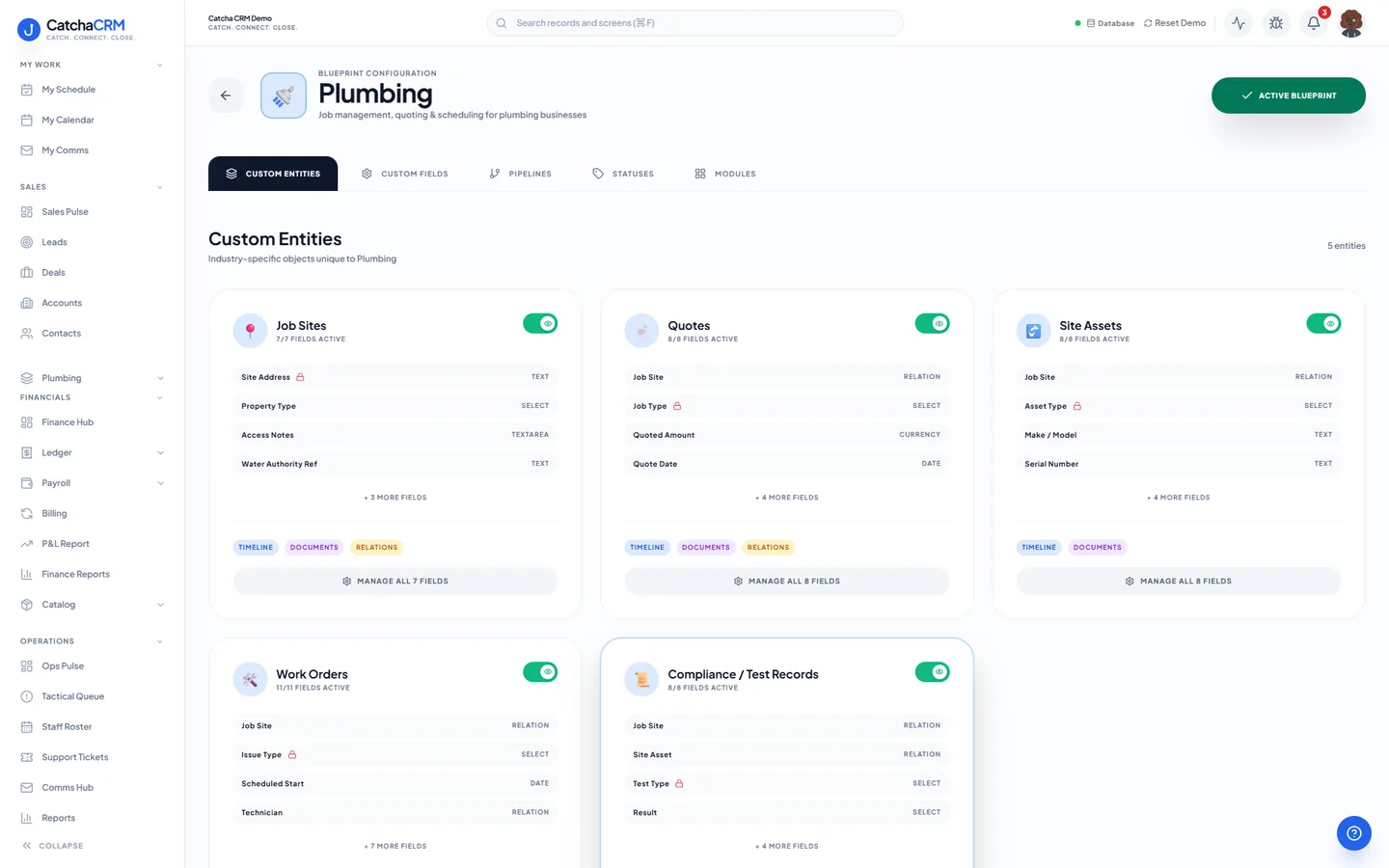
Records it adds extra record types beside contacts, deals and jobs
- Job Sites
- Quotes
- Site Assets
- Work Orders
- Compliance / Test Records
What it looks like in CatchaCRM.
Screenshots of the Blueprint Configuration screen for the Plumbing blueprint in the CatchaCRM demo workspace. It shows what the blueprint sets up before you add any records.
Built for how plumbing businesses actually work.
- Quote from the catalogue, with GST worked out for you
- The dispatch board reshuffles the day without a round of phone calls
- Invoice on completion and take payment through your own Stripe or PayPal
- Overdue invoices chased by email reminders once you switch them on
Blueprints stack. Run Plumbing alongside any other blueprint in the same workspace, up to the number your plan lets you activate, and switch later without losing records.
Your plumbing workspace, live in about two minutes.
Choose Plumbing when you sign up and start the 21-day free trial. No card needed to look around.