Customers, orders and follow-ups beyond the cart.
Online retailers who need a real customer record behind the storefront. The Retail blueprint adds the catalogue, the orders and the receiving side that a store platform leaves out.
Sound familiar?
Customers are just order numbers
With no unified profile there is no way to see who your best buyers actually are.
Wholesale handled in inboxes
B2B and bulk enquiries quoted by email with no pipeline behind them.
Stock kept in two places
Store stock and warehouse stock disagree, and overselling follows.
What installs when you pick E-commerce.
Choose it during signup and the workspace is already shaped like your business — no blank CRM to configure first.
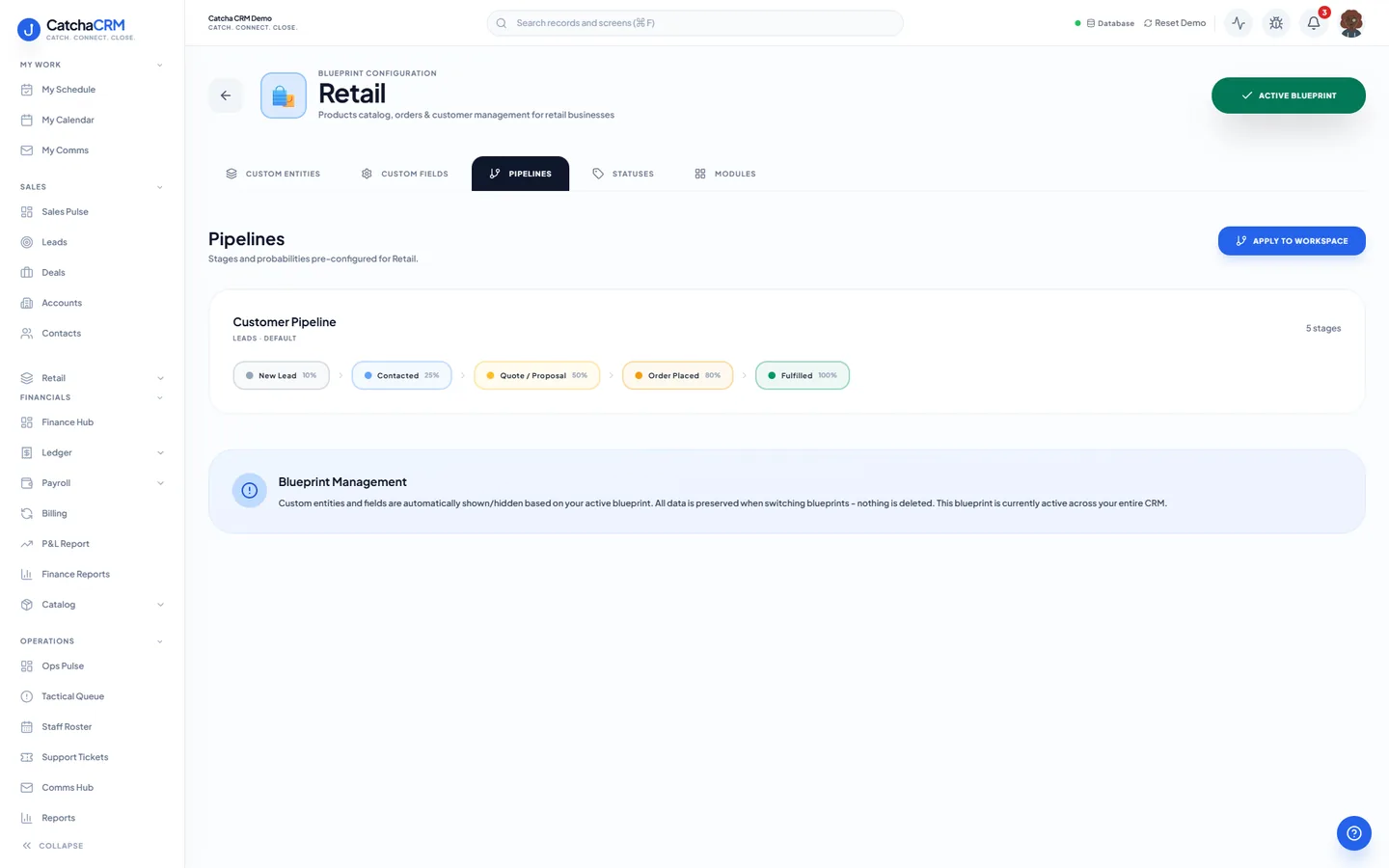
Pipeline stages Customer Pipeline
- 1New Lead
- 2Contacted
- 3Quote / Proposal
- 4Order Placed
- 5Fulfilled
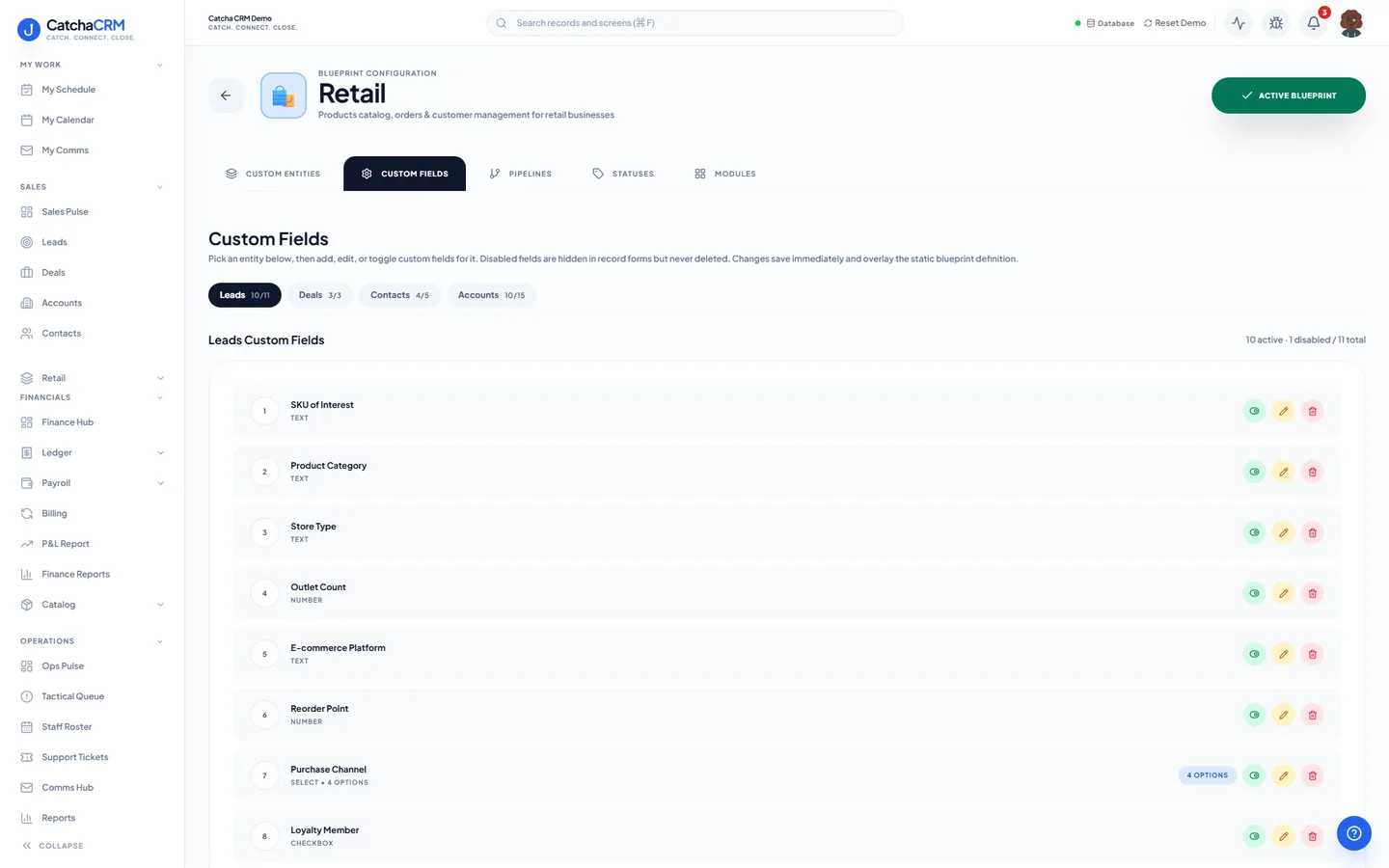
Custom fields on top of the standard ones
| Field | Type |
|---|---|
| Purchase Channel | dropdown |
| SKU of Interest | text |
| Pricing Tier | dropdown |
| Default Warehouse | text |
| Loyalty Member | yes/no |
| Credit Limit | currency |
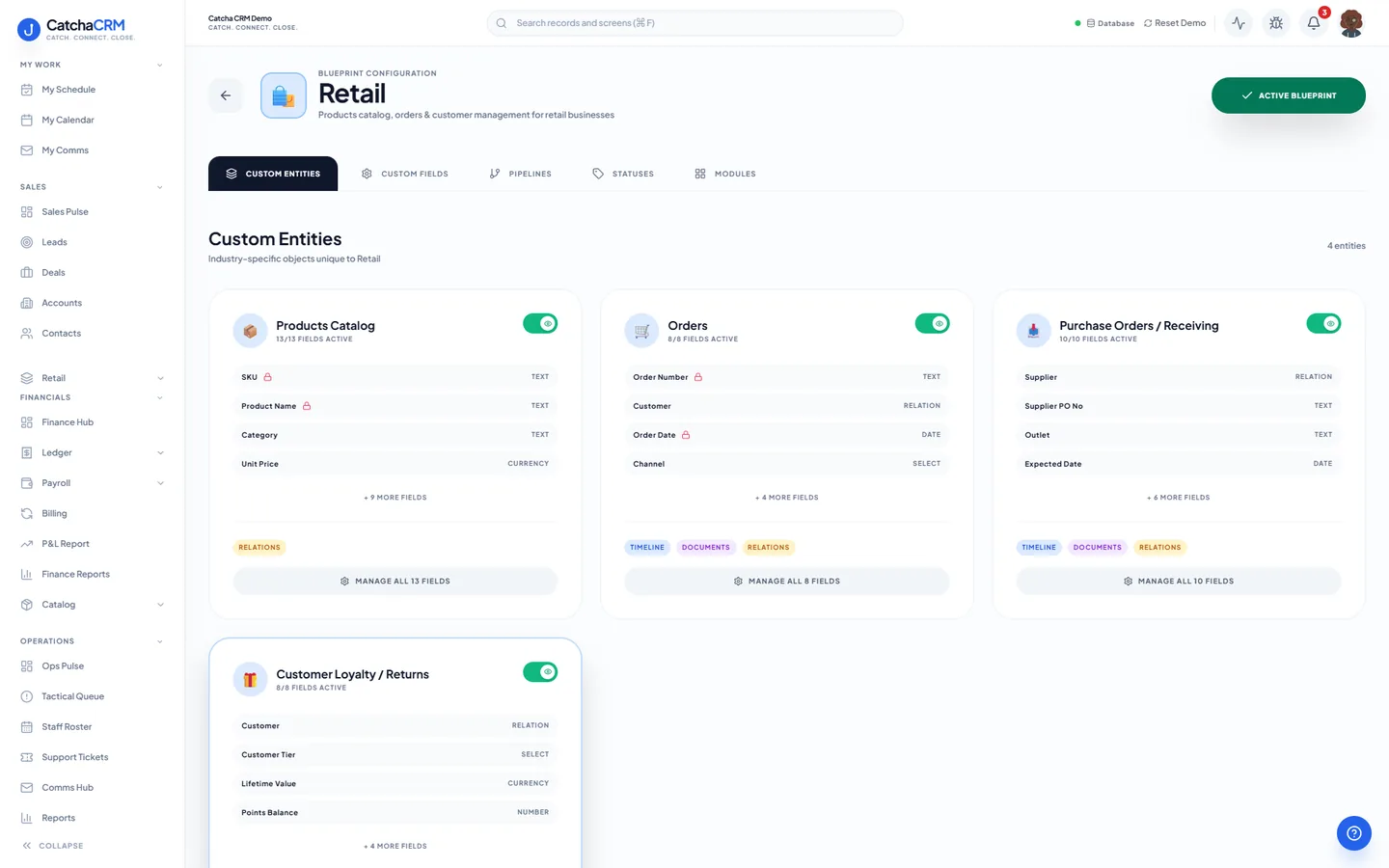
Records it adds extra record types beside contacts, deals and jobs
- Products Catalog
- Orders
- Purchase Orders / Receiving
- Customer Loyalty / Returns
What it looks like in CatchaCRM.
Screenshots of the Blueprint Configuration screen for the Retail blueprint in the CatchaCRM demo workspace. It shows what the blueprint sets up before you add any records.
Built for how online stores actually work.
- Product catalogue, orders and customer profiles in one directory
- A wholesale quoting pipeline running beside your retail flow
- Multi-warehouse stock with bin locations and purchase orders
- Review invitations and win-back campaigns built in
Blueprints stack. Run E-commerce alongside any other blueprint in the same workspace, up to the number your plan lets you activate, and switch later without losing records.
Your e-commerce workspace, live in about two minutes.
Choose E-commerce when you sign up and start the 21-day free trial. No card needed to look around.