A clean, flat-priced CRM for any small business.
A general-purpose setup: accounts, contacts, tasks and a sales pipeline, plus service agreements, sites and renewal and compliance items. Start neutral, then stack an industry blueprint on top whenever you want one. You can also add your own fields to records in Settings → Fields.
Sound familiar?
Five tools for one workflow
CRM, invoicing, support and marketing each in their own app with their own bill.
Per-seat pricing punishes growth
Every new hire adds several subscriptions before they add any revenue.
Data silos hide the truth
The real status of a customer is split across systems that do not talk.
What installs when you pick General business.
Choose it during signup and the workspace is already shaped like your business — no blank CRM to configure first.
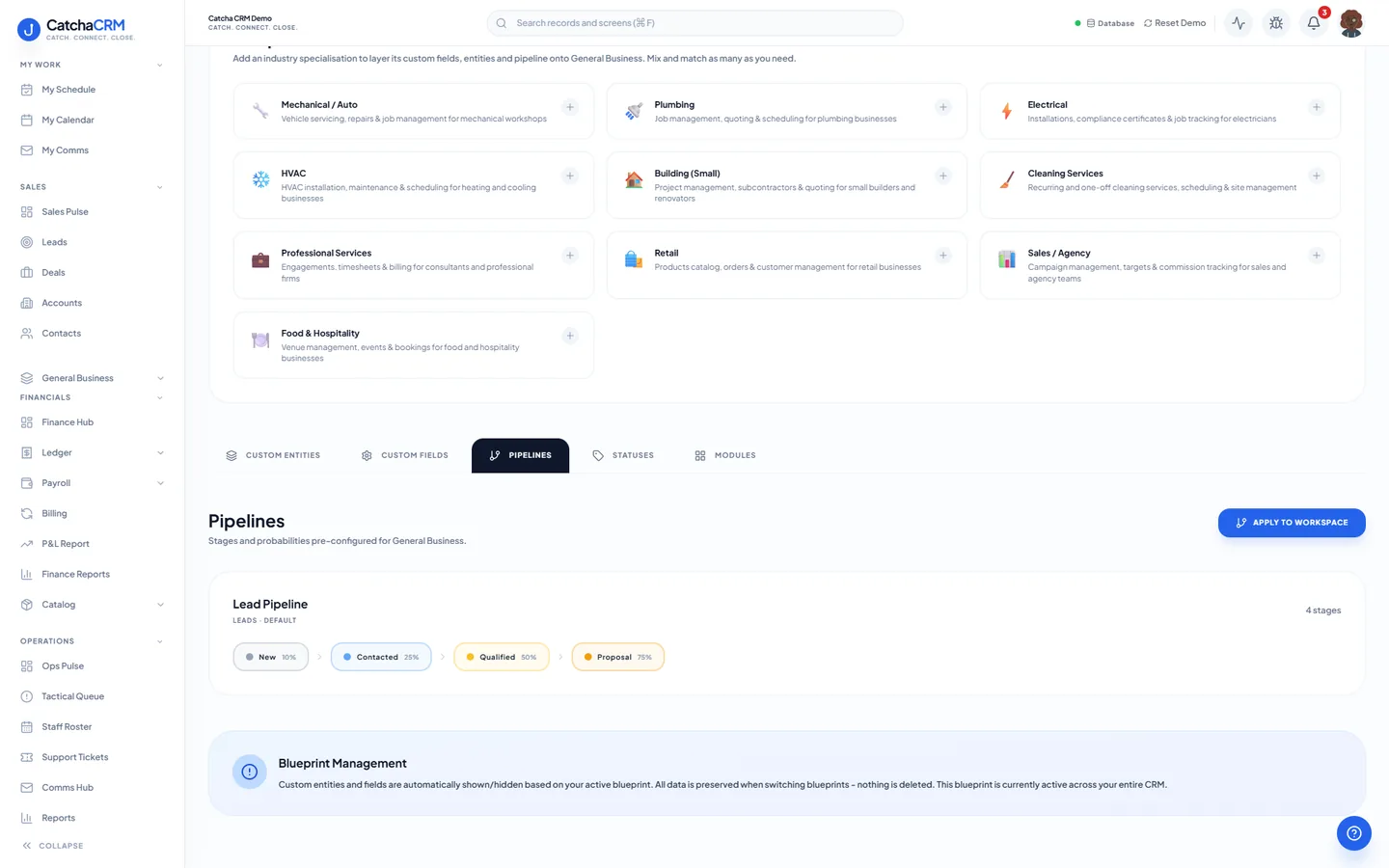
Pipeline stages Lead Pipeline
- 1New
- 2Contacted
- 3Qualified
- 4Proposal
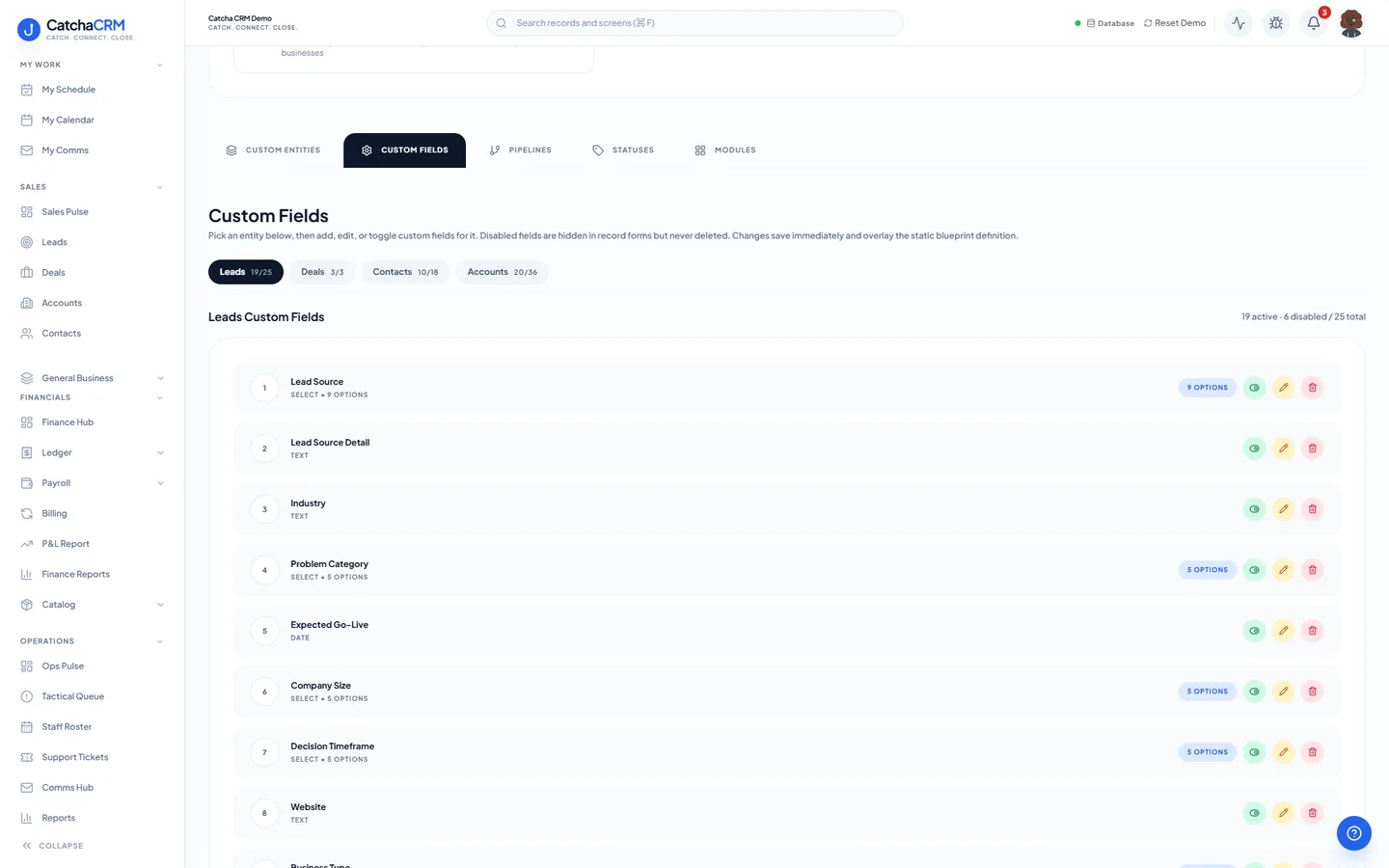
Custom fields on top of the standard ones
| Field | Type |
|---|---|
| Lead Source | dropdown |
| Lead Score | number |
| Budget | currency |
| Decision Timeframe | dropdown |
| Next Follow-Up Date | date |
| Annual Contract Value | currency |
Records it adds extra record types beside contacts, deals and jobs
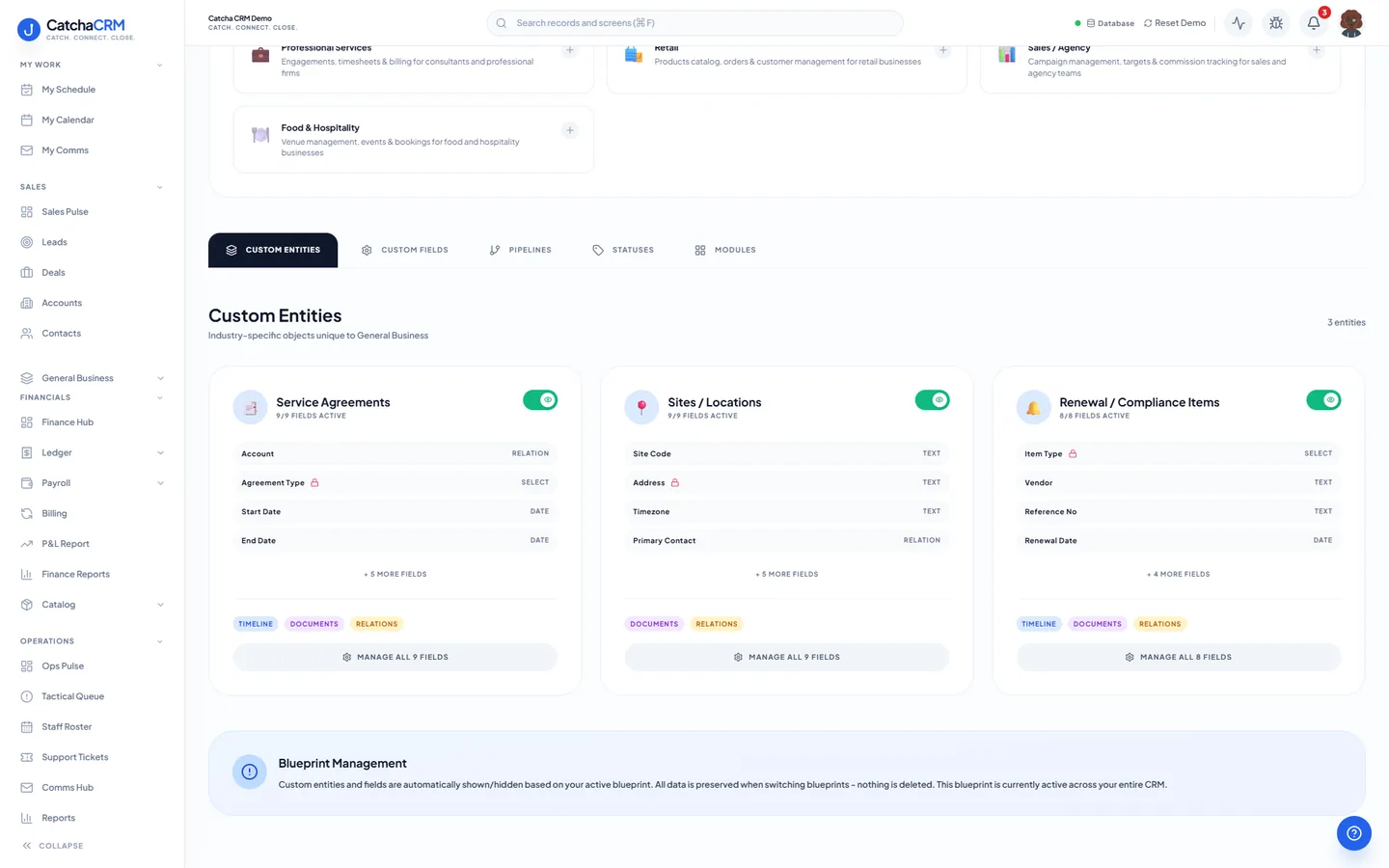
- Service Agreements
- Sites / Locations
- Renewal / Compliance Items
What it looks like in CatchaCRM.
Screenshots of the Blueprint Configuration screen for the General Business blueprint in the CatchaCRM demo workspace. It shows what the blueprint sets up before you add any records.
Built for how most businesses actually work.
- A full sales CRM with pipelines, lead scoring and BANT tracking
- Quotes, invoices and recurring invoices (created as drafts each month) out of the box
- Support tickets and the comms hub included, not sold as add-ons
- Start neutral and stack an industry blueprint whenever you need one
Blueprints stack. Run General business alongside any other blueprint in the same workspace, up to the number your plan lets you activate, and switch later without losing records.
Your general business workspace, live in about two minutes.
Choose General business when you sign up and start the 21-day free trial. No card needed to look around.