The CRM built for solar installers.
Residential and commercial solar installers, battery specialists and renewable energy companies. This is the deepest blueprint in the system: surveys, designs, installs, warranties and rebate claims all become real records.
Sound familiar?
STC rebates tracked in spreadsheets
Rebate values, registration numbers and audit trails scattered across files nobody can find at claim time.
Site surveys disconnected from quotes
The surveyor’s notes never reach the proposal, so quotes get re-keyed and mistakes creep in.
Installation crews double-booked
No single view of which crew is on which roof, so jobs slip and customers chase you.
What installs when you pick Solar.
Choose it during signup and the workspace is already shaped like your business — no blank CRM to configure first.
Pipeline stages Solar Sales Pipeline
- 1New Lead
- 2Qualification
- 3Site Survey Scheduled
- 4Site Survey Completed
- 5Design & Proposal In Progress
- 6Proposal Sent
- 7Follow-up/Negotiation
- 8Contract Signed
- 9Permit Submitted
- 10Permit Approved
- 11Installation Scheduled
- 12Installation Completed
- 13Grid Connection/Metering
- 14Commissioned & Handed Over
- 15Warranty Registered
Custom fields on top of the standard ones
| Field | Type |
|---|---|
| System Size (kW) | number |
| STC Rebate | currency |
| Net Contract Value | currency |
| Roof Type | dropdown |
| NMI Number (AU) | text |
| CEC Installer Name | text |
Starter catalogue one click seeds these as real products and services
- 440W Solar Panel
- 5kW Hybrid Inverter
- Solar Install — 6.6kW
- Solar Install — 10kW
- Battery Add-On — 10kWh
- Monitoring & Maintenance
What it looks like in CatchaCRM.
Screenshots of the Blueprint Configuration screen for the Solar & Renewable Energy blueprint in the CatchaCRM demo workspace. It shows what the blueprint sets up before you add any records.
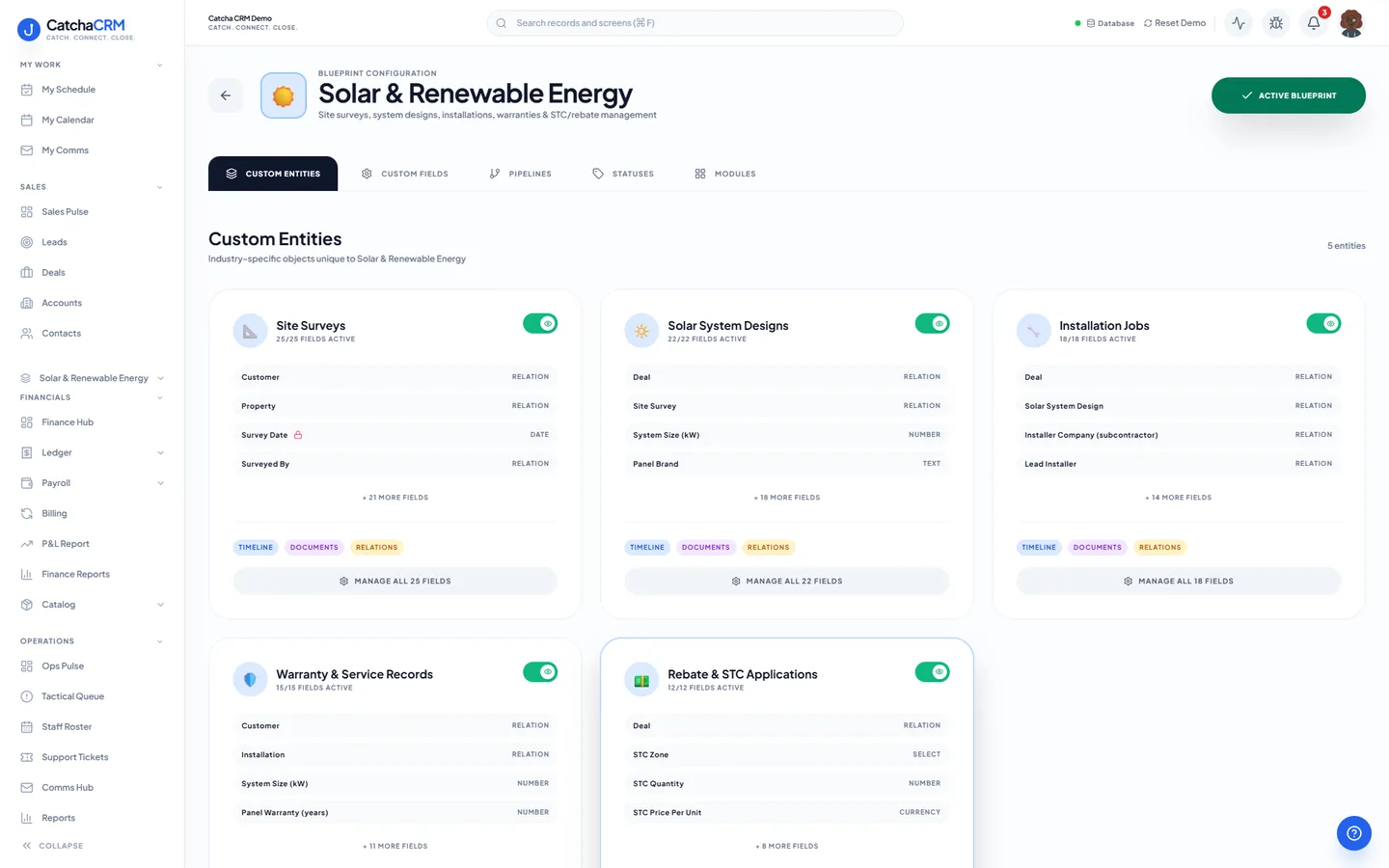
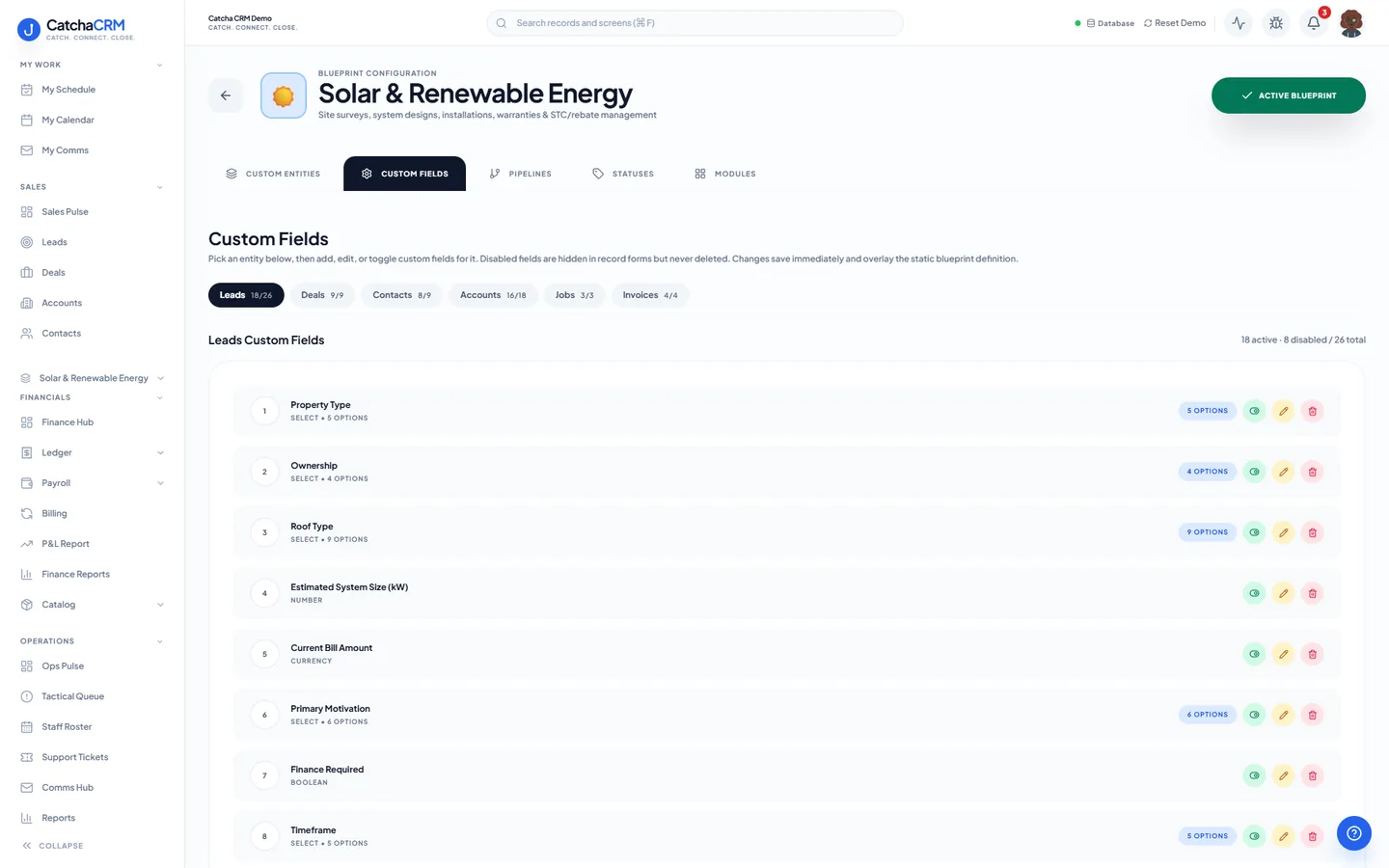
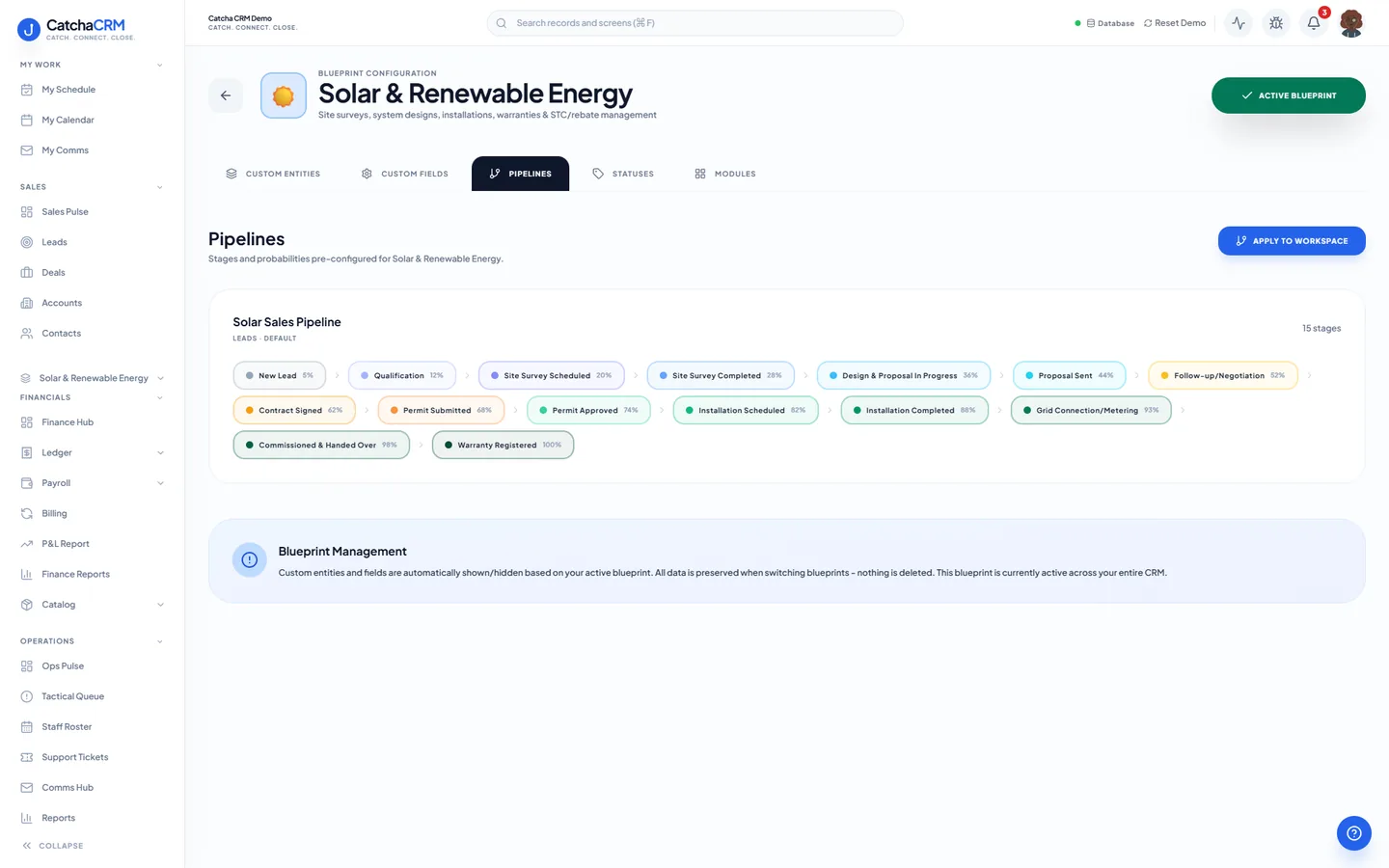
Built for how solar installers actually work.
- Dispatch board with crew and zone views for installation day
- Survey data flows into the design, and the design into the quote
- STC rebate value and registration tracked on the deal, deducted on the invoice
- Review invites sent by an email or SMS sequence once the system is commissioned
Blueprints stack. Run Solar alongside any other blueprint in the same workspace, up to the number your plan lets you activate, and switch later without losing records.
Your solar workspace, live in about two minutes.
Choose Solar when you sign up and start the 21-day free trial. No card needed to look around.