One catalogue behind every quote and job.
Inventory & Procurement holds what you sell and what you hold. The same catalogue fills a quote line, a job's parts list and a purchase order, so there is no second inventory app to reconcile at the end of the month. Inventory, procurement and warehouse come with Grow and up.
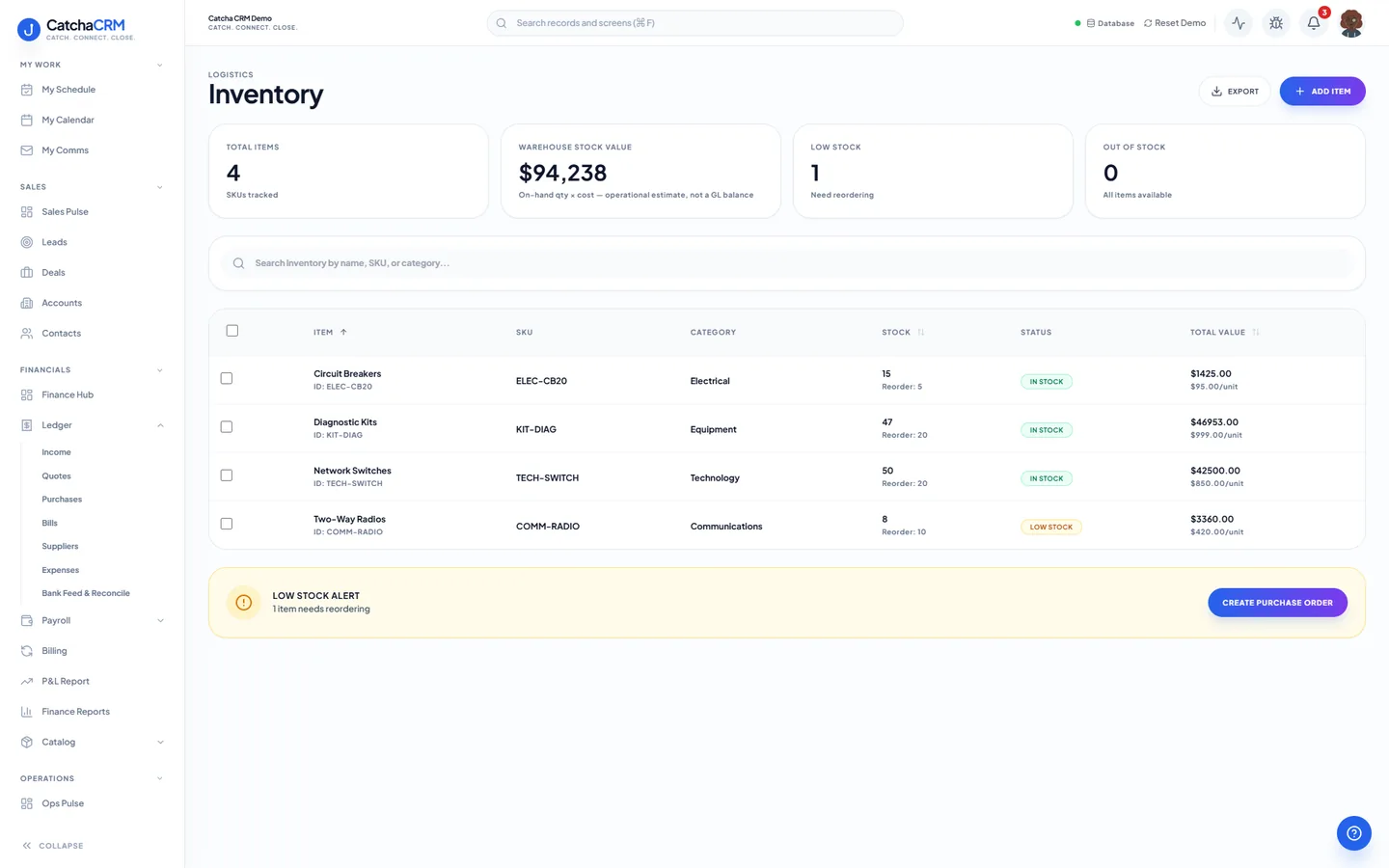
Stock on hand for each item, with a low stock alert that goes straight to a purchase order.
What is in Inventory & procurement.
Every capability below is a line from the module table in our terms of service — the list your subscription actually entitles you to.
Catalogue and stock
- Products, services, inventory items
- Product & service catalogues
- Warehouses & bin locations
Purchasing
- Purchase orders, RFQs, supplier quotes
- Supplier quote comparison
How work moves through it.
-
Load the catalogue
Products and services go into one catalogue, or an industry blueprint seeds a starter catalogue for you at signup.
-
Quote from it
Quote and deal line items are picked from that catalogue, so the price on the quote is the price in the catalogue.
-
Pick parts for a job
A job's parts list draws from the same items, held against warehouses and bin locations.
-
Reorder
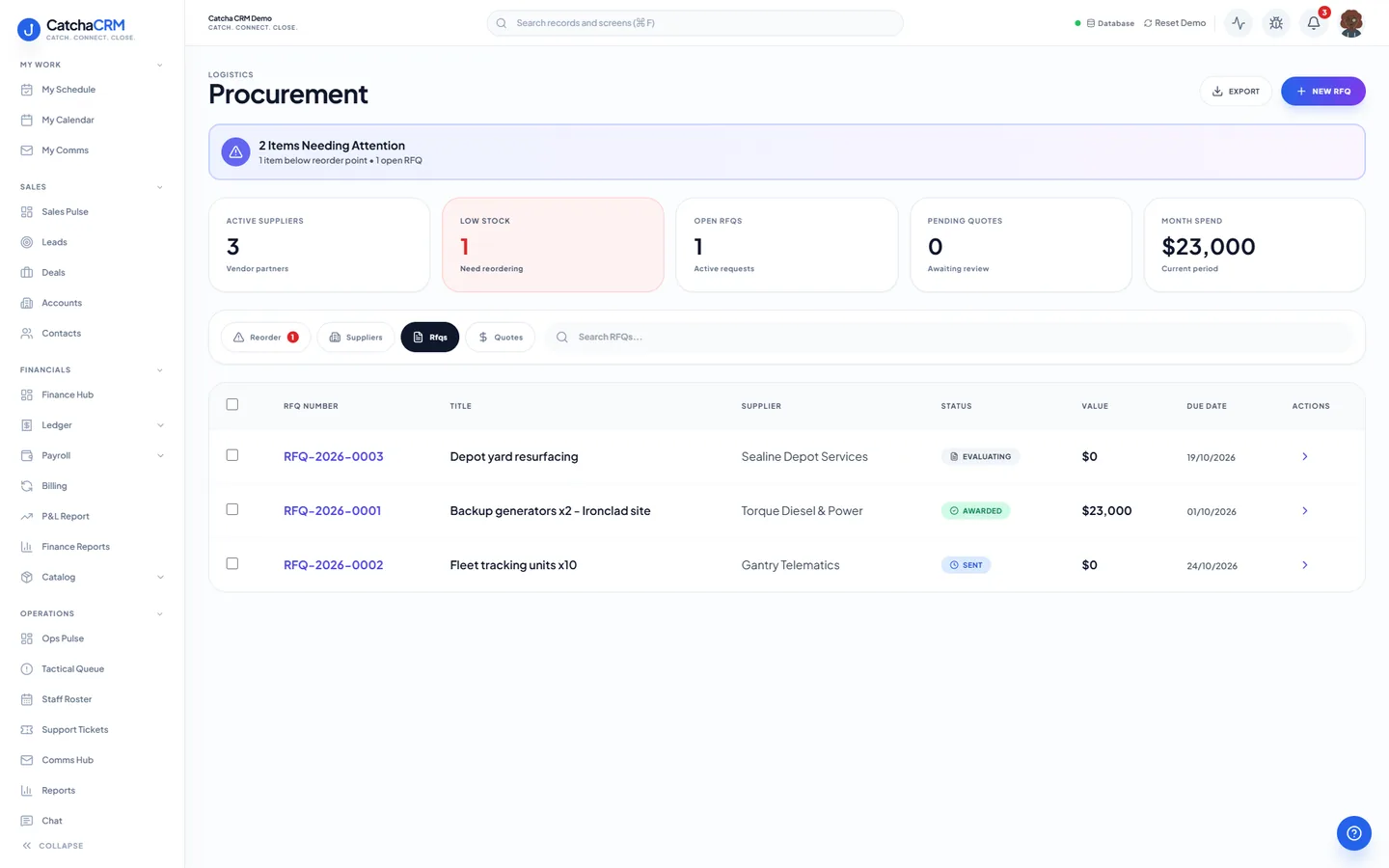
Raise a purchase order, or send an RFQ and compare the supplier quotes that come back before committing.
-
Book the bill
The supplier's bill lands in accounts payable against the same purchase ledger.
Questions
- Yes. Inventory items sit against warehouses and bin locations, which are part of the Inventory & Procurement module.
- Yes. Send an RFQ, collect the supplier quotes it returns and compare them before you raise the purchase order.
- It can. Industry blueprints pre-configure pipelines, fields and catalogues, and may be swapped or stacked at any time.
No matches — email hello@catchacrm.com
Try Inventory & procurement on your own data.
Start a 21-day free trial and the whole platform comes with it — toggle off the modules you do not want and they leave the sidebar.