From quote to paid, in one ledger.
Five of the fourteen modules in your subscription sit in this one back office: quoting and invoicing, subscriptions and recurring billing, payments and banking, accounts payable, and financial reporting. It runs alongside your accounting software, not instead of it.
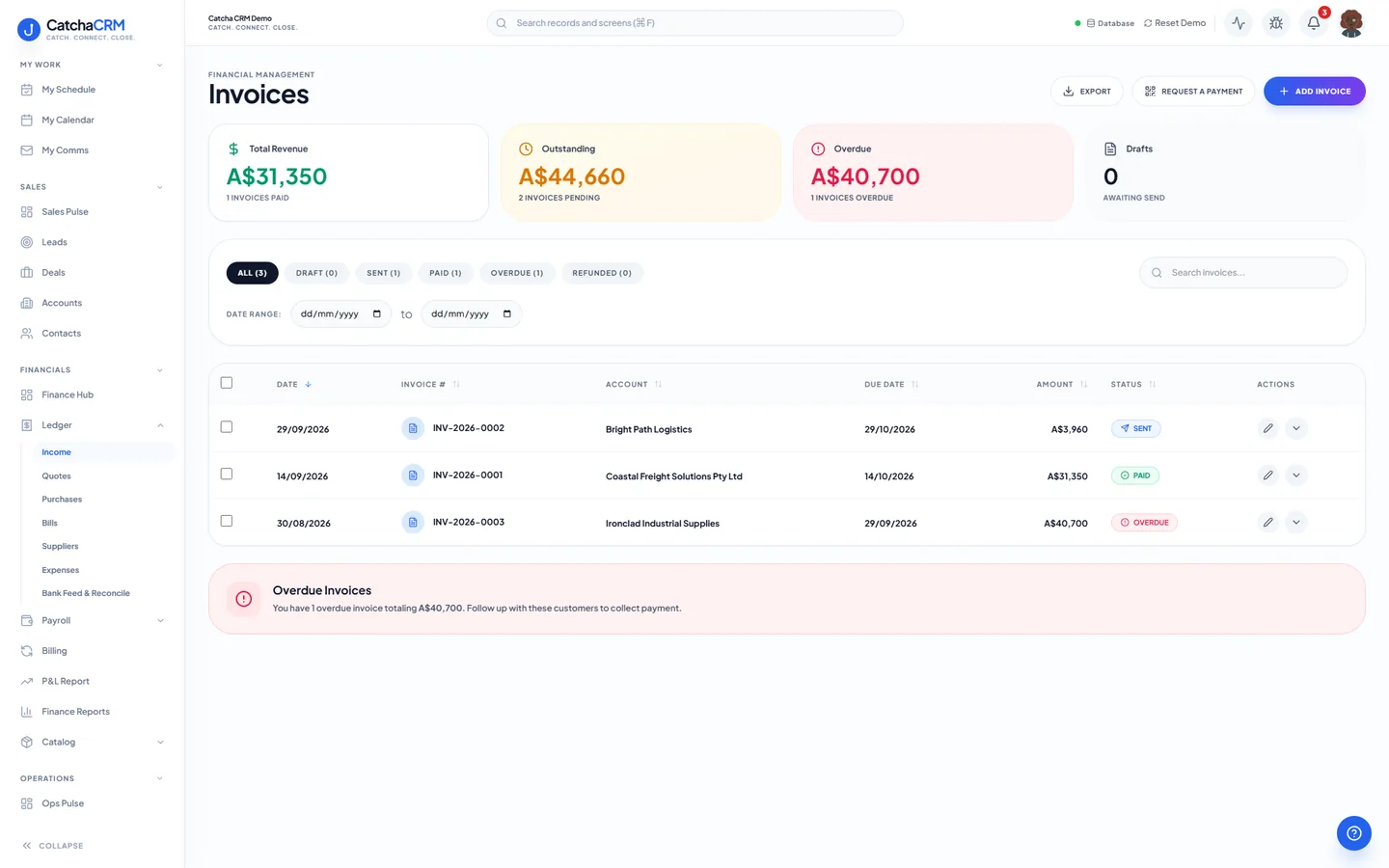
The income ledger: revenue, outstanding and overdue across the top, every invoice and its status below.
What is in Quoting, invoicing & billing.
Every capability below is a line from the module table in our terms of service — the list your subscription actually entitles you to.
Quotes and invoices
- Quotes sent to the customer, then marked accepted
- One-click quote → invoice conversion
- Invoices, credit notes, line items
- Document numbering, PDF export, public pay/view links
Getting paid
- Payment recording, Stripe & PayPal invoice sending
- Pay page offers bank transfer (BSB and account, with the invoice number as the reference), Stripe, PayPal or your own payment link, each only when set up
- The pay page takes the full balance, and paid status and refunds sync back from Stripe / PayPal
- Payment transactions
- Bank statement import and reconciliation
Recurring revenue
- Recurring subscription plans, retainers
- Subscription items, renewal billing
- Recurring invoices are created as drafts each month, for you to review and send
Money going out
- Suppliers, bills, purchase ledgers
- Expense claims, supplier payments
Reporting
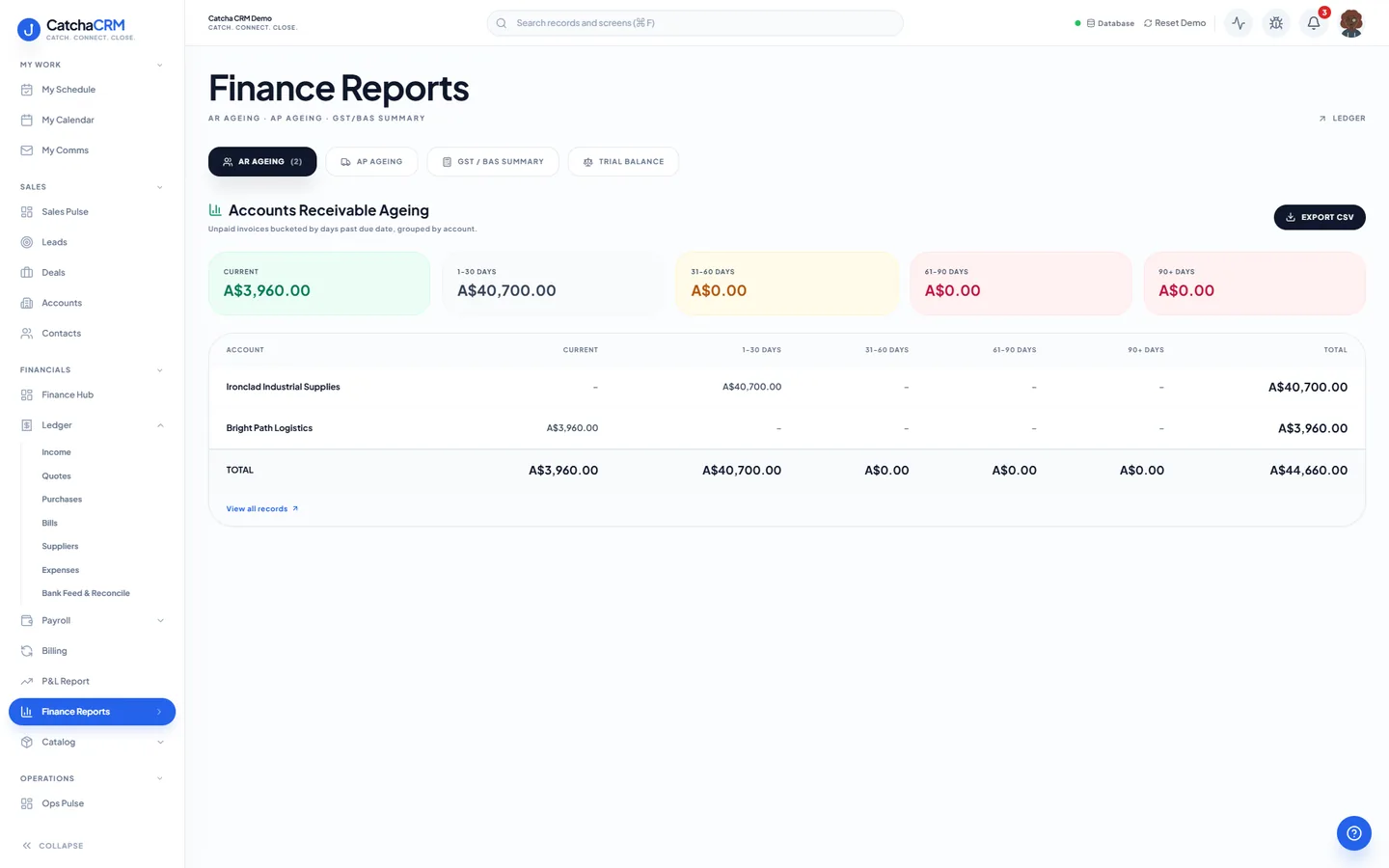
- AR/AP ageing, GST/BAS summaries
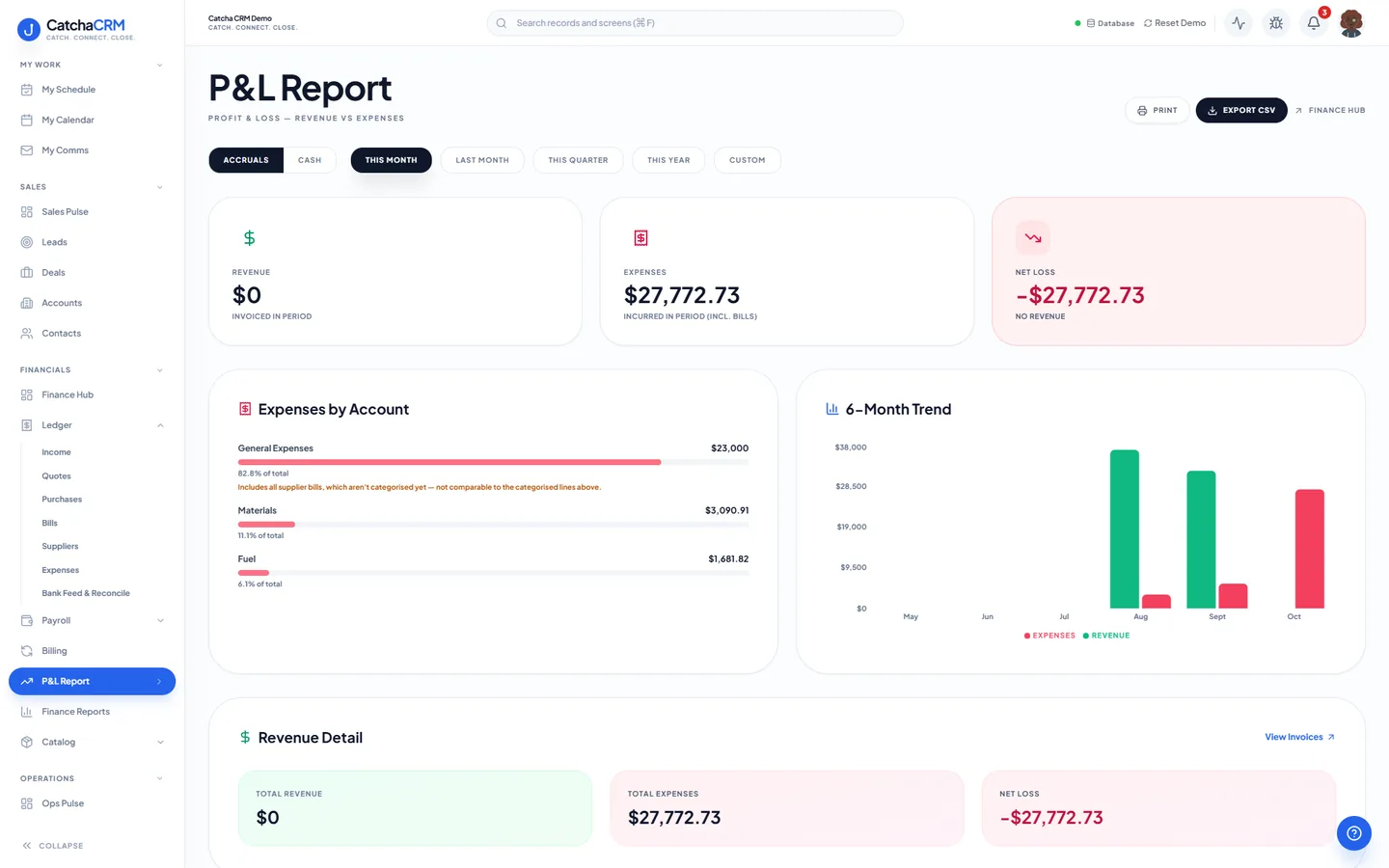
- Profit & loss from your cashflow
- Exchange rates & multi-currency settings
How work moves through it.
-
Quote the work
Build a quote from your catalogue and send it to the customer. When they accept, mark the quote accepted.
-
Convert it
One click turns the accepted quote into a GST tax invoice, carrying the line items and your own document numbering.
-
Send it for payment
The invoice goes out with a public pay and view link. The pay page offers bank transfer, Stripe, PayPal or your own payment link, whichever you have set up, for the full balance.
-
Reconcile
Paid status and refunds sync back from Stripe and PayPal, and you import a bank statement to reconcile it against the ledger.
-
Report on it
AR/AP ageing and GST/BAS summaries read from that same ledger, so nothing is re-keyed to produce them.
Questions
- No. CatchaCRM runs alongside your accounting package. It covers quoting, invoicing, payments, accounts payable and the reporting listed in our terms; your accountant's ledger stays where it is.
- Yours. You connect your own Stripe or PayPal account, and the transaction is between you, your customer and the payment provider. CatchaCRM is not a payment processor, financial adviser or tax agent.
- Yes. Recurring subscription plans, retainers, subscription items and renewal billing are part of the Subscriptions & Recurring Billing module. Each month's recurring invoice is created as a draft for you to review and send; it is not emailed or charged automatically.
No matches — email hello@catchacrm.com
Try Quoting, invoicing & billing on your own data.
Start a 21-day free trial and the whole platform comes with it — toggle off the modules you do not want and they leave the sidebar.