Every ticket and every conversation, on the record.
Support Desk and Comms Hub are two modules that behave like one surface. The ticket and the thread that produced it sit against the same contact, so nobody has to go looking in a separate inbox to answer it.
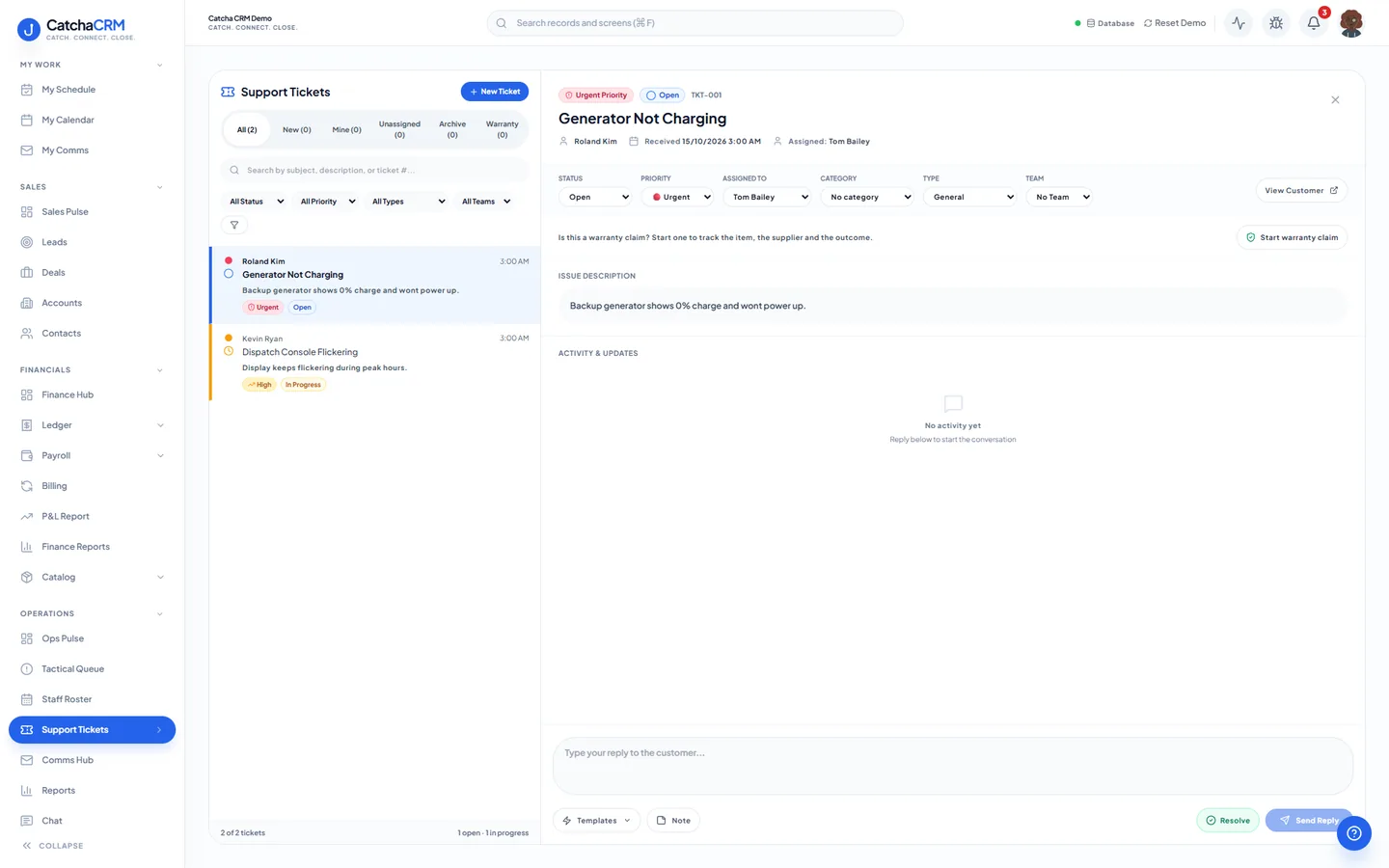
A ticket opens beside the list with its status, priority and assignee, and a reply box underneath.
What is in Support desk & comms hub.
Every capability below is a line from the module table in our terms of service — the list your subscription actually entitles you to.
Support desk
- Tickets, SLA timers, queues
- Escalation & assignment rules
- Knowledge base articles
Conversations
- Connected email accounts & threads
- SMS numbers & messaging
- Softphone/voice calling
Team and templates
- Email/SMS templates & sequences
- Team chat & notifications
How work moves through it.
-
The message arrives
An email from a connected account, an SMS or a call lands against the contact it came from.
-
It becomes a ticket
The request enters a queue with an SLA timer running against it.
-
It gets routed
Escalation and assignment rules move it to the right person before the SLA runs out.
-
It gets answered
Reply from a template or a sequence, or point the customer at a knowledge base article.
-
It stays on the record
The ticket, the email thread and the call all remain on the customer record for whoever opens it next.
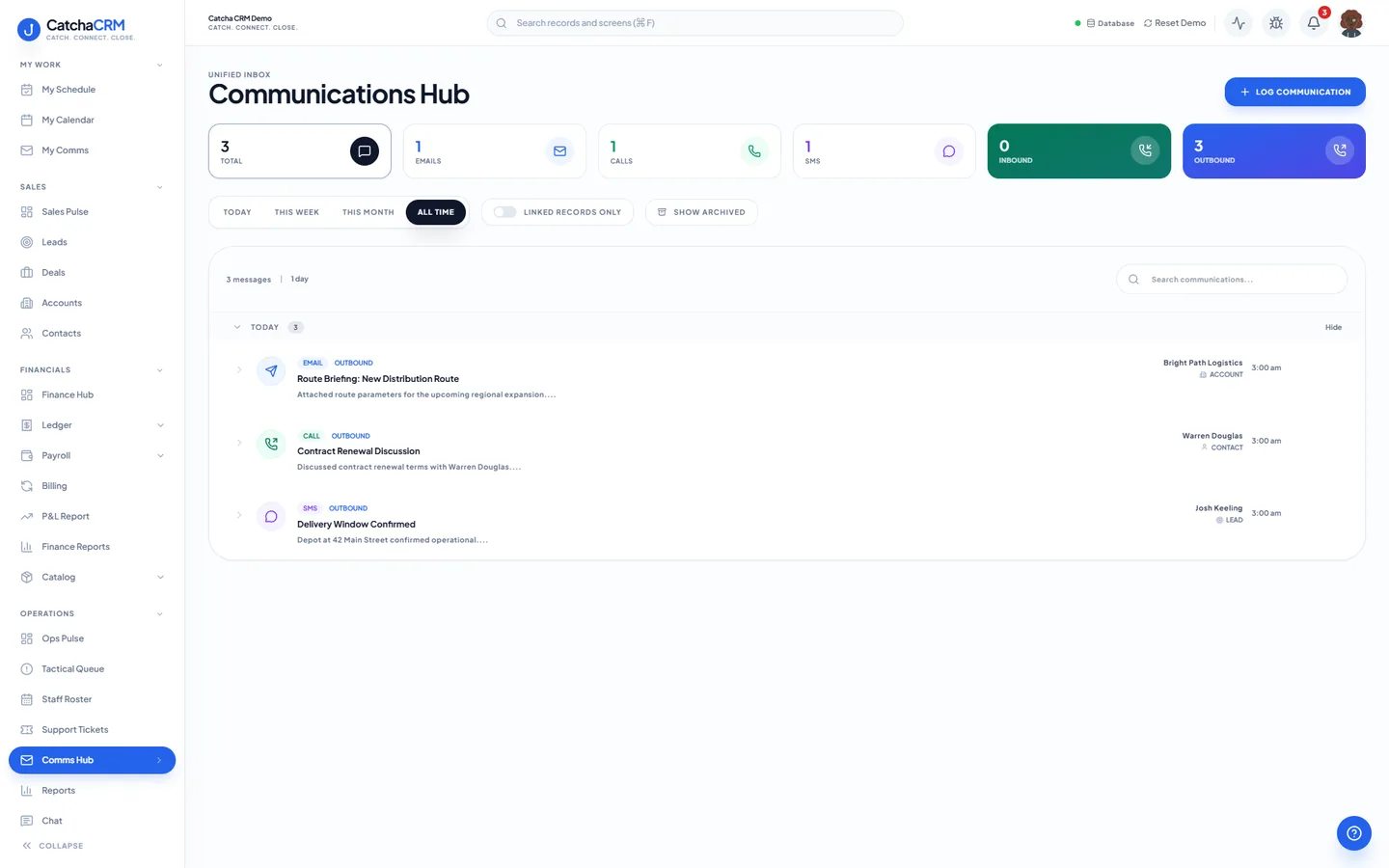
Questions
- Yes. You connect your own email accounts, and the threads are stored against the contact record in the Comms Hub module.
- Yes. Softphone and voice calling is part of the Comms Hub module. Voice and SMS usage may incur metered charges at the rates shown in your workspace billing settings.
- It tracks elapsed time against the ticket so the escalation and assignment rules can move it to someone else before it breaches.
No matches — email hello@catchacrm.com
Try Support desk & comms hub on your own data.
Start a 21-day free trial and the whole platform comes with it — toggle off the modules you do not want and they leave the sidebar.